20
Vincent
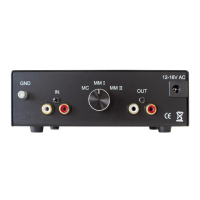
REAR VIEW
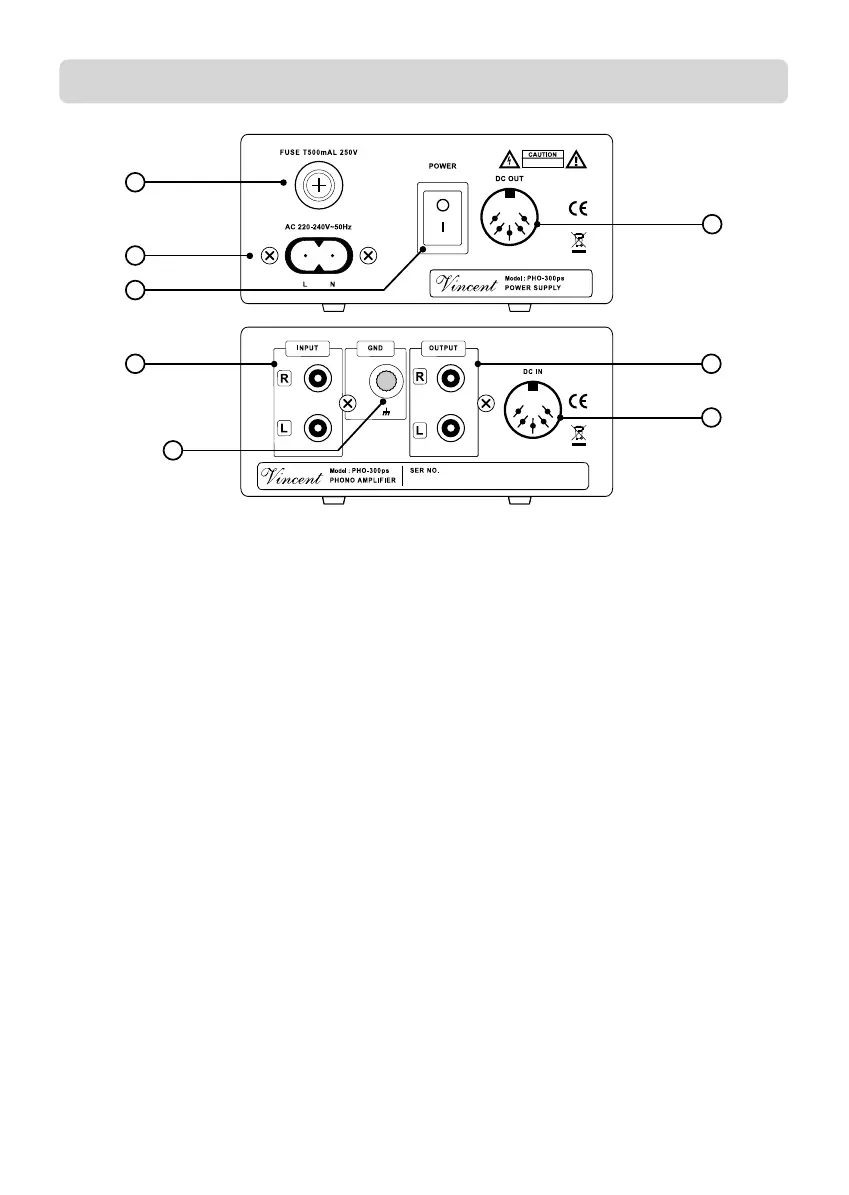
4. Fuse Holder
The small plastic housing beneath the mains
socket holds the fuse. Refer to the Safety
Guidelines.
5. Power Connector
To establish the power supply, connect the
plugs of the power cable to the device and to
a wall power outlet.
6. POWER: mains switch
This is the main power switch for turning on
and off the PHO-300. Always switch on the
PHO-300 before you switch on the ampli-
fier/preamplifier!
7. DC OUT: Power supply output to
PHO-300
Make a connection to the power supply input
(11) of the PHO-300 using the supplied 5pin
DIN cable.
8. INPUT: signal input from
the record player
The audio output (or as well an attached audio
cable) of the record player must be connected
to these input sockets.
9. GND: Ground clamp for the
record player
In addition to the stereo signal connection
cable most record players are equipped with
a grounding cable that can be recognized by
the cable lug at the end of the cable. This lug
has to be fitted to the clamp “GND”.
10. OUTPUT: signal output to the amplifier
A pair of RCA input sockets of your system’s
audio amplifier must be connected with these
output sockets.
11. DC IN: power supply input of
the PHO-300
Make a connection to the power supply output
(7) of the PHO-300ps using the supplied 5pin
DIN cable.
5
8
9
7
1
0
1
1
6
4
BDA - PHO-300_17.qxp_Bedienungsanleitung 13.11.19 14:55 Seite 20


 To Next Page