Reset HEXA
How to reset HEXA
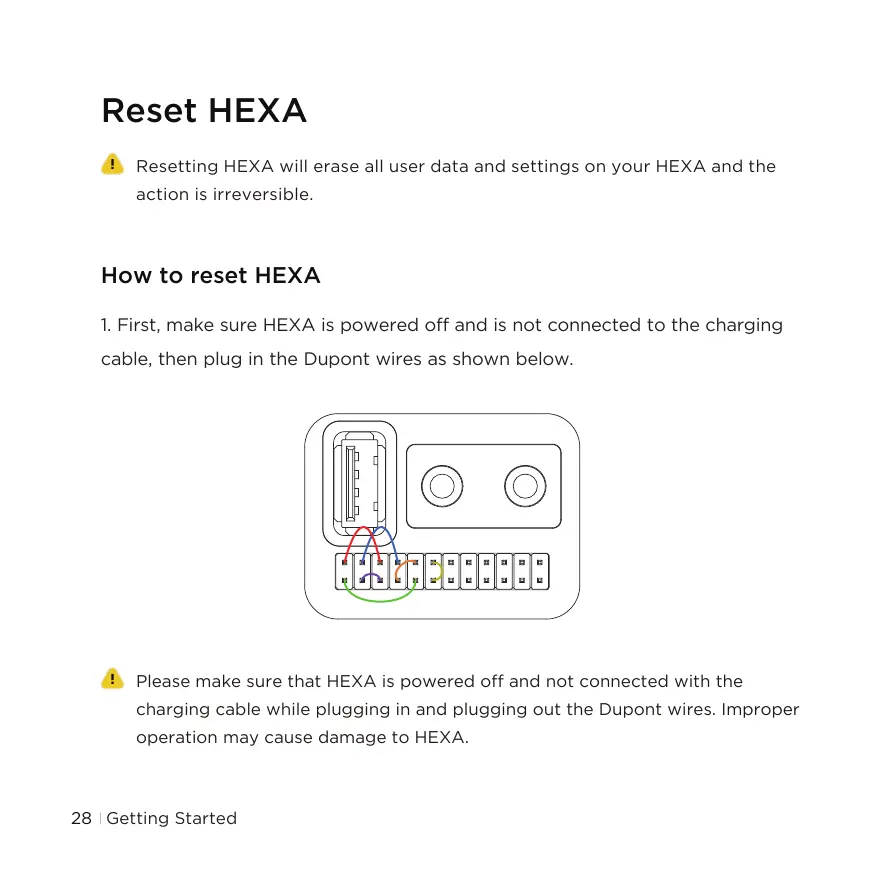
1. First, make sure HEXA is powered off and is not connected to the charging
cable, then plug in the Dupont wires as shown below.
Resetting HEXA will erase all user data and settings on your HEXA and the
action is irreversible.
Please make sure that HEXA is powered off and not connected with the
charging cable while plugging in and plugging out the Dupont wires. Improper
operation may cause damage to HEXA.
Getting Started28



 To Next Page