SYLFIRM X User Manual(VO-UM-SFX-01)
Rev. 01 Rev. date: 2020-03-16
Uncontrolled When Printed
All Rights Reserved © 2014. VIOL Co., LTD.
Page 10 of 33
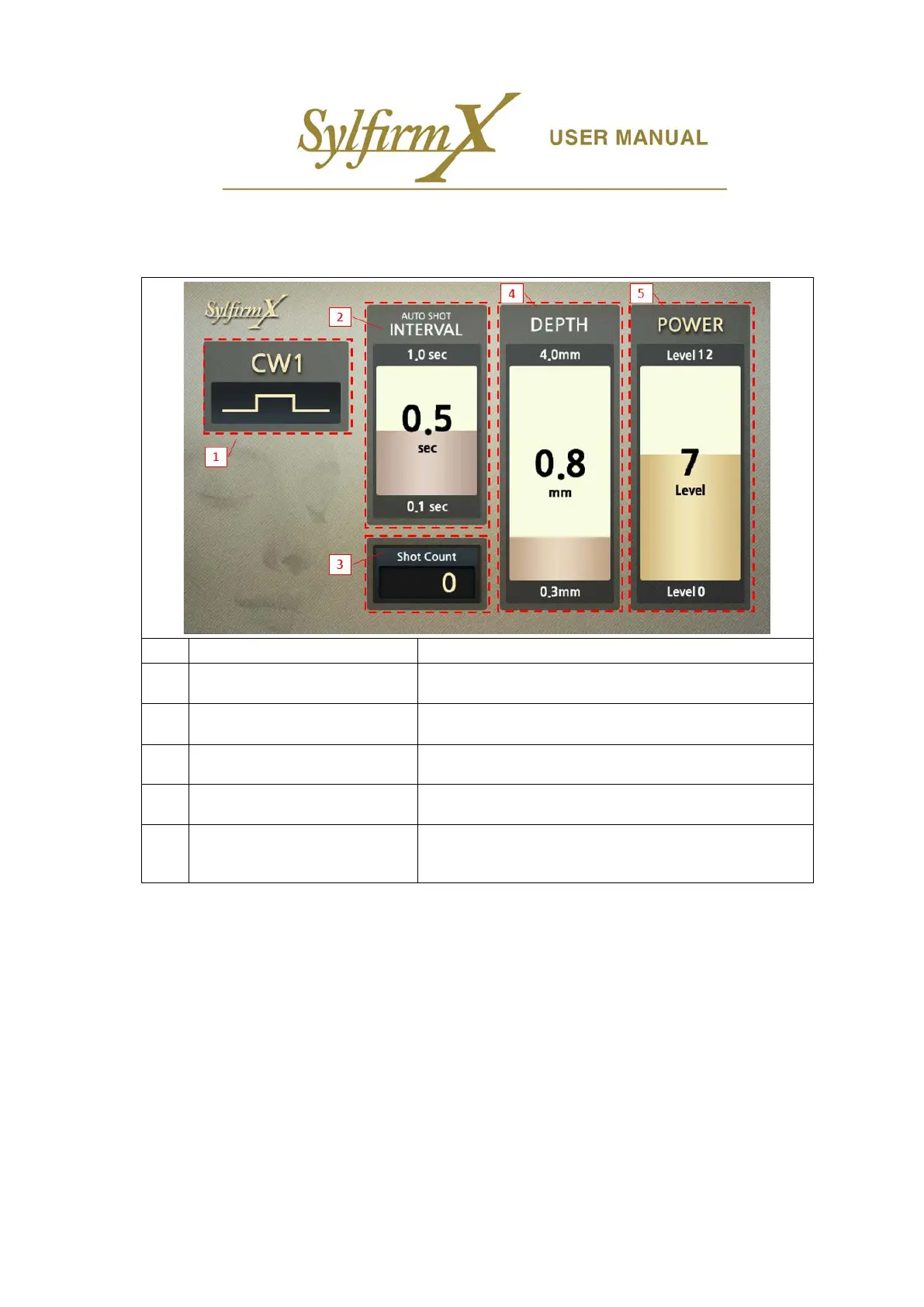
3.3 User Interface (UI)
i. Operation UI– Upper screen
1 Current operation mode display The mode being operated
2 Auto Shot Interval display
Display of interval time between motor movements in Auto
Shot (0.1 ~ 1.0 sec)
3 Shot Count display Display total number of shot count
4 Depth display Display microneedle penetration depth (0.3 ~ 4.0 mm)
5 Power display
Display RF output power level (Level 0 ~ Level 12)
- Level 0: No RF output
- Level 1 ~ 12: As the level increases, the output increases.


 To Next Page