SYLFIRM X User Manual(VO-UM-SFX-01)
Rev. 01 Rev. date: 2020-03-16
Uncontrolled When Printed
All Rights Reserved © 2014. VIOL Co., LTD.
Page 19 of 33
Chapter 4. Using and Operating SYLFIRM X
4.1 How to operate SYLFIRM X
1) Install the device in the order described in this manual (refer to "3. How to install SYLFIRM X")
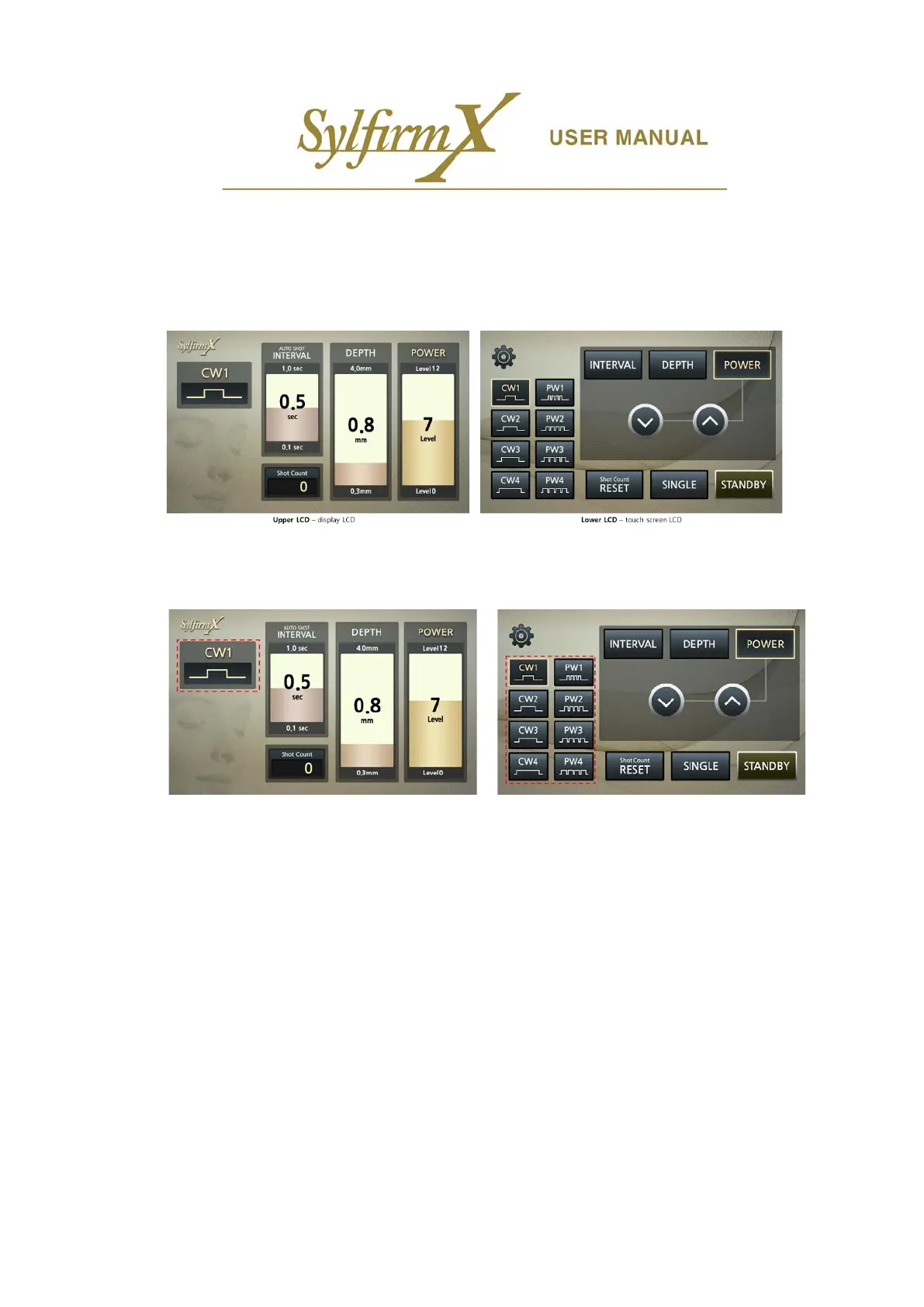
2) When the device is turned on, the below UIs are displayed on the upper and lower LCD.
4.1.1 UI operation
i. Selection of operation mode of RF
- If you select one of the eight RF operation modes ‘CW1, CW2, CW3, CW4, PW1, PW2, PW3, and PW4’
on the left side of the lower LCD, the currently selected mode is displayed on the left side of the upper
LCD.
- The RF operation mode selection is available only in 'STANDBY' state.



 To Next Page