SYLFIRM X User Manual(VO-UM-SFX-01)
Rev. 01 Rev. date: 2020-03-16
Uncontrolled When Printed
All Rights Reserved © 2014. VIOL Co., LTD.
Page 20 of 33
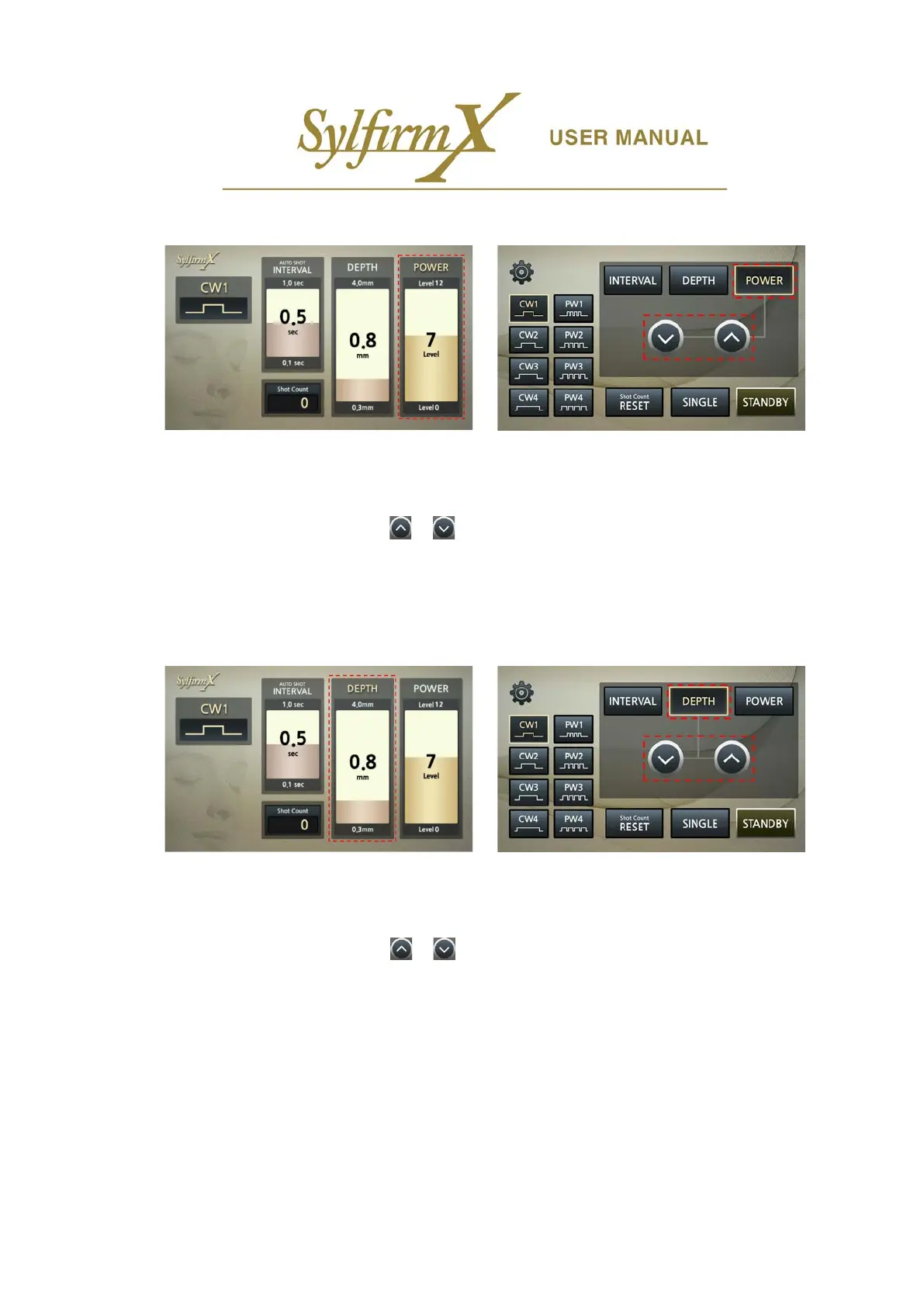
ii. POWER level setting
- The following shows how to set the RF output power level (Level 0 ~ Level 12).
- If you select the 'POWER' button on the upper right side of the lower LCD, you can see that the
‘POWER’ of the upper LCD is selected.
- Press the Up and Down arrows / buttons on the lower LCD to adjust the POWER level. Press
briefly to switch to step 1 level, press and hold to switch continuously.
- You can also adjust the POWER level by turning the jog dial located on the front panel.
- POWER level adjustment is available only in 'STANDBY' state.
iii. DEPTH setting
- Next, set the penetration depth of the microneedle electrodes (0.3 ~ 4.0 mm).
- If you press the 'DEPTH' button in the upper center of the lower LCD, 'DEPTH' of the upper LCD is
selected.
- Press the Up and Down arrows / buttons on the lower LCD to adjust the DEPTH. Press briefly
to switch to step 0.1 mm, press and hold to switch continuously in increments of 0.3 mm.
- You can also adjust DEPTH by rotating the jog dial located on the front panel.
- DEPTH control is available only in 'STANDBY' state.


 To Next Page