SYLFIRM X User Manual(VO-UM-SFX-01)
Rev. 01 Rev. date: 2020-03-16
Uncontrolled When Printed
All Rights Reserved © 2014. VIOL Co., LTD.
Page 21 of 33
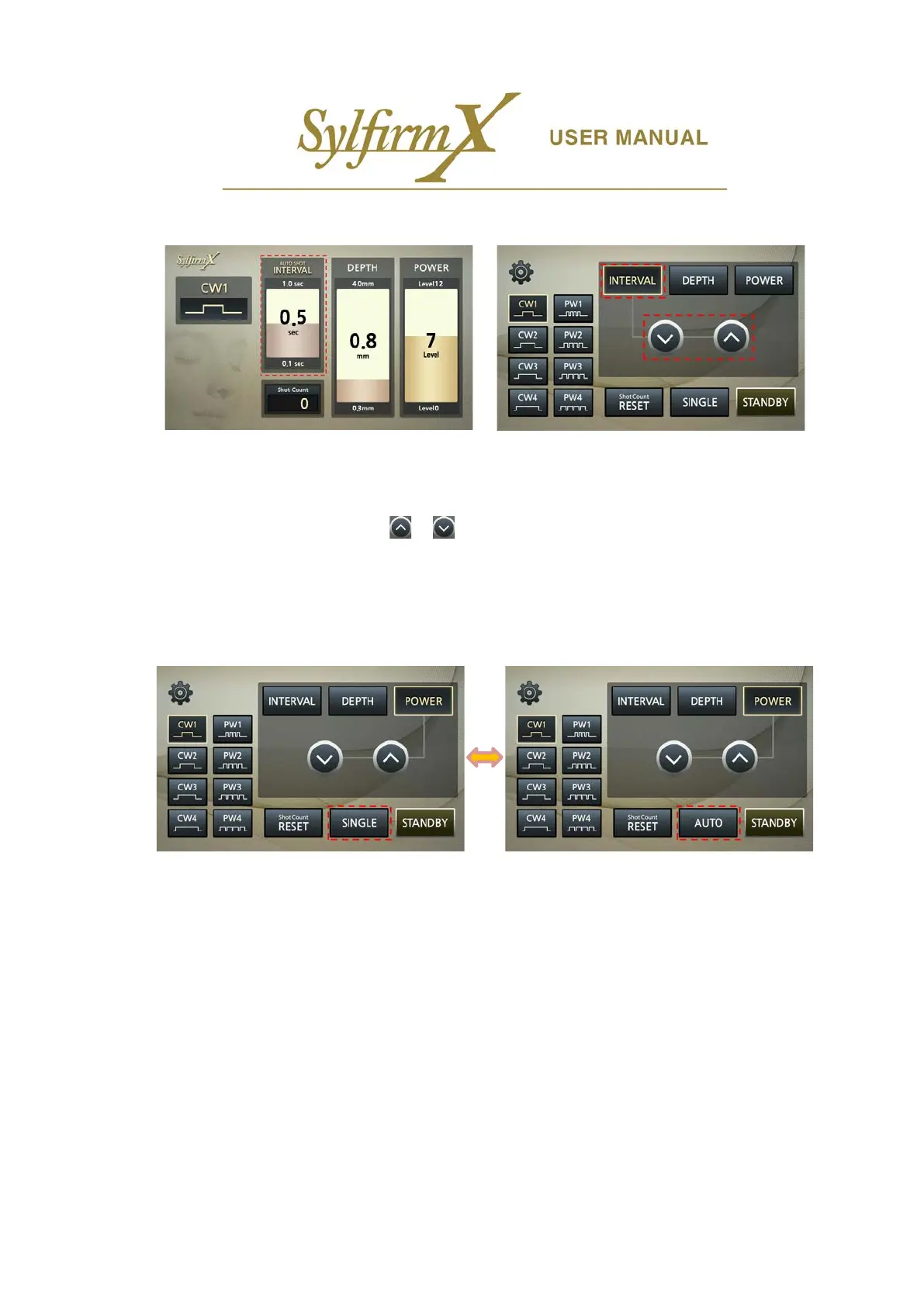
iv. INTERVAL setting
- Next, set interval time between motor movements in Auto Shot (0.1 ~ 1.0 sec).
- If you press the 'INTERVAL' button in the upper left of the lower LCD, 'AUTO SHOT INTERVAL' of the
upper LCD is selected.
- Press the Up and Down arrows / buttons on the lower LCD to adjust the INTERVAL. Press
briefly to switch to step 0.1sec, press and hold to switch continuously.
- You can also adjust INTERVAL by rotating the jog dial located on the front panel.
- INTERVAL control is available only in 'STANDBY' state.
v. Selection of AUTO and SINGLE shot
- This section describes how to control motor movement. 'SINGLE' will operate one shot each time the
foot switch is pressed, and 'AUTO' will continue to operate when press and hold the foot switch down.
- The button locates at the bottom center of the lower LCD. The currently displayed button indicates the
current status. There is no display on the upper LCD.
- Press button to switch 'SINGLE' to 'AUTO'. Press again to switch 'AUTO' to 'SINGLE'.
- Only available in 'STANDBY' state.


 To Next Page