SYLFIRM X User Manual(VO-UM-SFX-01)
Rev. 01 Rev. date: 2020-03-16
Uncontrolled When Printed
All Rights Reserved © 2014. VIOL Co., LTD.
Page 22 of 33
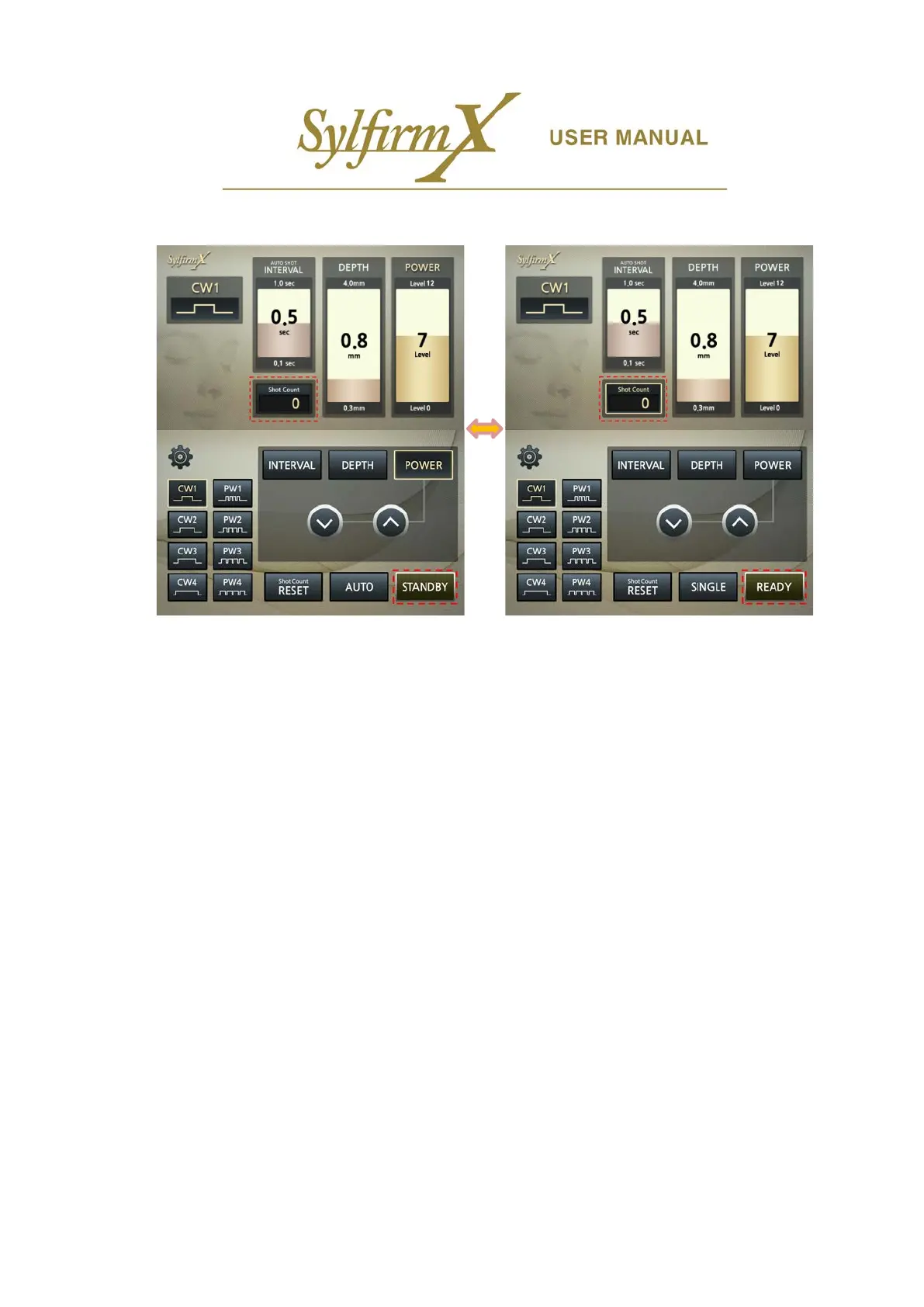
vi. Selection of STANDBY and READY
- All settings and selections are available only in the 'STANDBY' state and not in the 'READY' state.
- In 'READY' state, pressing the foot switch will activate the system.
- The button locates at the bottom right of the lower LCD. The currently displayed button indicates the
current status. There is no display on the upper LCD.
- Press button to switch 'STANDBY' to 'READY'. Press again to switch 'READY' to 'STANDBY'.
- If you are in the 'READY' state, you can see 'Shot Count' activated at the bottom center of the upper
LCD.


 To Next Page