SYLFIRM X User Manual(VO-UM-SFX-01)
Rev. 01 Rev. date: 2020-03-16
Uncontrolled When Printed
All Rights Reserved © 2014. VIOL Co., LTD.
Page 18 of 33
6) Power on
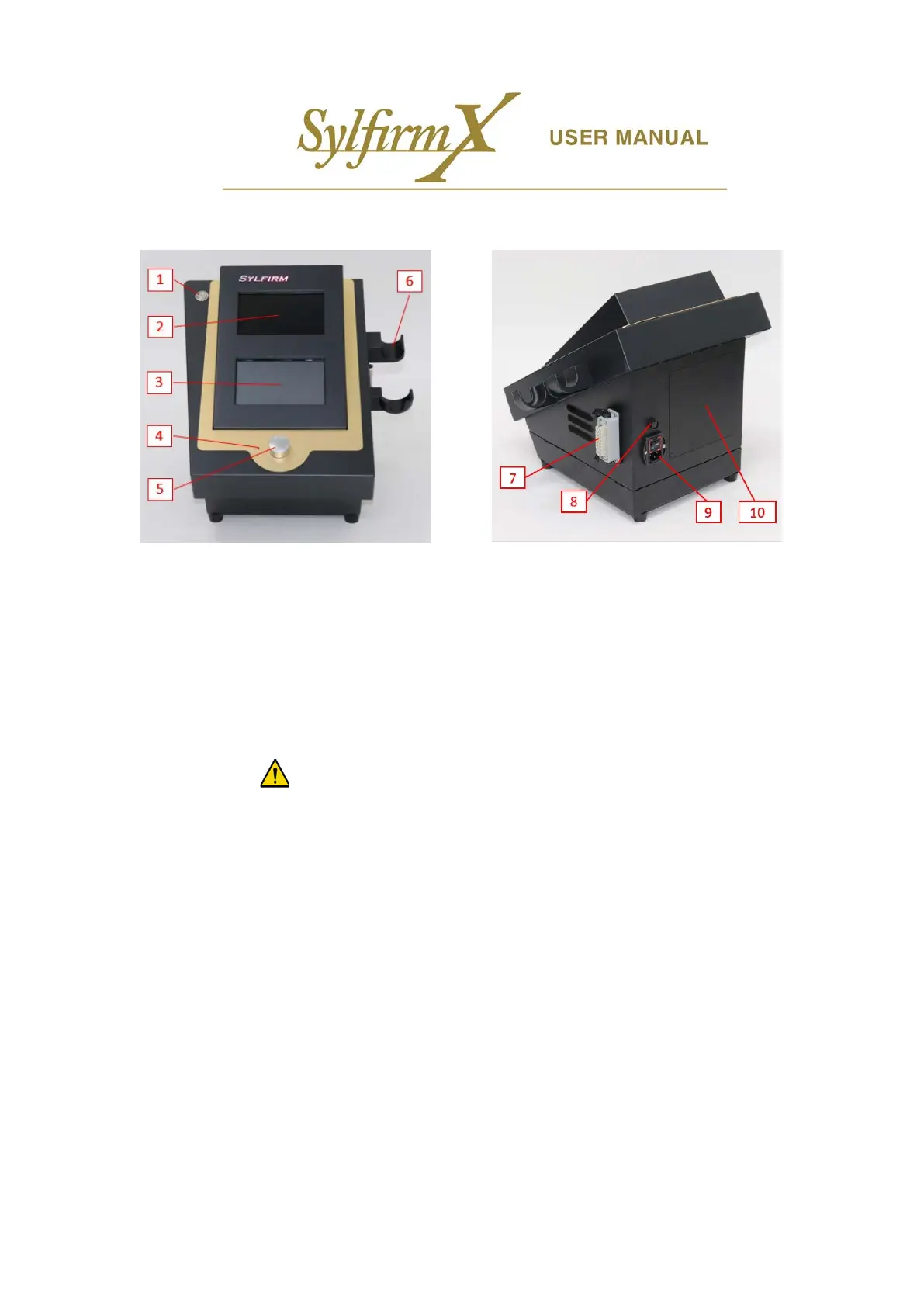
i. After connecting all the components to the main device, turn on the power.
ii. Turn the power switch on the main device's power inlet (9) to ON (I: ON, O: OFF).
iii. Press the main device power switch (1) to turn it on (switch pressed).
iv. Check if the upper and lower LCD screen lights up. If the LCD screen does not turn on, contact the sales
company.
※ LCD panel is vulnerable to impact, so be careful when using it. (Lower LCD is a touch panel frequently used
by practitioners. Gentle use is required)
3.5 Precautions
1) Do not install the Main Device too near the patient, adjacent to a wall, or in a closed space.
2) Do not expose the device to direct sunlight.
3) After using the device, wipe dust and other foreign substances using a dry cloth.
3.6 Power off
Turn off the power by following the reverse order of turning on the power.



 To Next Page