Product Introduction
7
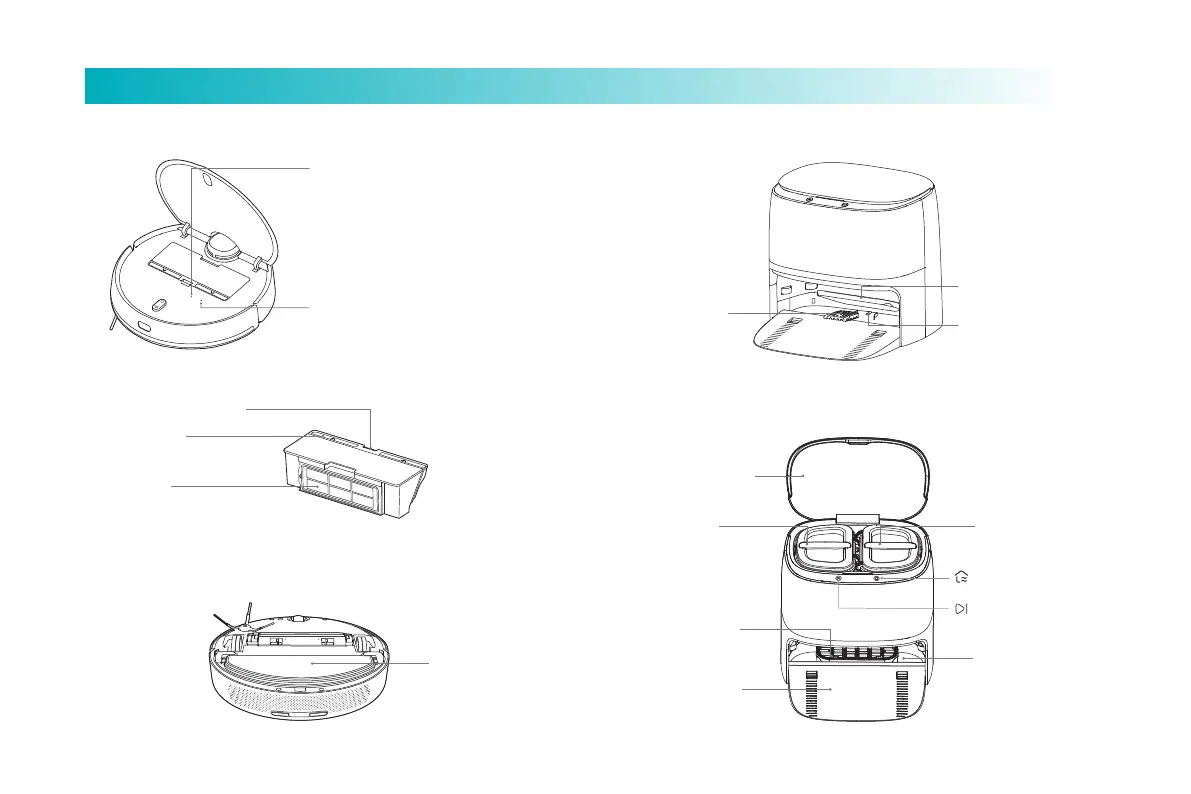
Dust box release buon
Dust box cover
Filter screen
Vibration mop bracket
Dust box
Vibration mop bracket
Main machine
Wi-Fi indicator light
Blue light stays on for 2s and then goes out:
Wi-Fi is connected
Blue light flashes: Wi-Fi connection in
progress / firmware upgrade in progress
Yellow light flashes: Wi-Fi waits for
connection
Reset buon
Press for 3s, reset the system
Press for 10s, recover the system
Note: Dust boxes should be installed in both the cleaning mode and the sweeping
and mopping mode, otherwise the main machine can’t be started.
Cleaning station (near the wall)
Dirtywater tank
Cleaning slot
Freshwater
tank
Cover of cleaning
station
Sweeping/mopping
buon
Recharging cleaning
buon
Recharging tray
Cleaning brush
Sewage mesh
Cleaning brush
Drainage hole



 To Next Page