10
Input Connections
Headphone Connection
Watching Video Signal
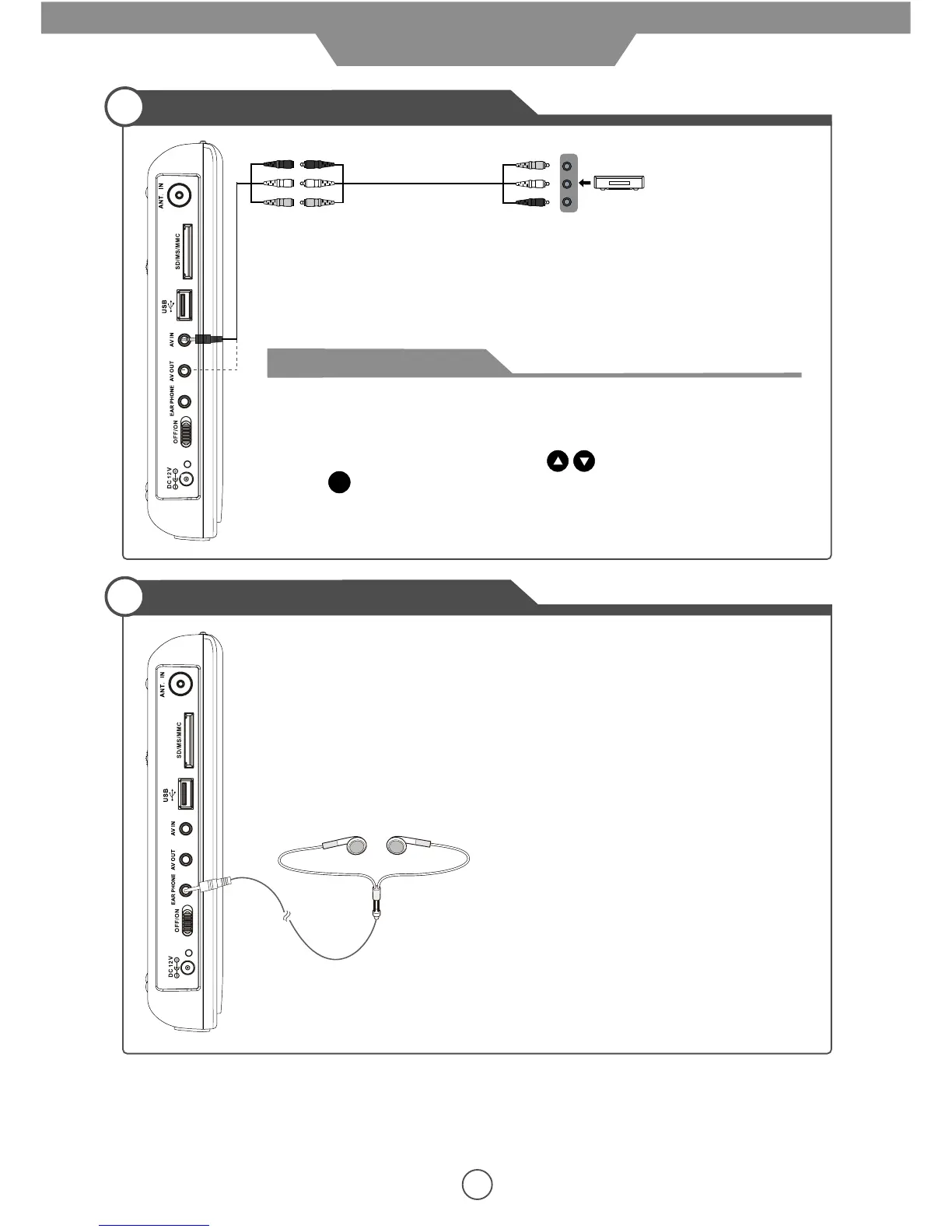
* Connect the LCD TV’s AV IN/OUT terminal to the output/input terminals with a
Composite Cable and an AV Connection Cable(supplied) as the picture shows.
1. Connecting the DC power supply, pushing the power switch “OFF/ON” up, and
press “STANDBY” button to turn on the LCD TV.
2. Pressing “TV/AV” button on the LCD TV or “TV/AV” button on the remote control
to display the input source menu, using buttons to move to “AV”,
press button to confirm.
3. Turning on the VCR etc.
Note: After you connect to the TV by the AV OUT jack, you will see the video
playing on the TV.
ENTER
AV OUT
AV
Connection
Cable
(Included)
Composite Cable
(Not included)
Connection for headphones
Connection
External video source
such as VCR


 To Next Page