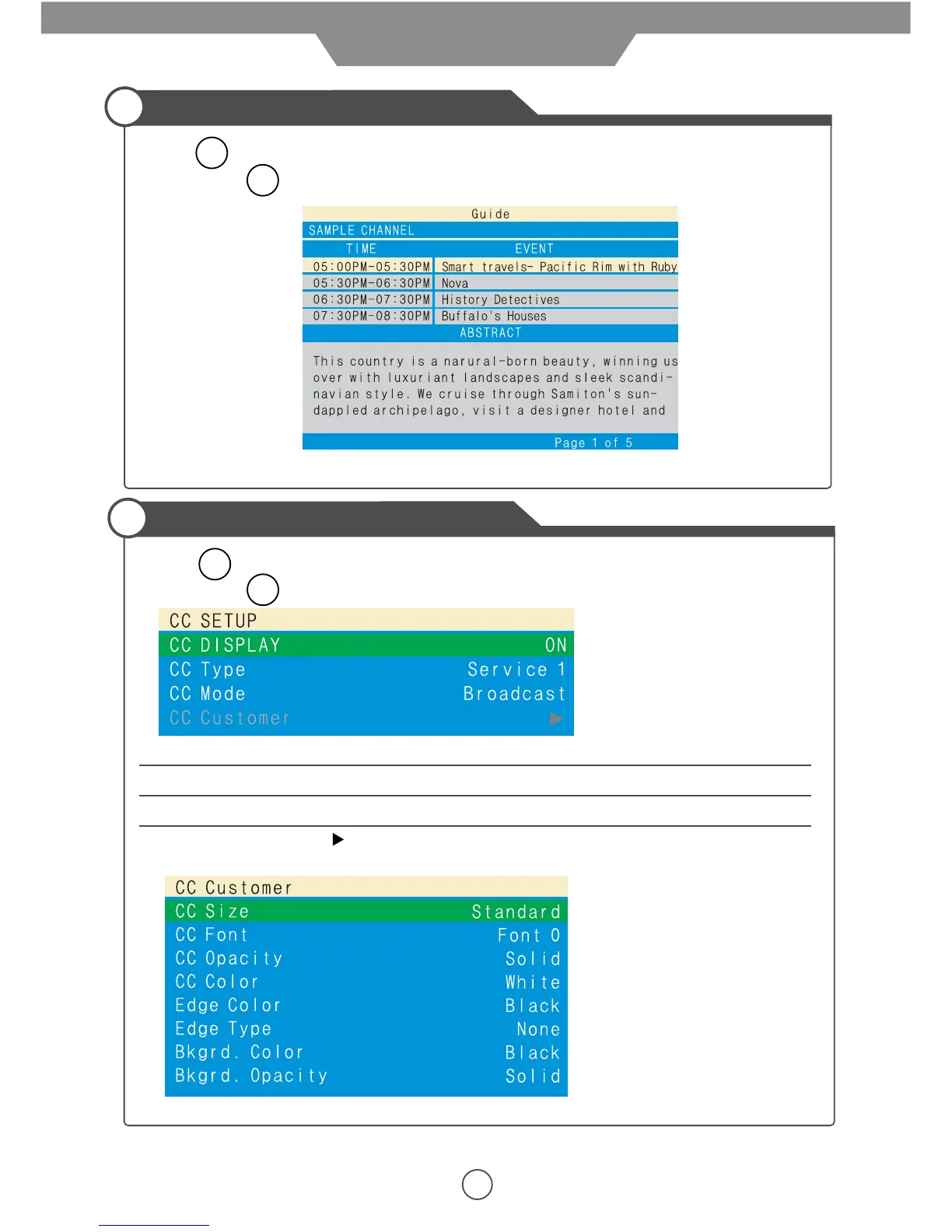
Press button on the remote control in DTV mode, the screen will display the Guide menu as
below. Press button to cancel.
Note: The content shown in the picture above is just an example.
16
EPG menu
EPG
EPG
Press button on the remote control in DTV mode, the screen will display the Closed Caption as
below. Press button to cancel.
CC Display Turn on/off the Closed Caption display.
CC Type Select the Closed Caption service.
CC Mode Select the Closed Caption mode from Broadcast/Customer.
CC Customer Press button to go to the CC customer menu to custom the CC style.
(Available only when the CC mode is selected to Customer)
Closed Caption
CC
CC
Application


 To Next Page