8
4. Place the monitor on your desktop or table after completing the installation and carefully
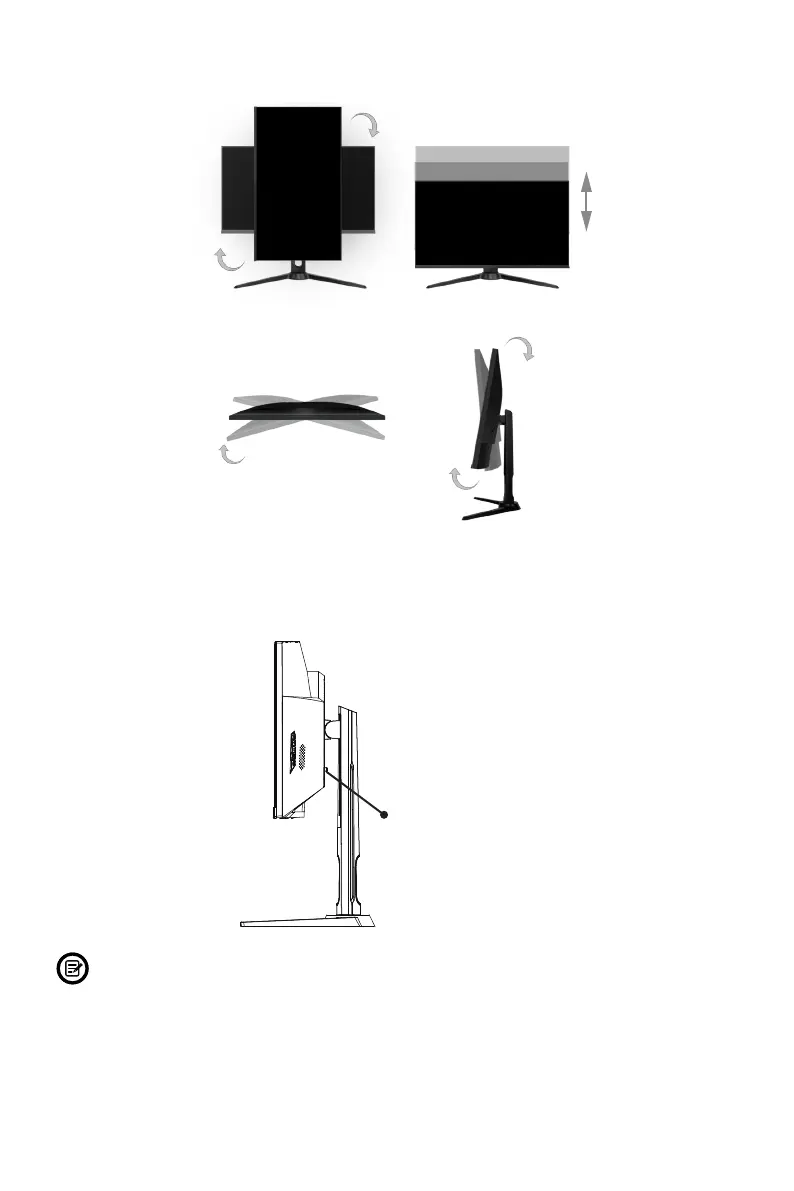
adjust the monitor’s height, angle and/or orientation as desired.
Pivot adjust 20°
Tilt adjust +5° / -15°
Height adjust 4.72 in. (120 mm)
Orientation adjust 90°
* (Base must be raised to
complete 90° rotation.)
5. With the stand fully assembled and attached to the monitor, remove the remaining
foam on monitor and carefully stand the monitor up on a at, level desktop or
table. Press the button to remove the monitor from the bracket if mounting.
Button
Make sure the monitor is laid on a at surface before removing the stand.


 To Next Page