2 © 1998 Directed Electronics, Inc. Vista, CA
N438 7/98
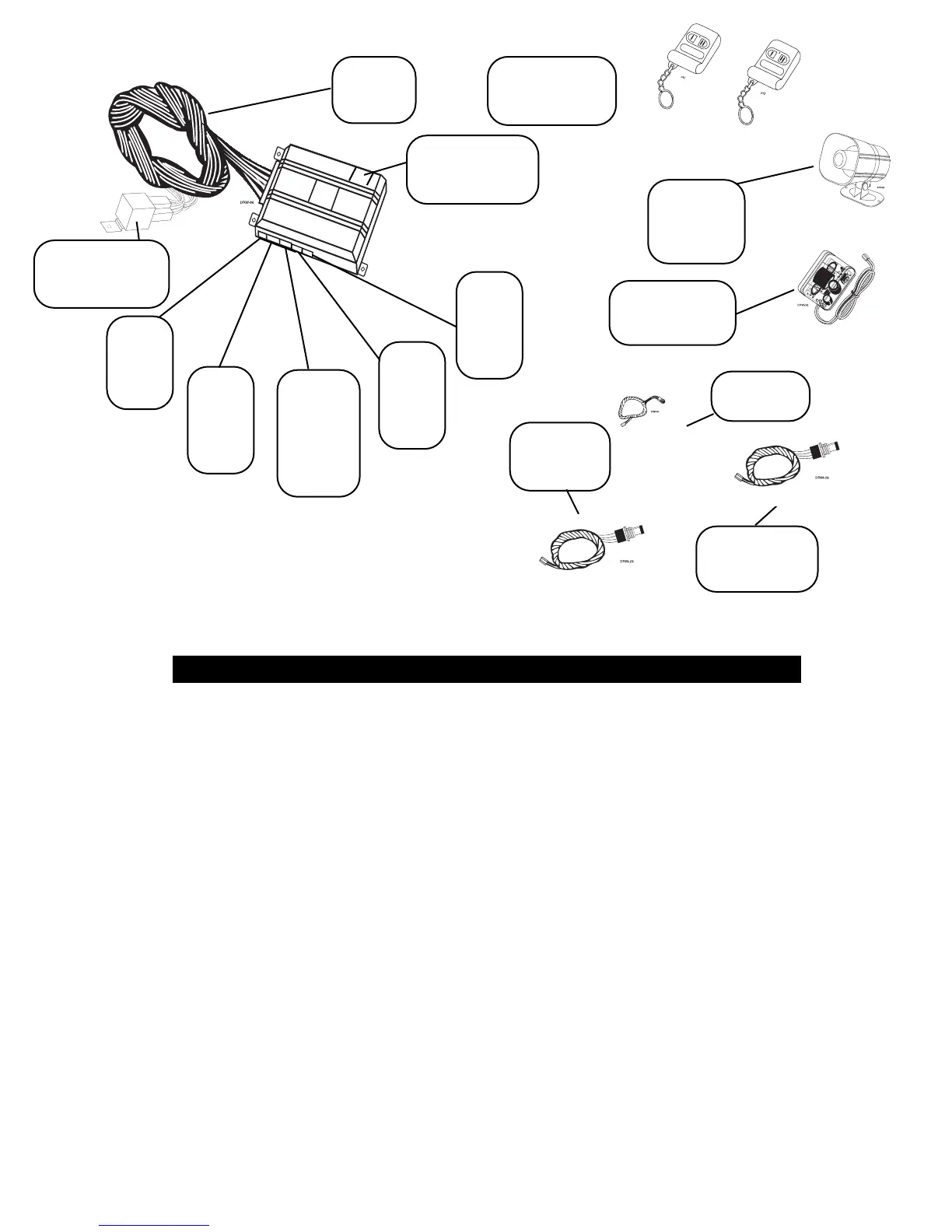
Pre-wired 8618
Starter Kill
Relay
Plug-in
Valet
®
/Program
switch
Primary
Harness
H1
3-pin
2-wire
door
lock
harness
Two 471T
remote
transmitters
Plug-in
Status LED
Removable door
for programming
jumpers
504D Plug-in
Stinger
™
shock
sensor
514T
Revenger
™
Soft-chirp
™
siren
Do not disconnect the battery if the vehicle has an anti theft-coded radio. If equipped with an airbag, avoid discon-
necting the battery if possible.
IMPORTANT: Many airbag systems will display a diagnostic code through their warning light after they lose
power. Disconnecting the battery requires this code to be erased, a procedure that can require a trip to the
dealer.
Before beginning the installation:
• Check with the customer on Status LED location.
• Remove the domelight fuse. This prevents accidentally draining the battery.
• Roll down a window to avoid being locked out of the car.
After the install:
• Test all functions. The "Using Your System" section of the Owner's Guide is very helpful when testing.
• When testing, don’t forget that this system is equipped with Nuisance Prevention Circuitry
TM
.
NPC
™
can bypass trigger zones, making them appear to stop working. See Final Testing, page 21.
INSTALLATION POINTS TO REMEMBER
2-pin
mini
red
VRS
®
plug
2-pin
mini
blue
Valet
®
/
Program
plug
4-pin
shock
sensor
plug
2-pin
micro
LED
plug
VRS
®
plug-in
switch



 To Next Page