EasyManua.ls Logo

Viper 5601 - 1-Way Remote

Viper 5601
64 pages
Print Icon
To Next Page IconTo Next Page
To Previous Page IconTo Previous Page
Loading...
36
© 2008 Directed Electronics. All rights reserved.
1-Way remote
A U X
Note: If Keypad Lock is On, press
A U X
and then press
A U X
to exit.
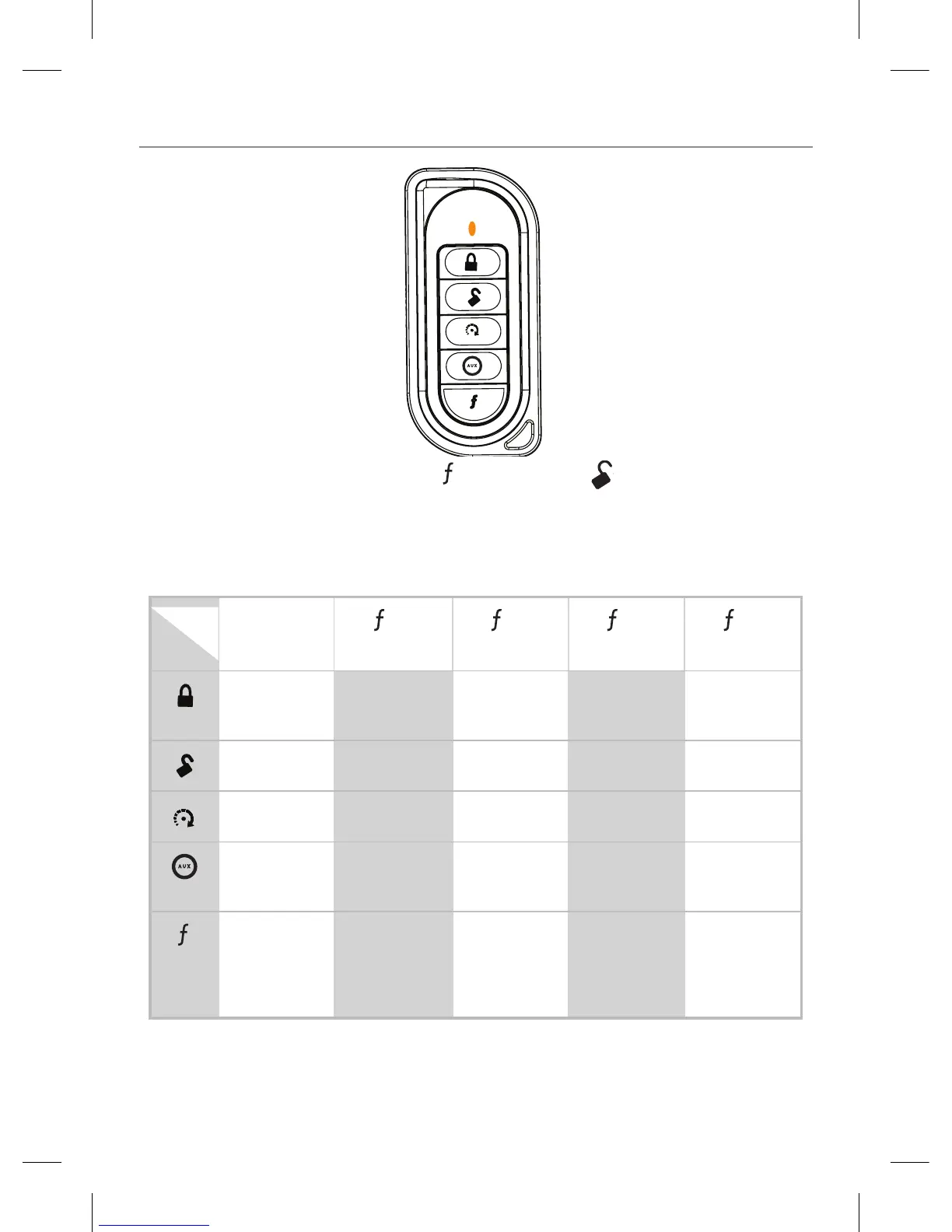
The remote control buttons that operate the features of the remote start system are
described below. The buttons will operate in this configuration when the remote
control is programmed using the Step 1 Auto-learn routine.
Button
Level
Direct
Access
A U X
x 1
A U X
x 2
x 3
A U X
x 4
A U X
ARM/LOCK
(Panic)
SILENT ARM SENSOR
BYPASS
SILENT ALARM
SENSORS *
SILENT ALARM
ALL ZONES *
A U X
DISARM/UN-
LOCK (Panic)
SILENT DISARM VALET ON/OFF CAR FINDER
A U X
STARTER
ON/OFF
RESET RUNTIME TIMER MODE
ON/OFF
SMART START
ON/OFF
DEFOGGER ON
A U X
TRUNK
RELEASE (Red/
White)
AUX 1 AUX 2 AUX 3
A U X
Advance Level
Change Car
(3s) Enter
programming
(8s)
CABIN
TEMPERATURE
REQUEST *
RUNTIME
CHECK *
EVENT HISTORY
REPORT *
* Feature only available when upgrading to two way remote

Table of Contents

Related product manuals