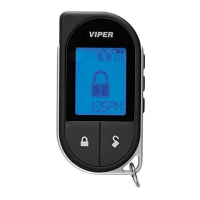
37
© 2011 Directed Electronics. All rights reserved.
Car Select
Car 2 must first be turned On (See Remote Control Configuration sec-
tion to turn on).
1. Press and hold the
button for 3 seconds. The remote flashes
the LED and beeps once or twice to indicate the selected Car
is 1 or 2.
2. Release the button for Car Select or continue to hold for program-
ming.
3. Release the
button, then press and release while the LED
and beeps continue to perform Car Select. Once the car is
selected a command can be performed by pressing one of the
command buttons.


 To Next Page