EasyManua.ls Logo

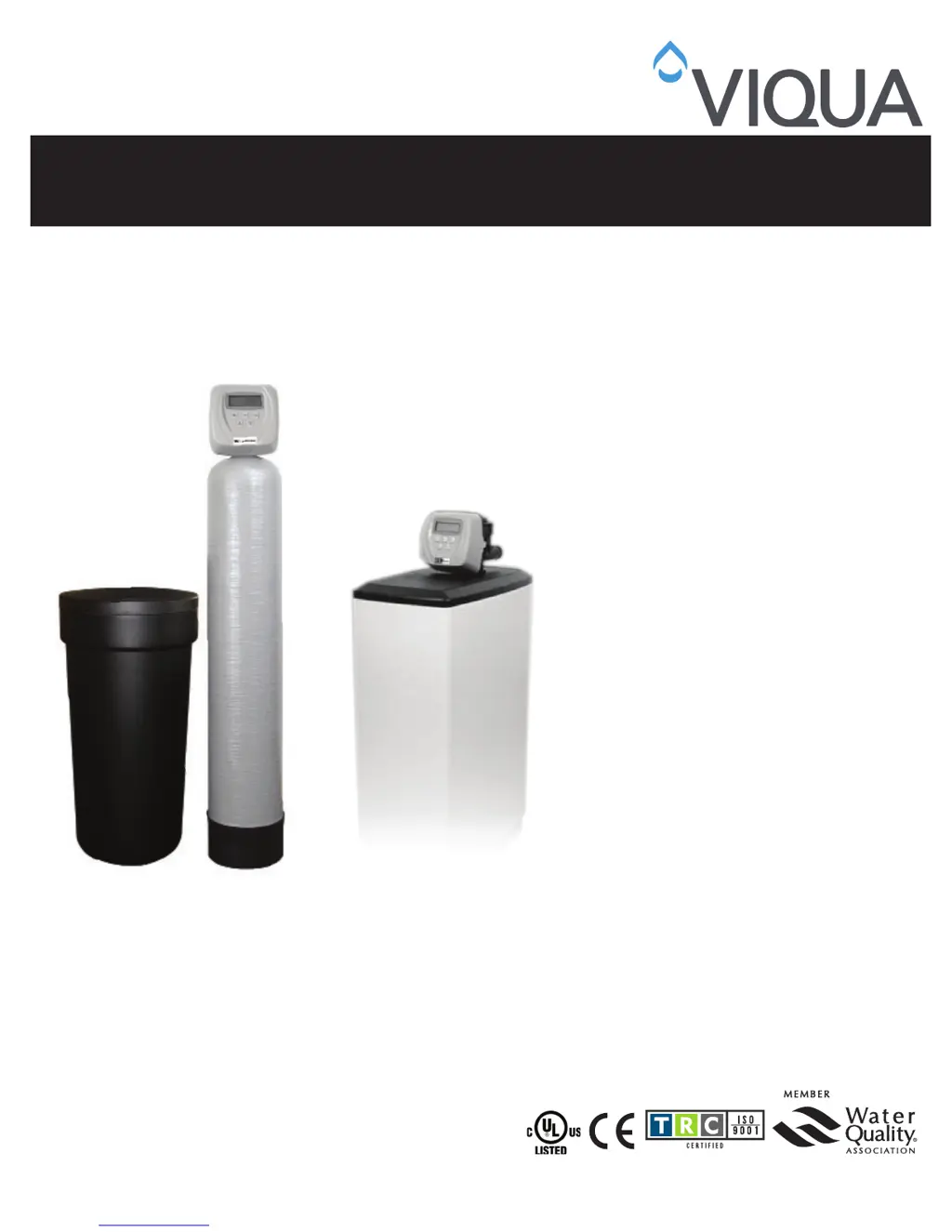
Viqua WS series - User Manual

Viqua WS series
29 pages
Print Icon
To Next Page IconTo Next Page
Loading...
425 Clair Rd. W, Guelph, Ontario, Canada N1L 1R1
t. (+1) 519.763.1032 • tf. 1.800.265.7246 (US and Canada only)
t. +31 73 747 0144 (Europe only) • f. (+1) 519.763.5069
e-mail: info@viqua.com
www.viqua.com
Model:
WS Series
Owners Manual
520086_RevJ

Questions and Answers

  • R
    rossjamesAug 12, 2025
    What to do if the valve is stalled in regeneration in my Viqua Water Filtration System?
    • B
      Brian PhillipsAug 12, 2025
      If the valve is stalled during regeneration of your Viqua Water Filtration System, here's what might be happening and how to address it: * The motor might not be working. In this case, replace the motor. * There may be no power at the outlet. Repair the outlet or use a working one. * The transformer could be defective, requiring a replacement. * The PC board might be defective; replace it. * The drive gear or drive cap assembly could be broken. Replace the gear or drive cap assembly. * The piston retainer might be broken. Replace the drive cap assembly. * The main or regenerant piston could be broken, requiring replacement.
  • R
    Ryan CrawfordAug 16, 2025
    Why does my Viqua Water Filtration System valve not regenerate automatically?
    • J
      Jacob MillerAug 16, 2025
      If your Viqua Water Filtration System valve regenerates when you press the REGEN button, but not automatically, consider these possibilities: * The bypass valve may not be in the normal operating mode. Refer to Section 1.2 for instructions. * The meter might be disconnected. Reconnect it to the PC board. * The meter turbine could be obstructed. Clear the obstruction. * The meter may be defective. Replace the meter. * There might be a programming error. Review the programming. * The PC board could be defective. Replace the board.
  • P
    paulboydAug 20, 2025
    What to do if my Viqua WS Water Filtration Systems does not display 'SOFTENING/FILTERING' when water is flowing?
    • A
      Amber PierceAug 20, 2025
      If your Viqua Water Filtration System isn't displaying “SOFTENING/FILTERING” when water is flowing, here are a few potential reasons and solutions: * The bypass valve might be in the bypass position. Put it in the service position. * The meter cable could be disconnected. Reconnect it to the PC board. * The meter turbine might be restricted or stalled. Remove the meter and check for debris. * The meter could be defective. Replace the meter. * The PC board could be defective. Replace the PC board.
  • D
    Derek KhanAug 23, 2025
    Why does my Viqua Water Filtration System regenerate at the wrong time of day?
    • M
      Megan ButlerAug 25, 2025
      If your Viqua Water Filtration System regenerates at the wrong time, here are some possible causes and solutions: * There might have been a past power outage. Reset the time of day. * The time of regenerant might be set incorrectly. Reset the time of regeneration. * The control might be set at “ON 0”. Check with the regeneration time option in programming.
  • M
    matthewsjasonAug 30, 2025
    What to do if the Viqua Water Filtration System valve does not regenerate when REGEN button is pressed?
    • C
      Catherine WallerAug 31, 2025
      If your Viqua Water Filtration System valve does not regenerate automatically when the REGEN button is pressed, check the following: * Ensure the transformer is connected to both the power source and the PC board. * Verify that there is power at the outlet. * Inspect the drive gear or drive cap assembly for any damage and replace if necessary. * A defective PC board could also be the reason. Consider replacing it.
  • P
    Patrick LyonsSep 3, 2025
    Why does the time not display correctly on my Viqua Water Filtration System?
    • D
      Dillon Hernandez Jr.Sep 3, 2025
      If the time on your Viqua Water Filtration System is incorrect or the “TIME OF DAY” is flashing, it could be due to: * The outlet being on a switch. Use an un-switched outlet. * A power outage or the transformer being unplugged. Reset the time of day and replace the battery. * A defective PC board. Replace the PC board.
  • R
    Ryan MatthewsSep 7, 2025
    How to fix a Viqua WS Water Filtration Systems timer that does not display 'TIME OF DAY'?
    • Z
      Zachary MyersSep 7, 2025
      If the timer on your Viqua Water Filtration System isn't displaying “TIME OF DAY”, here are a few potential reasons: * The transformer might be unplugged. Reconnect it. * There may be no power at the outlet. Repair or use a working outlet. * The transformer could be defective. Replace it. * The PC board might be defective. Replace the PC board.
  • D
    Danielle WeberNov 26, 2025
    What to do if my Viqua Water Filtration System shows 'ERROR' followed by a code?
    • K
      kathrynknightNov 26, 2025
      If your Viqua Water Filtration System displays “ERROR” followed by a code, here are potential causes and solutions: * If the valve has just been serviced, press NEXT and REGEN for 3 seconds or momentarily unplug the power source from the PC board. * Foreign material might be stuck in the valve. Check the piston and spacer stack for obstruction. * There could be excessive piston resistance. Replace the piston(s) and spacer stack assembly. * The piston might not be in the home position. Press NEXT and REGEN or momentarily unplug the PC board power. * The motor gears might not be fully engaged, motor wires broken, or there might be a missing or broken gear. Check the motor wiring. * The center drive gear reflector could be dirty or damaged, or there might be a missing or broken g...

Summary

Section 1 General Information

1.1 Pre-installation Instructions for Dealers

Instructions for dealers regarding unit settings, hardness, and regeneration time.

1.1.1 WS Series Water Softeners

Details on user display, programming exit procedures, and double regeneration.

1.2 Bypass Valve

Explains the bypass valve function, positions (Normal, Bypass, Diagnostic, Shut Off), and installation.

Section 2 Installation

Site Requirements

Lists necessary conditions for installation: water pressure, temperature, electrical, and tank placement.

Inlet;Outlet Plumbing

Instructions for installing the bypass valve, inlet shutoff valve, and making plumbing connections.

Drain Line

Instructions for connecting the drain line, including anti-siphon traps and air gap requirements.

Brine Tank Connection

Instructions for connecting the 3/8" O.D. polyethylene tube to the brine tank.

Overflow Line Connection

Details on connecting the overflow line for brine tank safety to prevent damage.

Section 3 Operation

3.1 Programming Procedures

Guides on setting the time of day and programming unit settings like hardness and regeneration.

3.1.1 Set Time of Day

Step-by-step instructions for setting the current time on the unit after power loss.

3.1.2 Programming

How to set water hardness, days between regenerations, and the time of regeneration.

3.2 Displays and Instructions

Explains the various displays shown during operation and user interface elements.

3.2.1 General Operation

Describes the four different displays seen during normal system operation.

3.2.2 Regeneration Mode

Explains the regeneration process, timing, and water delivery during regeneration.

3.2.3 Manual Regeneration

How to initiate a manual regeneration cycle immediately or at the next scheduled time.

3.2.4 Power Loss and Battery Replacement

How power outages affect settings and procedure for replacing the backup battery.

3.2.5 Error Message

Guidance on interpreting error codes and contacting a service technician for assistance.

3.2.6 Brine Tank Maintenance and Salt

Recommendations for brine tank maintenance and the use of appropriate salt types.

3.3 Start-up Instructions

Steps to follow after installation for initial system startup and testing.

3.3.1 Softeners

Details the standard system regeneration sequence for water softeners.

3.3.2 Backwashing Filters

Instructions for performing the backwashing cycle on filter units.

3.3.3 CS and BA Series Backwashing Filters

Specific precautions and installation for CS and BA series backwashing filters.

3.3.4 Water Softener;Filter Flow Diagrams

Visual diagrams illustrating water flow in different operational modes of softeners and filters.

Section 4 Troubleshooting

Section 5 Replacement Parts

5.1 Front Cover and Drive Assembly

Lists replacement parts for the front cover and drive assembly with part numbers.

5.2 Piston Assembly

Details replacement parts for the piston assembly, including spacer stacks and pistons.

5.3 Bypass Valve Assembly

Lists replacement parts for the bypass valve assembly, including nuts, rings, and caps.

5.4 Drain Line Assembly 3;4

Lists replacement parts for the 3/4" drain line assembly, including elbows and DLFCs.

5.5 Brine Elbow Assembly(CV3330-A)

Lists replacement parts for the brine elbow assembly.

5.6 Injector Assembly

Lists replacement parts for the injector assembly, including various color options.

5.7 Water Meter and Meter Plug

Replacement parts for the water meter assembly and meter plug.

5.8 Safety Float Assembly

Lists replacement parts for the safety float assembly and its components.

5.9 Safety Float Brine Elbow Assembly

Replacement parts for the safety float brine elbow assembly.

5.10 Service Wrench

Identifies the specific service wrench used for valve assembly and disassembly.

5.11 Cabinet Brine Tank Assembly

Lists replacement parts for the cabinet brine tank assembly.

5.12 Installation Fitting Assemblies

Details various installation fitting assemblies, including specific sweat and NPT types.

Section 6 Specifications

6.1 Water Softener

Technical specifications for various VIQUA water softener models including WS and WSRC series.

6.2 Backwashable Filter

Technical specifications for Acid Neutralizing, Filter Z, Carbon, Tannin, Sulphur, and Iron filters.

Section 7 Quick Reference Guide

General Operation

Overview of system displays and how to toggle between them using the NEXT button.

Manual Regeneration

Instructions for initiating manual and immediate regeneration cycles.

To Set Time of Day

Step-by-step guide to setting the time of day after power outages.

Bypass

Instructions on how to position the bypass valve for water shut-off.

Error

Guidance on interpreting error codes and contacting a service technician for assistance.

Adjust Hardness, Days Between Regeneration, Time of Regeneration and Alarm Buzzer

Steps to adjust hardness, regeneration frequency, and regeneration time.

Section 8 Manufacturers Warranty

Manufacturers Warranty

Details the warranty period and conditions for the water conditioner unit and its components.

Viqua WS series Specifications

General IconGeneral
BrandViqua
ModelWS series
CategoryWater Filtration Systems
LanguageEnglish

Related product manuals