EasyManua.ls Logo

Viqua E4 - User Manual

Viqua E4
26 pages
Print Icon
To Next Page IconTo Next Page
Loading...
520351-R_RevD
425 Clair Rd. W, Guelph, Ontario, Canada N1L 1R1
t. (+1) 519.763.1032 • tf. (+1) 800.265.7246 (US and Canada only)
t. (+31) 73 747 0144 (Europe only) • f. (+1) 519.763.5069
e-mail: info@viqua
.com
www.viqua.com
Model:
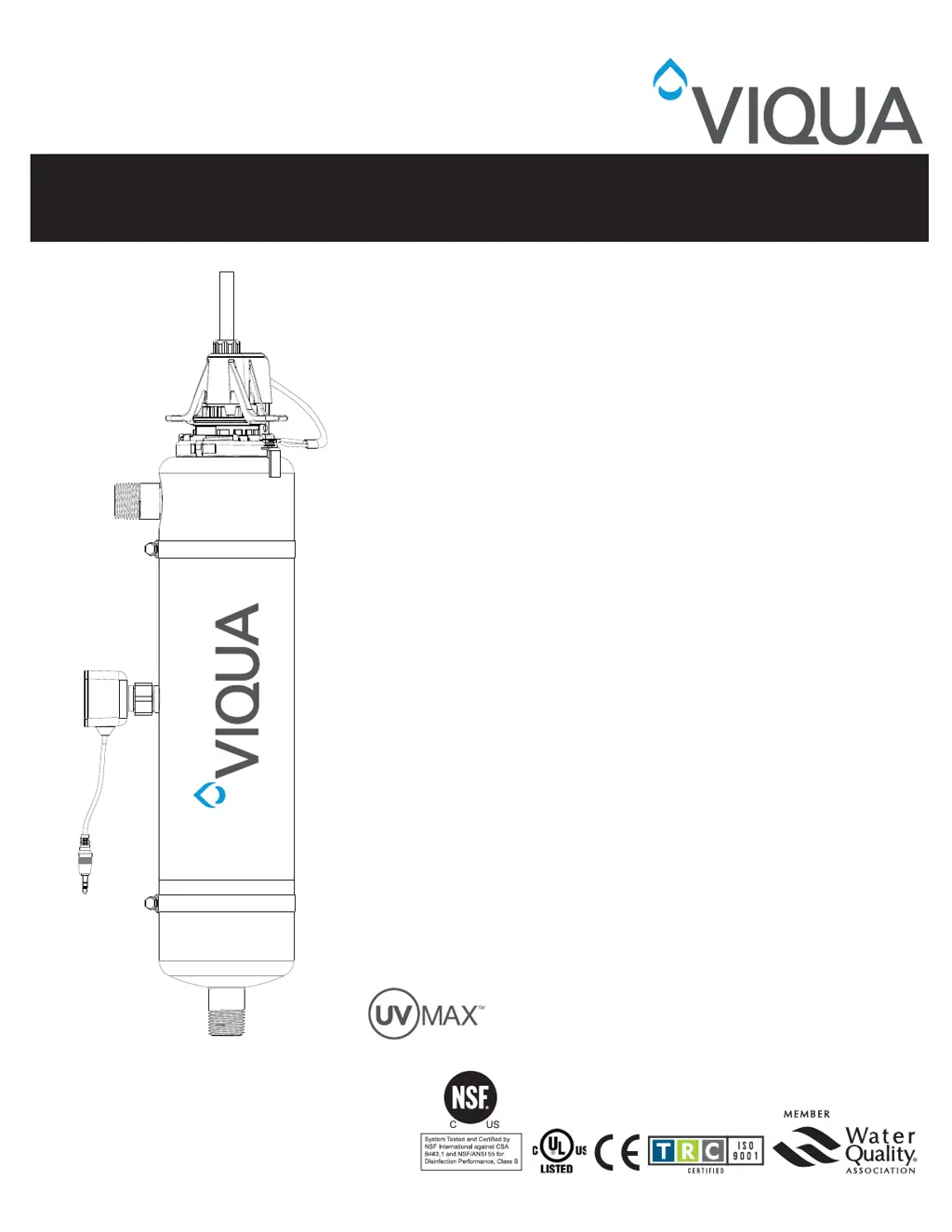
D4 Premium, E4, F4
+ Models:
D4+, E4+, F4+, E4-50+, F4-50+
Validated Models:
E4-V, F4-V
D4-V+, E4-V+, F4-V+
Owners Manual
Powered by

Questions and Answers

  • W
    William BrownAug 7, 2025
    Why does my Viqua Water System GFCI or breaker repeatedly trip?
    • P
      Paul RayAug 7, 2025
      Your Viqua Water System GFCI or breaker might be repeatedly tripping due to a wet connection between the lamp and lamp plug. Try cleaning and drying the lamp pins and lamp plug, and check the unit for any leaks or condensation. Alternatively, there could be a short-circuit in the electrical assembly, in which case you should replace the controller.
  • M
    Matthew HowardAug 11, 2025
    What to do if my Viqua Water System has no power?
    • D
      dhillAug 11, 2025
      If your Viqua Water System has no power, the GFCI and/or breaker may have tripped, so reset it. Another possibility is that the transient voltage surge suppressor (TVSS) is damaged, requiring a replacement. In some cases, the controller itself may be damaged, which means you'll need to replace the controller and use a TVSS.
  • G
    gonzalezrogerAug 17, 2025
    What to do if Viqua Water System is operating but water tests reveal bacterial contamination?
    • T
      Taylor CherryAug 17, 2025
      If your Viqua Water System is operating but water tests show bacterial contamination, ensure that the UV system is the last piece of treatment equipment. Pathogens may be residing in the distribution lines post-UV, so ensure all distribution lines have been disinfected with chlorine. Also, remove any pipe dead-ends and flush with chlorine, as recontamination from pipe dead-ends may be the cause.
  • A
    alvareznicoleAug 21, 2025
    What to do if I see a leak detected from area of UV chamber of Viqua Water System?
    • T
      Thomas PerezAug 21, 2025
      If you notice a leak from the UV chamber area of your Viqua Water System, it could be due to condensation of moist air on the cold chamber. Try controlling the humidity or relocating the unit. Another cause might be a damaged, deteriorated, or incorrectly installed O-ring, so inspect and replace it if deteriorated. Also, the lamp/sleeve assembly might not be properly installed; tighten the assembly hand-tight.
  • R
    Robert WilliamsAug 27, 2025
    How to fix a leak at the inlet or outlet of my Viqua Water System?
    • R
      robert52Aug 27, 2025
      If you have a leak at the inlet or outlet of your Viqua Water System, it's likely due to leaking threaded pipe fittings. You should clean the threads, reseal them with Teflon tape, and then retighten.
  • J
    jasongrahamAug 31, 2025
    What to do if I see a leak detected at sensor of Viqua Water System?
    • M
      Mark HallAug 31, 2025
      If you detect a leak at the sensor of your Viqua Water System, the UV sensor O-rings may be damaged, deteriorated, or incorrectly installed. Inspect the O-rings and replace them if they show signs of deterioration.

Summary

Section 1 Safety Information

1.1 Potential Hazards

Lists various symbols and their meanings related to system hazards.

1.2 Safety Precautions

Provides critical safety instructions to prevent injury or equipment damage.

1.3 Water Chemistry

Details recommended water quality parameters for optimal UV system performance.

Section 2 General Information

2.1 Dimensions and Layout

Illustrates the system's physical layout and component placement.

Section 3 Installation

3.1 Installing UV System

Covers the process and prerequisites for mounting the UV disinfection system.

3.2 Disinfection Procedure

Outlines the steps for sanitizing the plumbing system after installation.

Section 4 Operation

4.1 Control Panel

Details the buttons and display features of the UV system's control panel.

4.2 Controller Start Up

Explains the initial screens and selections upon powering up the controller.

4.3 Resetting the Lamp Life Timer back to 365 Days

Instructions on how to reset the lamp timer after replacement.

4.4 List of All Alarms

Provides a comprehensive list of system alarms and their troubleshooting steps.

4.5 Model Selection For Replacement Controllers ONLY

Guide for selecting the correct model for replacement controllers.

4.6 Dry Contact Connection Information

Information on connecting remote devices using the dry contact output.

Section 5 Maintenance

5.1 Replacing UV Lamp

Step-by-step guide for replacing the UV lamp.

5.2 Cleaning and Replacing Quartz Sleeve

Procedure for cleaning or replacing the quartz sleeve.

Section 6 Troubleshooting

6.1 Low UV Alarms (+ models only) Certified and Non-certified

Troubleshooting guide for low UV alarms specific to certain models.

Section 7 Specifications

Section 8 Manufacturers Warranty

Viqua E4 Specifications

General IconGeneral
ModelE4
ManufacturerViqua
CategoryWater Filtration Systems
Lamp Life9000 hours
Power Consumption65W
UV Dose40 mJ/cm²
Maximum Operating Pressure125 psi
Flow Rate12 GPM (gallons per minute)
Inlet/Outlet Size1"
Voltage120 V
Power SupplyElectronic ballast
Operating Temperature Range36°F to 104°F
Maximum Water Temperature104°F
CertificationsNSF/ANSI 55 Class A
ApplicationResidential whole house UV disinfection

Related product manuals