64
The camera serial number (S/N), cam head serial number
(CAM) and version of the internal
camera software are displayed below the menu.
• Go to the parameter required using the up/down arrows, and then select the settings
required using the left/right arrows.
• Press the ON/OFF button to Validate the selection, and quit the menu.
The following parameters are available:
Video: The user can choose among 3 predefined video settings.
The Video 1 and Video 2 parameters cannot be modified.
To define the 'Video 3' pre-sets, proceed as follows:
Freely configurable video 3 setting parameters
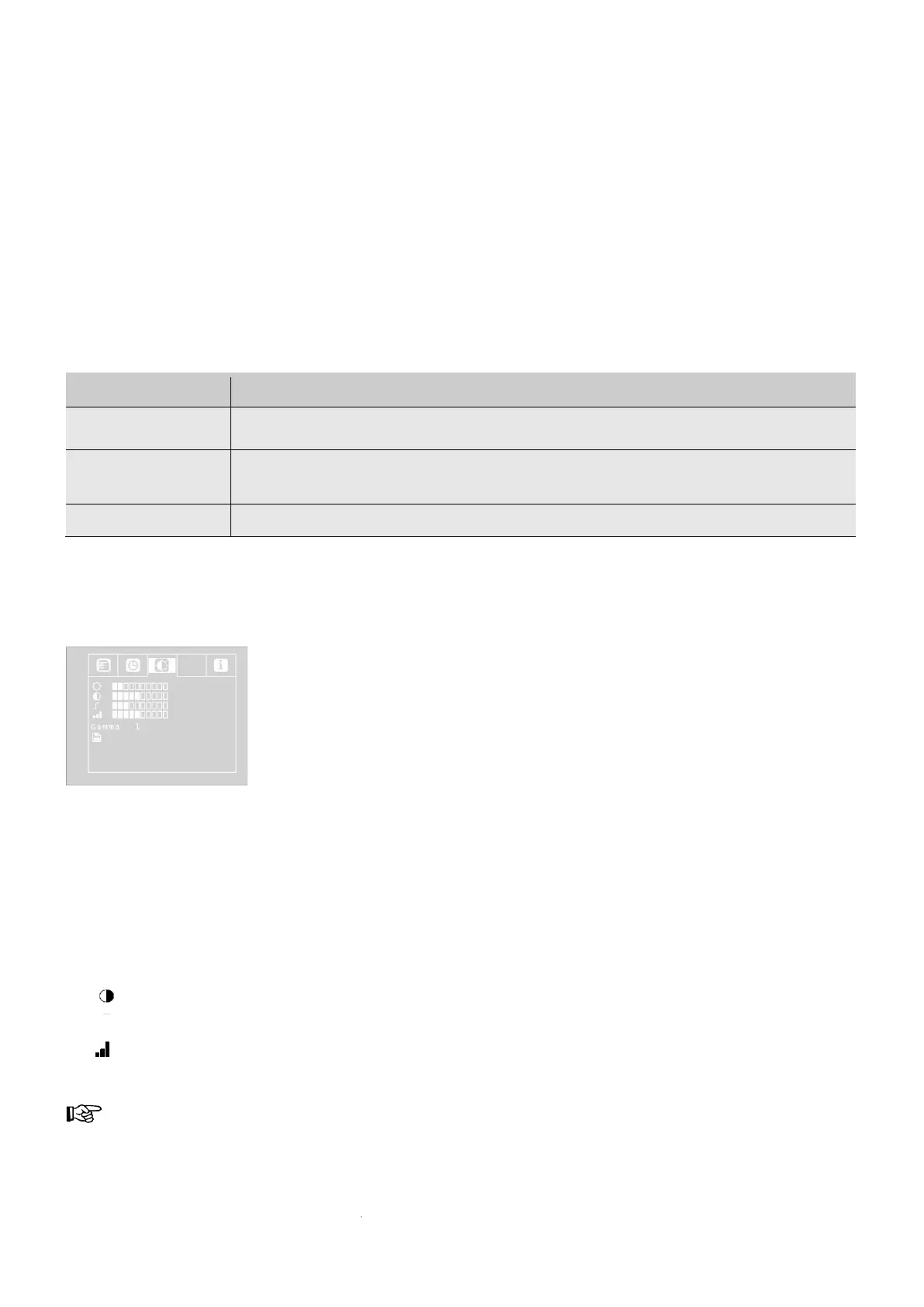
Browse down to the MENU option with the upper arrow, and then choose the Video option using
the right-hand arrow.
Make the following settings:
☼ : Brightness
: Contrast
: Outline sharpness
: Saturation
Gamma: Gamma curve adjustment (0-3)
REMARK! The gamma curve setting impacts brightness distribution.


 To Next Page