V3.3.3 13
WINDOWS VISTA - Go to Control Panel and choose Network and Sharing Centre
1. Click on the line that says View Network status and tasks.
2. On the left of the window, click on the line that says Manage network connections
3. Right click on your Local Area Network Adaptor and choose Properties from the menu that
appears
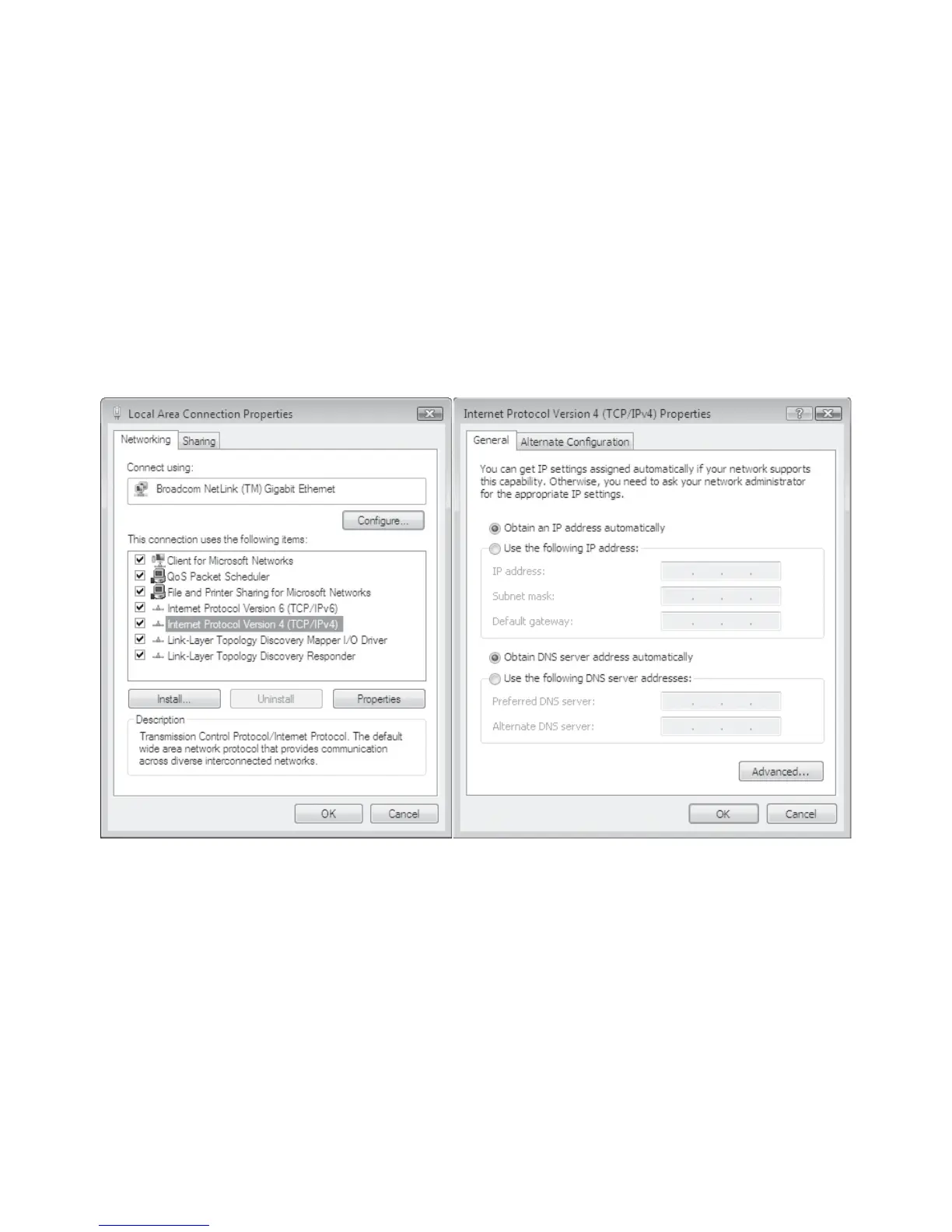
4. Select the item Internet Protocol Version 4 and click on the Properties button.
5. Make sure the following are selected:
a. Obtain an IP address automatically
b. Obtain a DNS server automatically
6. Click on OK to close the Internet Properties
7. Click on OK to close the Local Area Network Connection Properties



 To Next Page