V3.3.3 14
APPLE MAC 10.4 – If you do not connect automatically then create a new Location
1. Click Apple Mac 10.4 menu (blue icon top left)
2. Go to LOCATION and select Network Preferences
3. In the location drop down box select New location
4. Name the location (virgin - “you-can-make-something-up-yourself-here”)
5. In the Show drop down (2nd from the top) box select Network Port Confi gurations
6. Untick everything except Built- in Ethernet/Airport
7. Click APPLY NOW
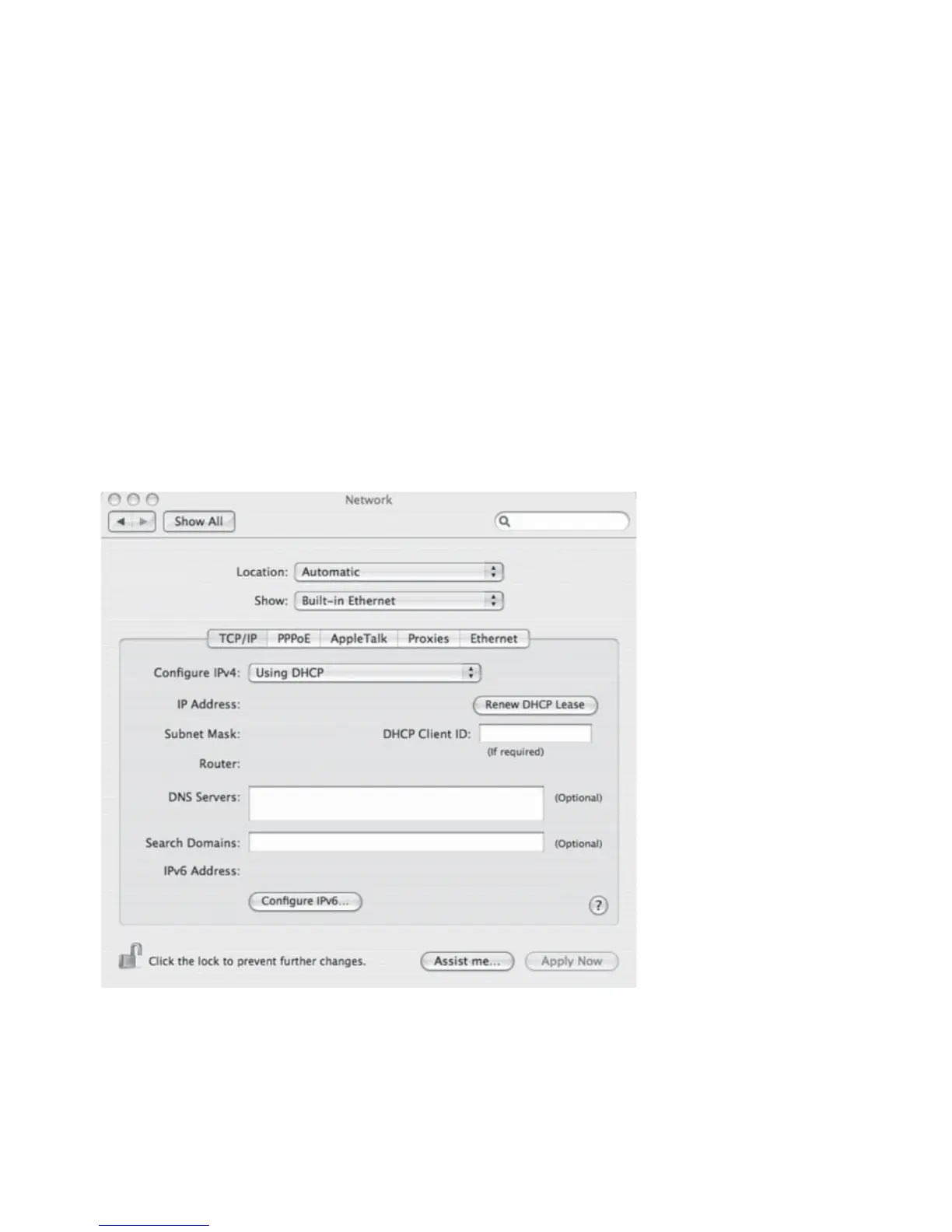
8. In the SHOW drop down box click BUILT IN ETHERNET and ensure the following options are
correct
9. In TCP /IP tab ensure that Confi gure IPv4 = USING DHCP
10. In ETHERNET tab ensure that Confi gure = AUTOMATICALLY
11. Click APPLY NOW if you have made changes and close the window
12. Click back to the APPLE MENU and ensure the created location is ticked



 To Next Page