V3.3.3 20
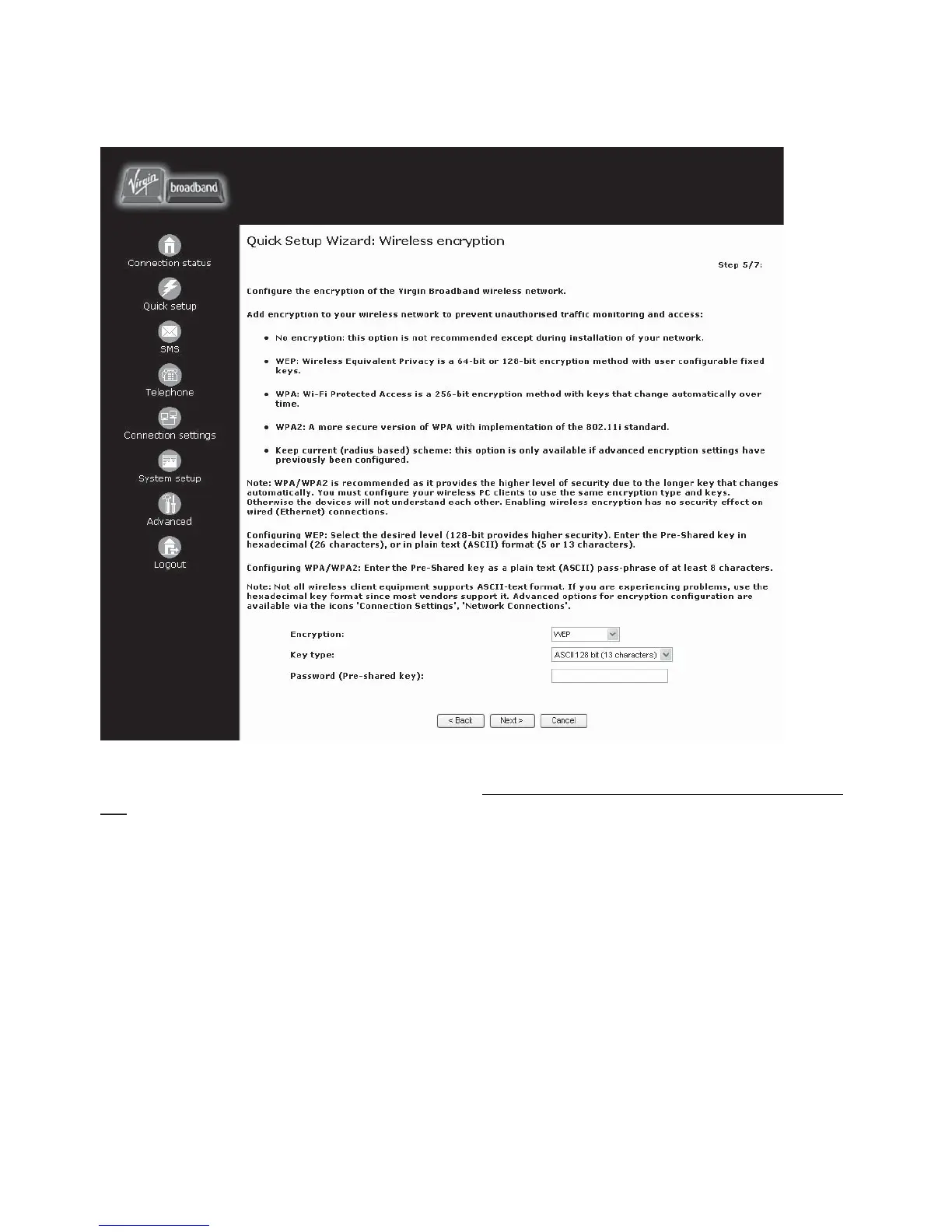
QSW: STEP 5 of 7 - WIRELESS ENCRYPTION
To setup the security for your wireless network connection use this screen
IF you have enabled the wireless functionality in STEP 4. When ready, click
NEXT to continue.
NOTE: Due to the vast amount of networking equipment available around the world, Virgin
Broadband can only support the following settings: WEP Encryption with an ASCII 128bit Pre-shared
Key. We fi nd that this is the most compatible setting. Feel free to use any settings you like. However,
Virgin Technical Support may change the encryption settings for the purpose of troubleshooting
your connection if you need to call in.



 To Next Page