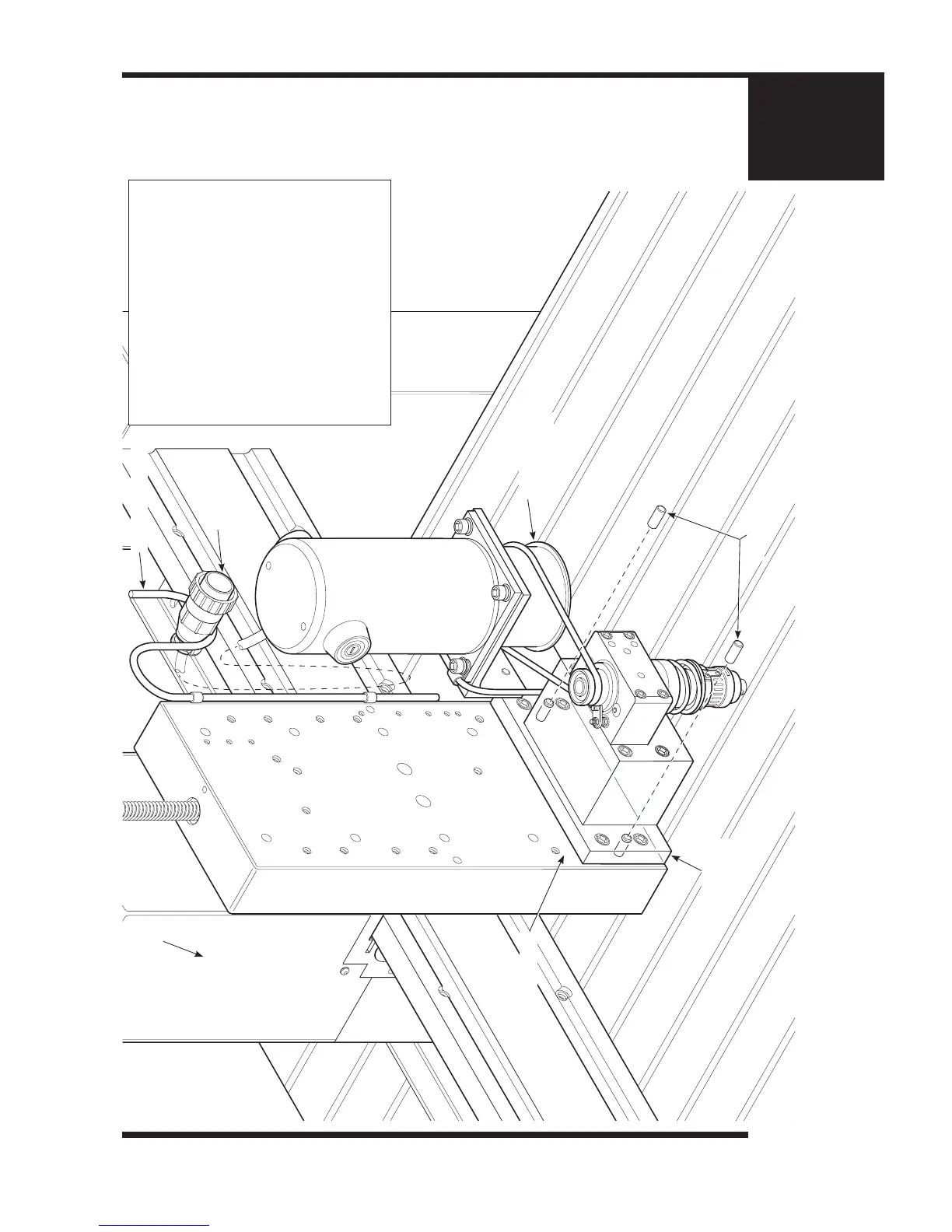
Engraving Head
Assembly
Connector
Vacuum Hose Hanger
Spindle Block
Plate
Router Housing
Router Rail Plate
Dowel Pins
1. Make sure that the Engraving Head
Assembly and the electrical power to the
Controller is disconnected before you begin
any disassembly
2. Then unplug the Connector from behind
the Router Housing and rest it on the
Vacuum Hose Hanger
3. Insert the two Dowel Pins through the two
holes on the Spindle Block Plate and into
the Router Rail Plate.
The Dowel Pins will help you to keep
everything safely in place as you begin to
remove the 4 Screws holding the Engraving
Head Assembly onto the Router Rail Plate.
(Continued on Pg. 16)
Chapter 3: Engraving Head Removal Procedure
Chapter 5: Engraving Head Removal Procedure (Part 1 of 2)



 To Next Page