Visioneer
®
Rabbit™ PC30dwn Maintenance
70 User Guide
2. Show Pop-up Error Message — check this box to allow pop-up error messages to appear on your
desktop
3. Show Pop-up Warning Message — check this box to allow pop-up warning messages to appear on
your desktop.
4. Language — select the display language of the Printer Status Monitor.
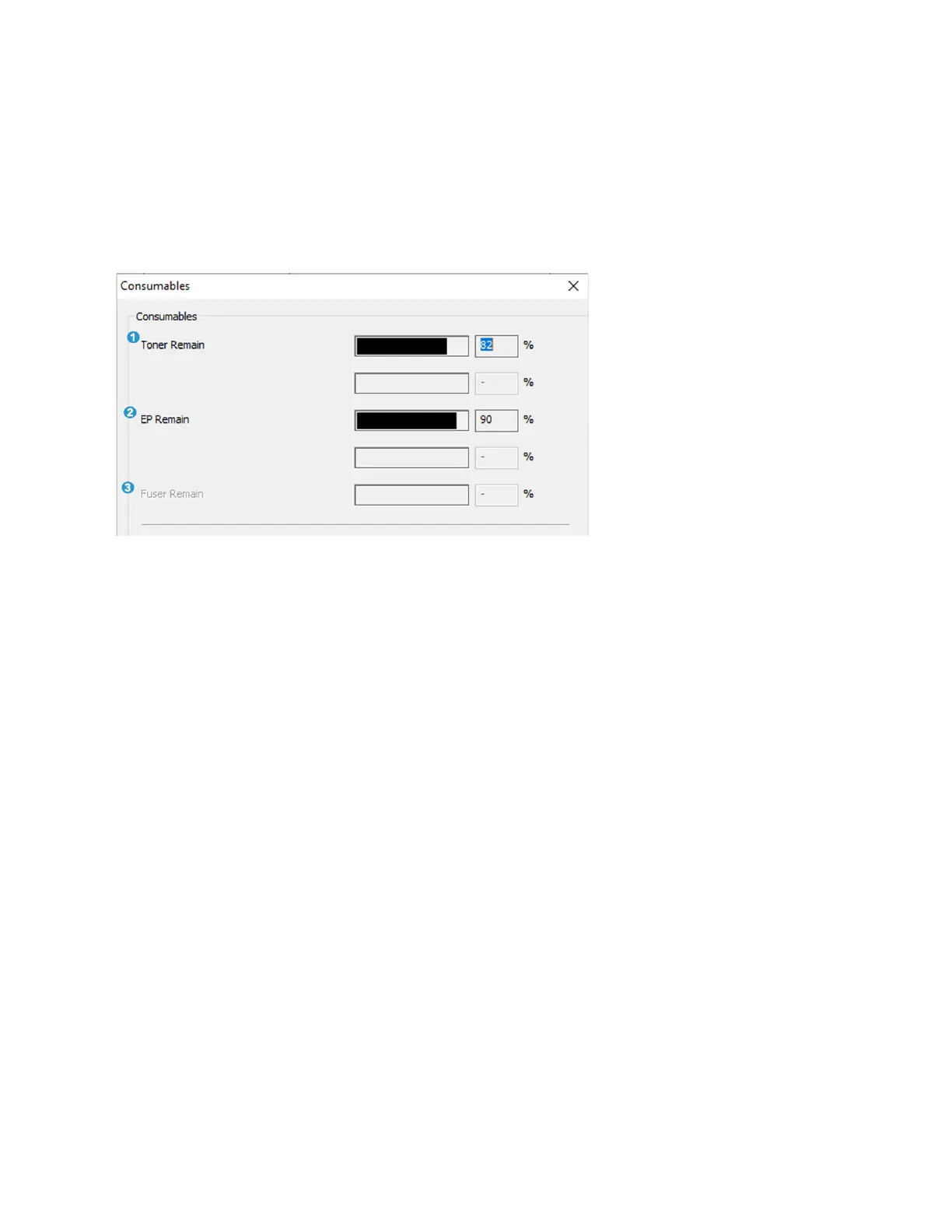
Consumables Window
1. Toner Remaining — indicates the percentage of toner left.
2. EP Remaining — indicates the percentage of EP before changing.
3. Fuser Remaining — does not apply.


 To Next Page