4 D-303169 KP-160 PG2 Installation Instructions
Wall-mounted Installation
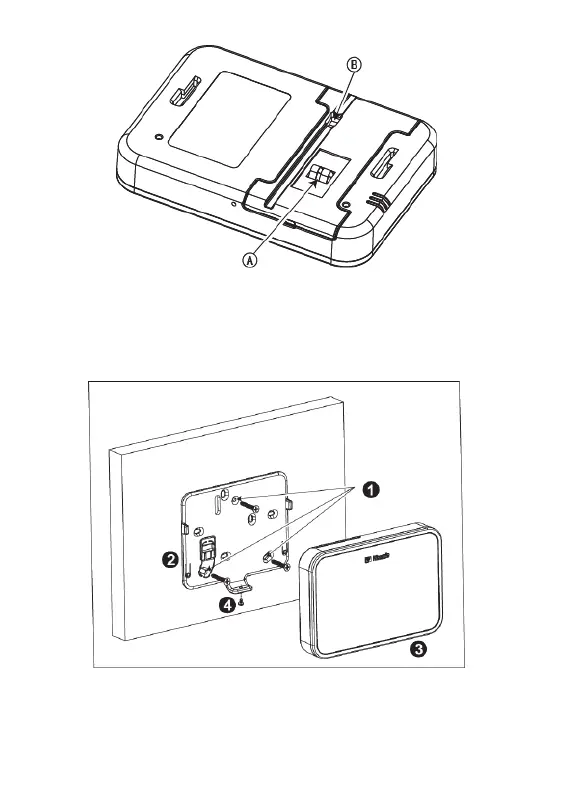
Figure 3 - Battery Cover Mounting (part b)
A. Tamper
B. DC Power Connection
2.3 Wall Mounting Options
The KP-160 PG2 unit mounting options are illustrated in the following drawings.
Wall Mounting
Figure 4a – Wall Mounting
1. Drill 3 mounting holes
2. Position the bracket and secure with 3 screws
3. Attach the unit to the bracket
4. Secure the unit with the screw


 To Next Page