10 D-303169 KP-160 PG2 Installation Instructions
LATCHKEY assumes that the LATCHKEY feature was previously enabled in the
PowerMaster control panel (see PowerMaster Installer Guide, section 3.5.2
"Configuring Arming/Disarming and Exit/Entry Procedures"). While in INSTANT /
LATCHKEY, the small circle icon on the upper right side of the INSTANT / LATCHKEY
icon lights.
3.2 Initiating Alarms
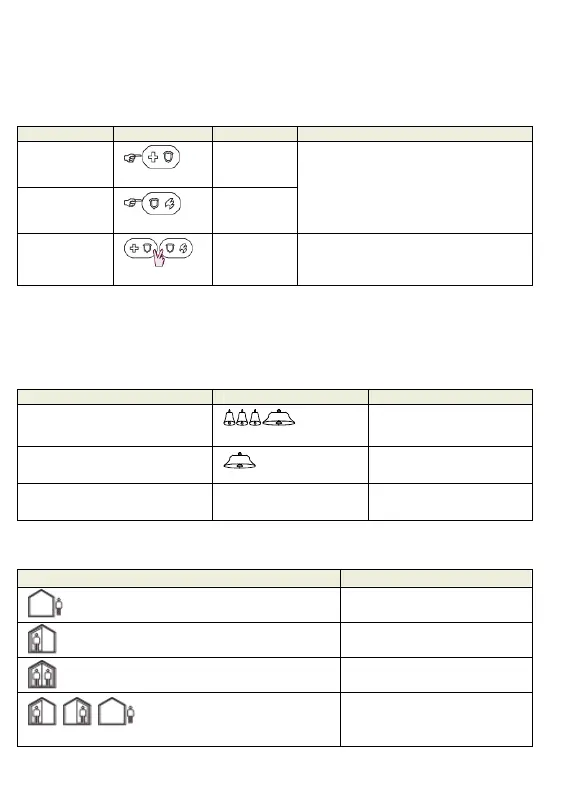
Alarms Actions Response Notes
Emergency
alarm
( 2 sec.)
See section
3.3.
Shortly after pressing the Emergency or
Fire icon, the KP-160 PG2 emits beeps
until the KP-160 PG2 sends the
command.
Fire alarm
( 2 sec.)
See section
3.3.
Panic alarm
( 2 sec.)
See section
3.3.
Shortly after pressing the Panic icon,
the KP-160 PG2 emits beeps until the
KP-160 PG2 sends the command.
3.3 System Status and Indications
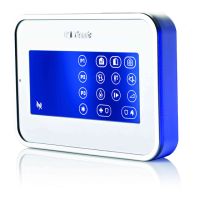
When executing a command, the keyprox's LED ("30" in the "Icon and Key Indications"
Figure) blinks red once to indicate transmission of the command to the control panel. If the
operation is successfully completed, the green LED lights momentarily and a "happy
tune" sounds. If the operation fails or cannot be completed, for example, when the system
is "Not Ready", the red LED lights steadily and a "sad tune" sounds.
Panel Response Buzzer Indication LED Indication
Success: Operation is
successfully completed
Happy
(success) tune
Momentary GREEN
Fail: Operation failed or invalid
key press
Sad (failure) tune
Momentary RED
No communication: Control
panel does not respond.
None None
Arming Indications
The table below lists the Arming indication keys and their definition.
Icon/Key Indications Arming Indication
ARM AWAY
ARM HOME
DISARM
Each icon appears one after the
other
EXIT DELAY


 To Next Page