VitaScan LT
User and Service Manual
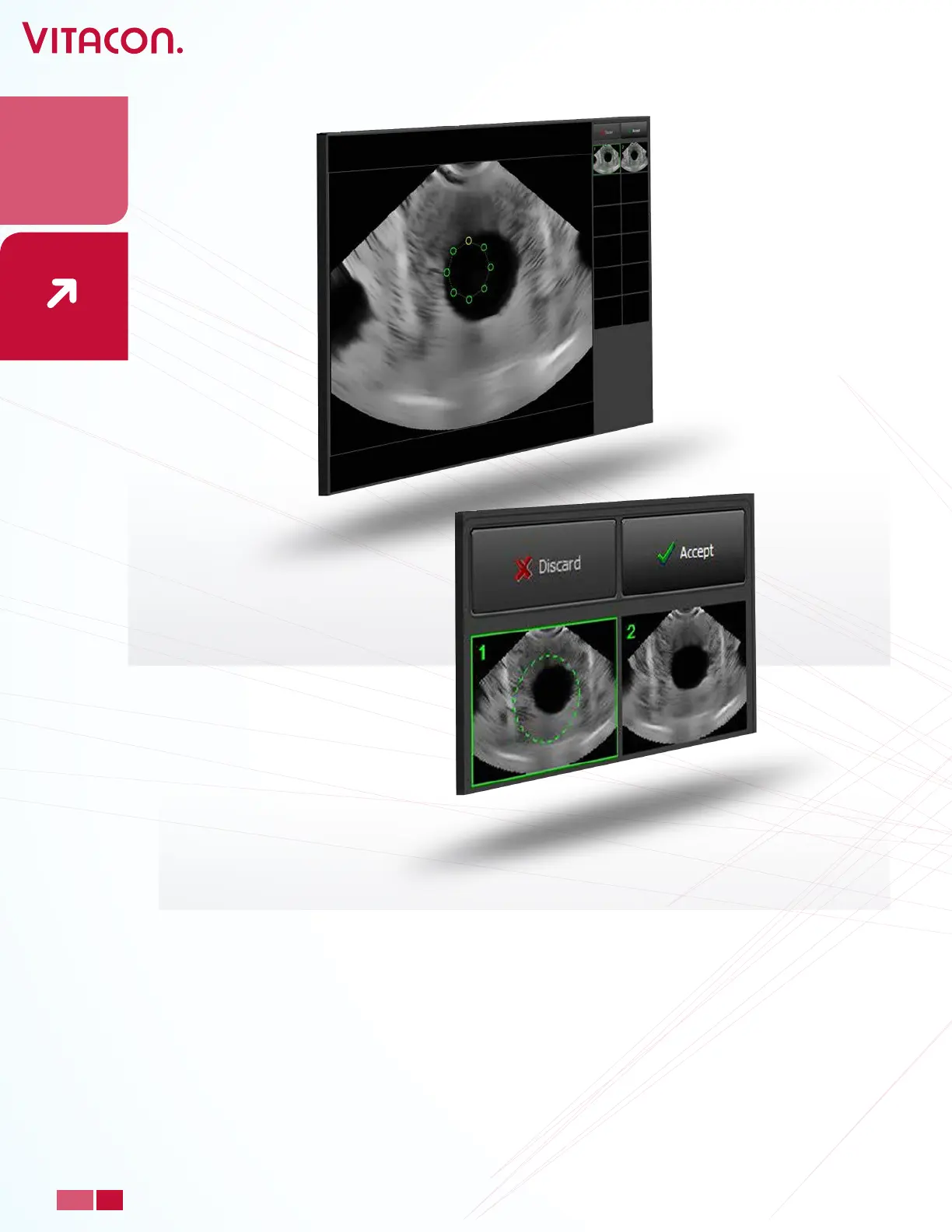
• The green circle or bladder contour will be displayed. Drag and drop the small green
circles on the bladder wall. On left side you see thumbnails of the images you can alter.
Clicking on the various thumbnails you can switch between the dierent slices.
When an alteration has been performed, a green circle is displayed on the thumbnail. When
you are nished with the manual measurement, press “Accept”. If you want to start all over
again press
“Manual Measurement” again.
In setup, you may choose between following Manual Measurement modes:
Simple: Correction of two images starting from a green circle.
Simple-Contour: Correction of two images starting from the green bladder-edge contour.
Advanced: Correction of ALL images starting from a green circle.
Advanced-Contour: Correction of ALL images starting from the green bladder-edge
contour.
25
PAGE
www.vitacon.com


 To Next Page