13 MicroLinks Technology Co., Ltd.
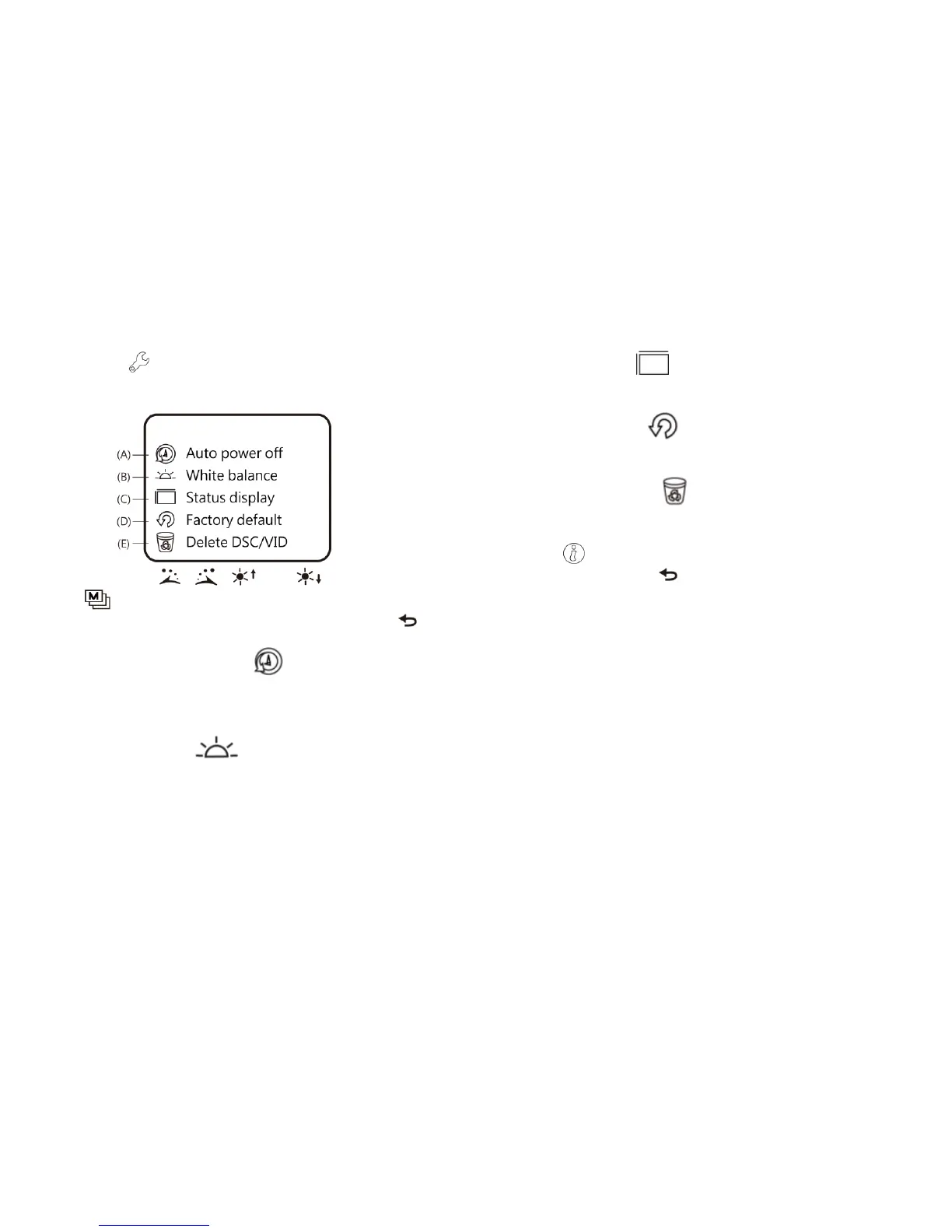
(7) Set Up : a model to set the system and provides five
functions for selection according to your own orientation.
Please refer to the following setting image.
Press buttons of , , and to select and adjust
and to confirm the setting. System will be back to the image
of system setting model after confirmation. Press button
(Return) to quit the model.
(A) Auto shut down mode :If you don’t operate the
machine, the Auto shut down mode can help to close the
machine after few minute. Or you can set it up as
“Never”, then skip the function.
(B) White balance : set white balance automatically for
switching on and off. Such automatic white balance can
correct image with slight color cast automatically. We
suggest you switch on automatic white balance to achieve
optimum shot.
(C) Status display : Use the button to display the status.
The user can set whether to display all status marks in the
image.
(D) Factory default : back to factory to set values of
system time, power saving and white balance as preset
ones.
(E) Delete DSC/VID : delete VID stored in SD Card and
files in DSC folder. VID is the file folder to store videos,
and DSC is the one to store photos.
(8) About : the model to check relevant information of the
product. Press button (Return) to quit the model.
1.5 External Interfaces of Microscope
The machine contains many external interfaces. The following
contents give instructions about assembly of the accessories.
Please use accessories provided together with the machine
including transmission line and SD Card, etc. Do not use other size
of accessories, which might cause the machine failed or
incompatible with accessories.
(1) Connect USB Transmission Line: joints at two ends of USB
transmission line are different. Smaller joint is used to connect
microscope host, and the larger one is used to connect USB
connection port of the Computer. While connecting to
computer, power source can also be provided besides
transmitting images (PC Camera). Please refer to the following
image about connection way of USB transmission line.



 To Next Page