2
Your Meter Display
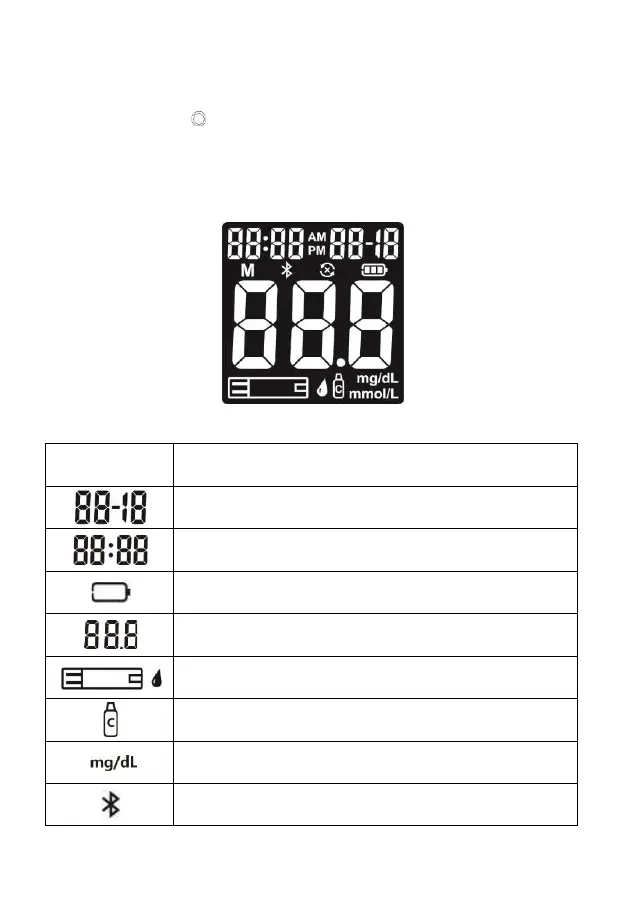
The picture below shows all the symbols that appear on your meter display.
Please make sure the display is working properly before testing. When the meter is
off, press and hold to see the complete display. All display segments will
appear. If you need more time to check the display, repeat the above operation.
All of the segments should be clear and exactly like the picture below. If not,
contact VivaChek Customer Support at 800-951-8430 (7 days a week. 9 a.m.-5
p.m. Eastern Time) for help. Please contact your health care professional if you
need help outside of these hours.


 To Next Page