13
Connecting to a Television
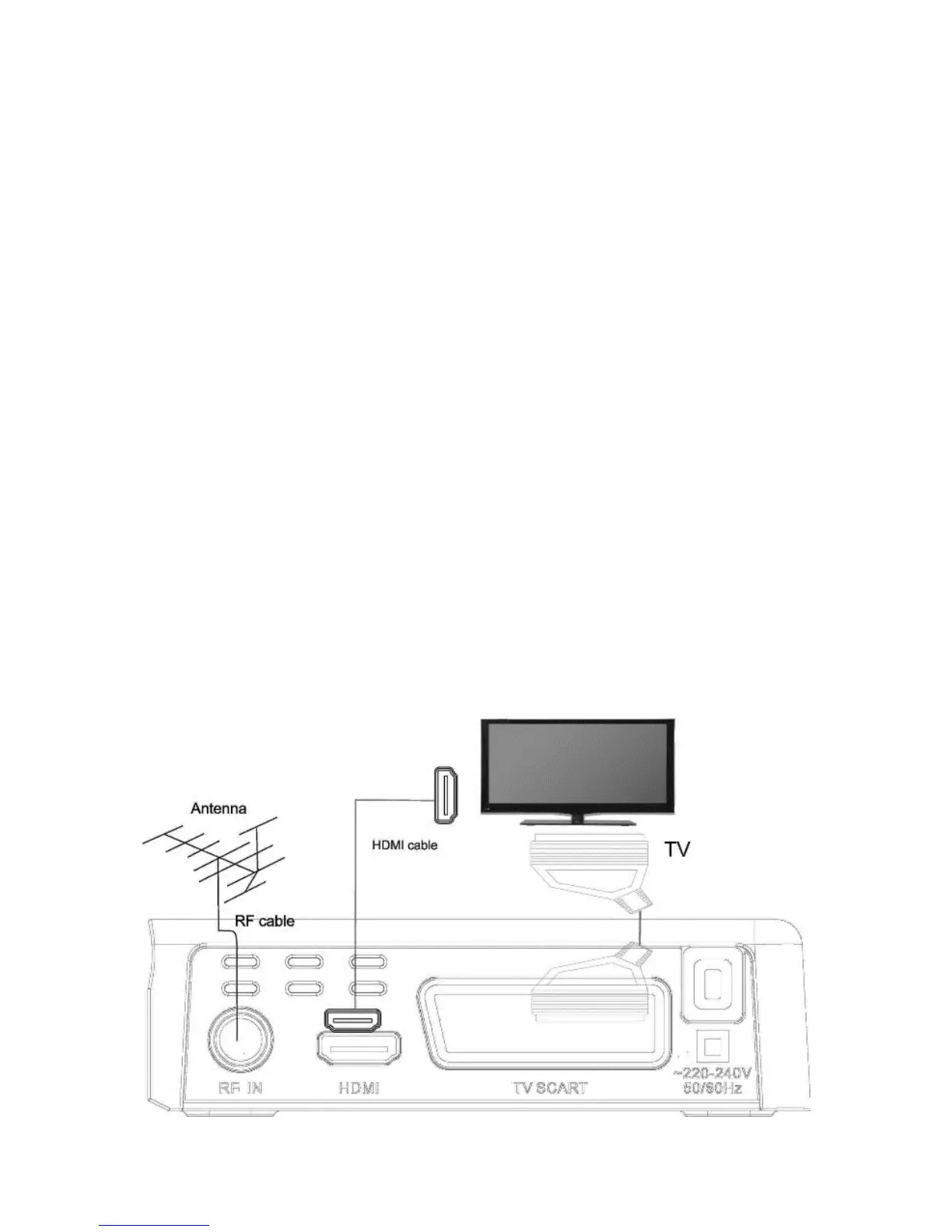
For a basic connection from your Set Top Box to the television,
use the SCART Composite connection outlined below.
For a higher quality connection, use the SCART RGB Video
connection.
For the highest quality connection use Digital HDMI Video/Audio
connection.
Note:
How to setup and adjust RGB/Composite or HDMI connection, please
check chapter: PICTURE
Antenna Connection
Plug Antenna cable RF Plug into RF IN. If your antenna ia
active and require power supply, you can switch on power 5V in
Channel Search.
Note:
Do not keep Antenna Power option active (On) if your antenna is regular
passive type. It will cause a short circuit!


 To Next Page