21
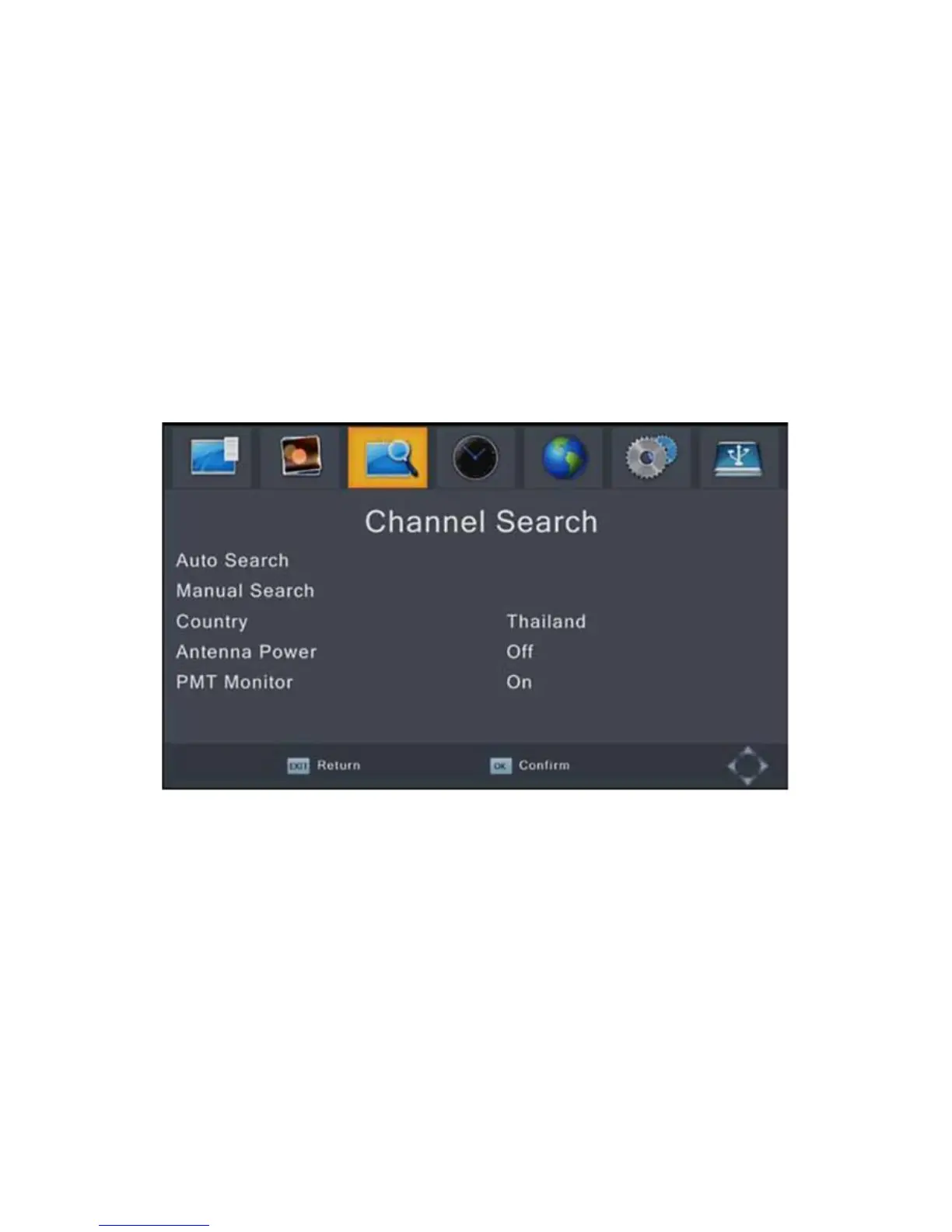
Channel Search
To access the menu, press MENU and select [Search
Channel] using the RIGHT/LEFT keys.
This menu provides options to adjust the search channel
settings.
Press UP/DOWN to select an option and press RIGHT/LEFT to
adjust the setting.
Press EXIT to exit the menu.
Auto Search
This option will automatically search for channels and save them
once the scanning is complete. All previously saved channels
and settings will be deleted.
1. Select [Auto Search] and press OK or RIGHT to start channel
search.
2. To cancel channel search, press EXIT. Any channels that
have been found will be saved


 To Next Page