14
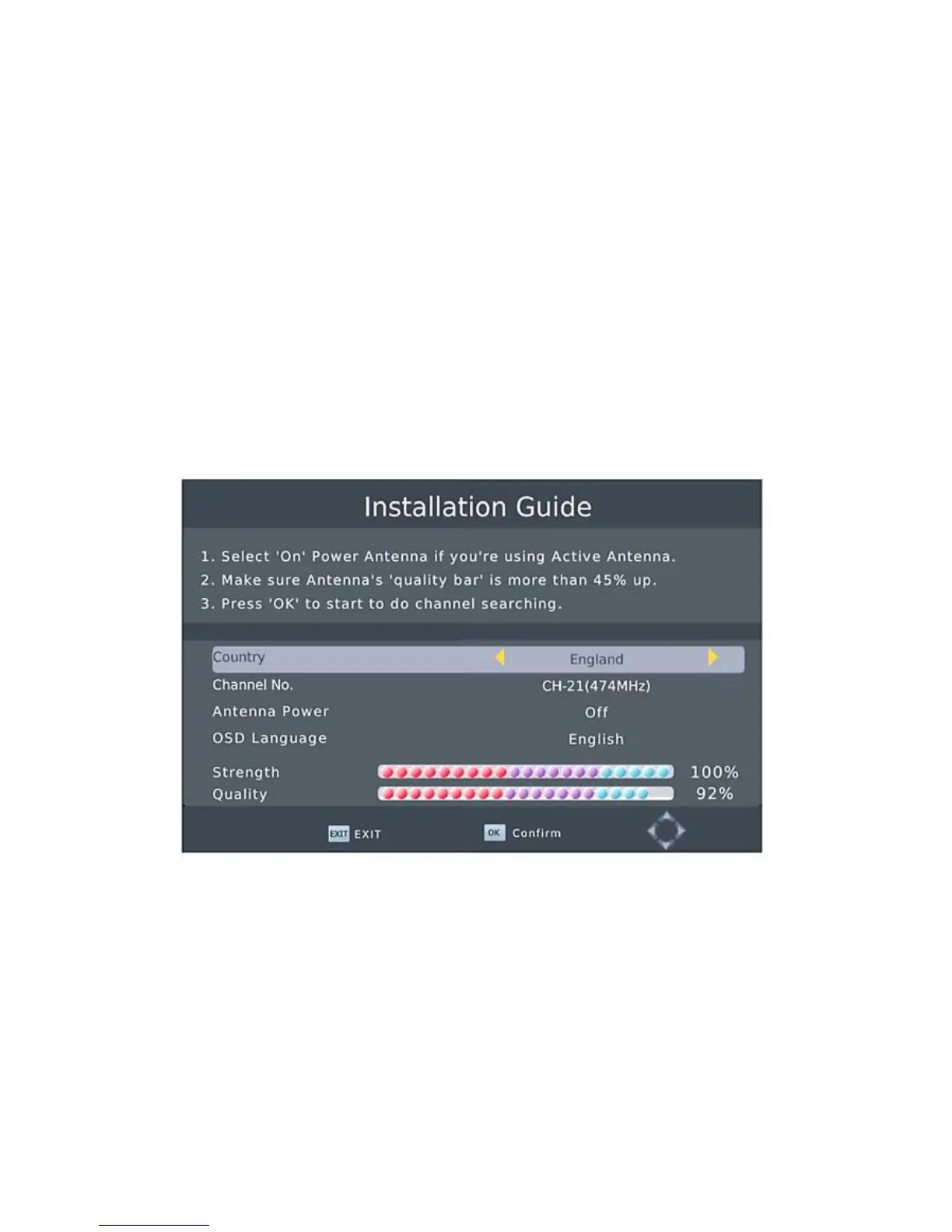
Installation Guide
After all connections have been made properly, switch
on TV and make sure the units connected to the Main
Power.
Press Power button to switch the unit on.
If you are using the unit for the first time or have restored
the unit to factory default, the installation guide menu will
appear on your TV screen.
Select 'On' Power Antenna if you're using Active Antenna.
Make sure Antenna's 'quality bar' is more than 45% up.
Press 'OK' to start to do channel searching
1. [OSD Language] press RIGHT/LEFT key to select a
language.
2. [Country ] press RIGHT/LEFT key to select your
province/area of residence.
3. [Antenna Power] press RIGHT/LEFT key to select antenna
power on or off.
4. [Channel No.] press RIGHT/LEFT key to select a channel.
5. Once channel tuning is complete, you can start watching TV
programs.


 To Next Page