19
• Press EXIT
A few seconds before changing channels, a warning message
with a count-down is displayed on screen, which will change to
the programmed channel when the count-down ends.
Sort
Sort your channels from the following options:
[By LCN] - Sort the channels in ascending order.
[By Service Name] - Sort the channels in alphabetical order.
[By Service ID] - Sort the channels according to the station.
[By ONID] - Sort the channels according to ONID.
LCN (Logical channel number)
Set LCN on or off.
The Yellow and Blue buttons in EPG have the function of "PAGE
UP " and "PAGE Down" for Details EPG information on the right
side
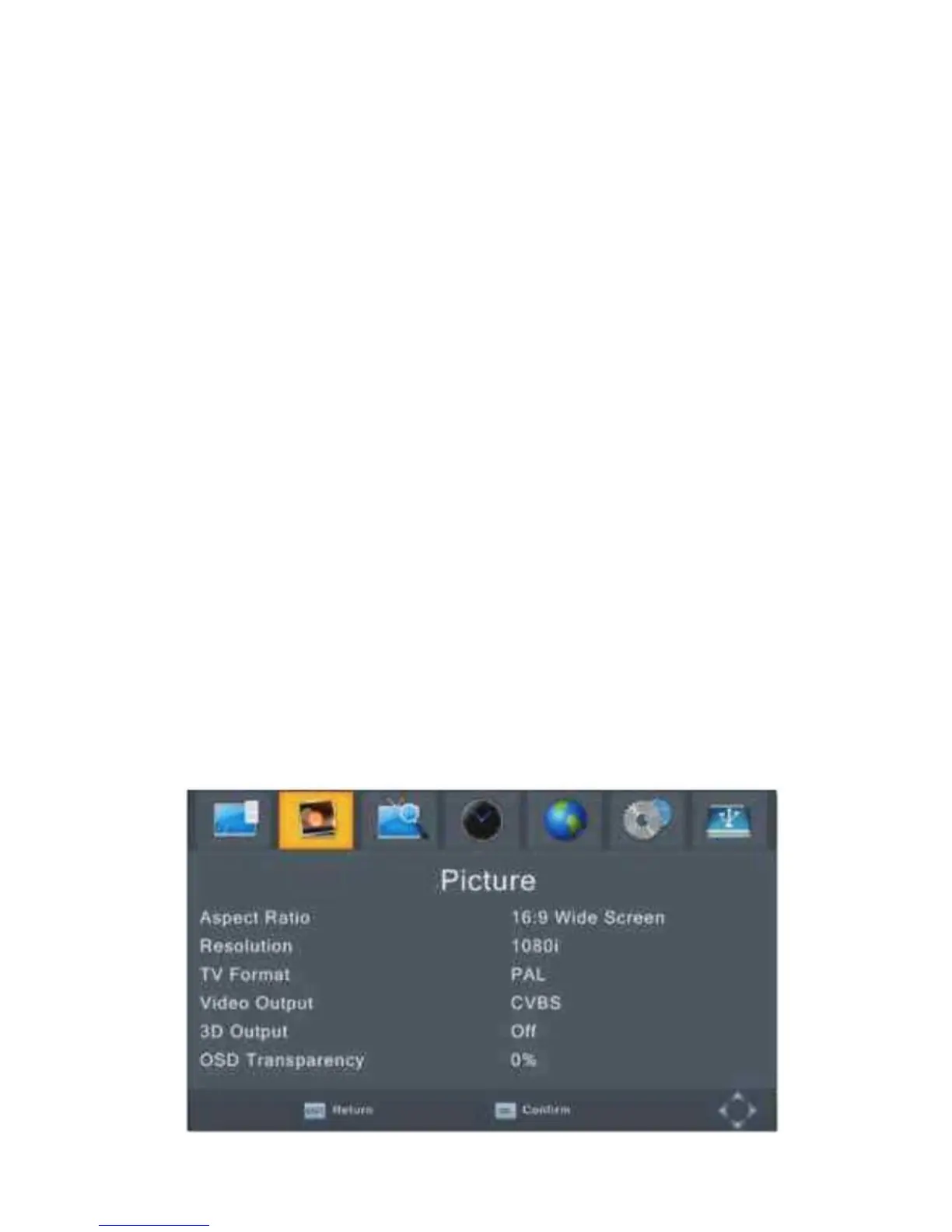
Picture Setting
To access the Menu, press MENU then select [Picture] using the
RIGHT/LEFT key.
The Menu provides options to adjust the video settings.
Press UP/DOWN to select an option and press RIGHT/LEFT to
adjust that setting. Press EXIT to exit the menu.


 To Next Page