29
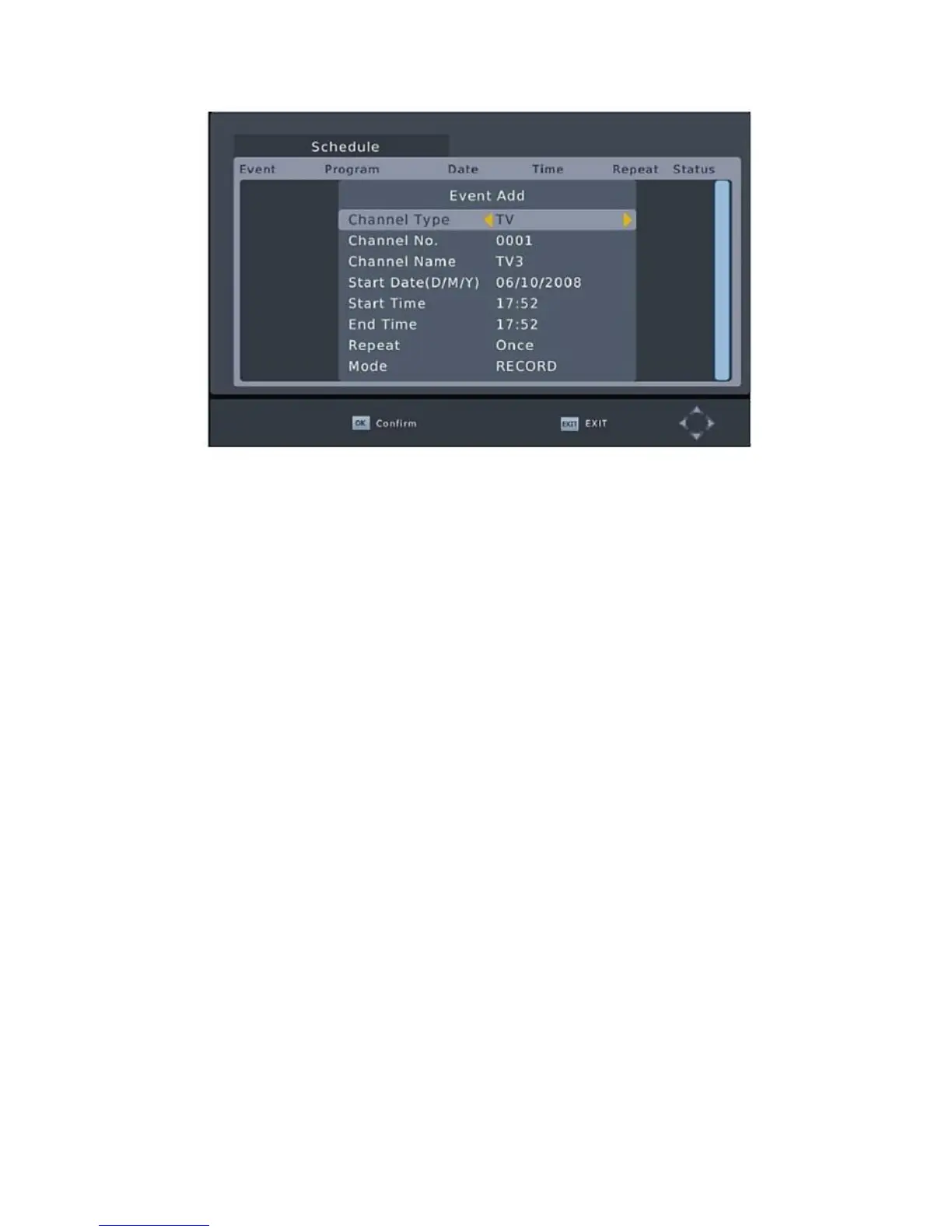
A few seconds before starting to record, a warning message with
a count-down is displayed on screen, which will change to the
programmed channel when the count-down ends. Once the
recording has finished, a confirmation message appears on
screen.
To View the scheduled events, press the Blue button.
To Delete a scheduled event, select the event and press the Blue
button.
The recording files can be deleted on this unit, you can go to the
PVR and press Yellow button to delete it.
The TV program is recorded to file at PVR format, which can be
play back on this unit and PC using a suitable player, but cannot
be played on DVD or PDVD.
Note: For recording the high definition TV programs, the version
of USB device should be 2.0 or above, otherwise the unit may
cannot record the HD programs correctly.
When recording to USB stick or external hard disc on this model,
you have to wait a few seconds before pushing REC button after
inserting the media. Otherwise the unit can freeze in the signal.
If that happens, then please take off power and connect again to
fix this.
Scheduled recording only works when the unit power is on,it can
not work when the unit is standby.


 To Next Page