12
About Screen Performance
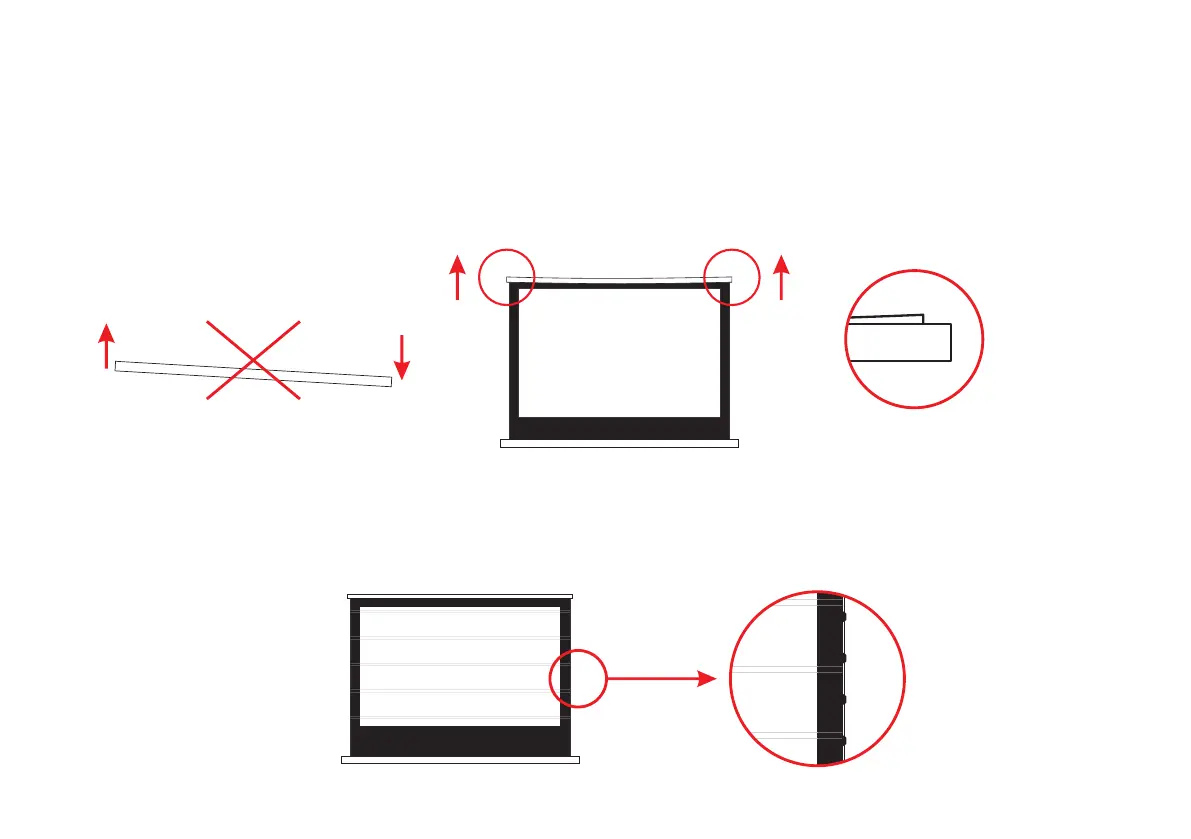
1.Please note that when placing this product, please make sure that the product is always in a horizontal state. Do not place the
screen in an inclined or vertical position.
2. After using for a period of time, if the cover on both ends of the screen is slightly tilted, there is no need to worry. This is a
normal phenomenon and does not affect the viewing and use. In addition, due to the cover warping, there is a gap between the
screen and the housing case after closing, which is also a normal phenomenon.
3.If there are regular creases on the screen surface after the screen is opened, don't worry. This is a normal phenomenon.
It is caused by the screen being curled and tightened for a long time, which does not affect the user's viewing. After
opening the screen for a period of time, you will notice that the stripes on the screen will gradually disappear.
Please make sure the product
is placed horizontally
There was a slight tilt after
the screen was closed



 To Next Page