16
Screen Running
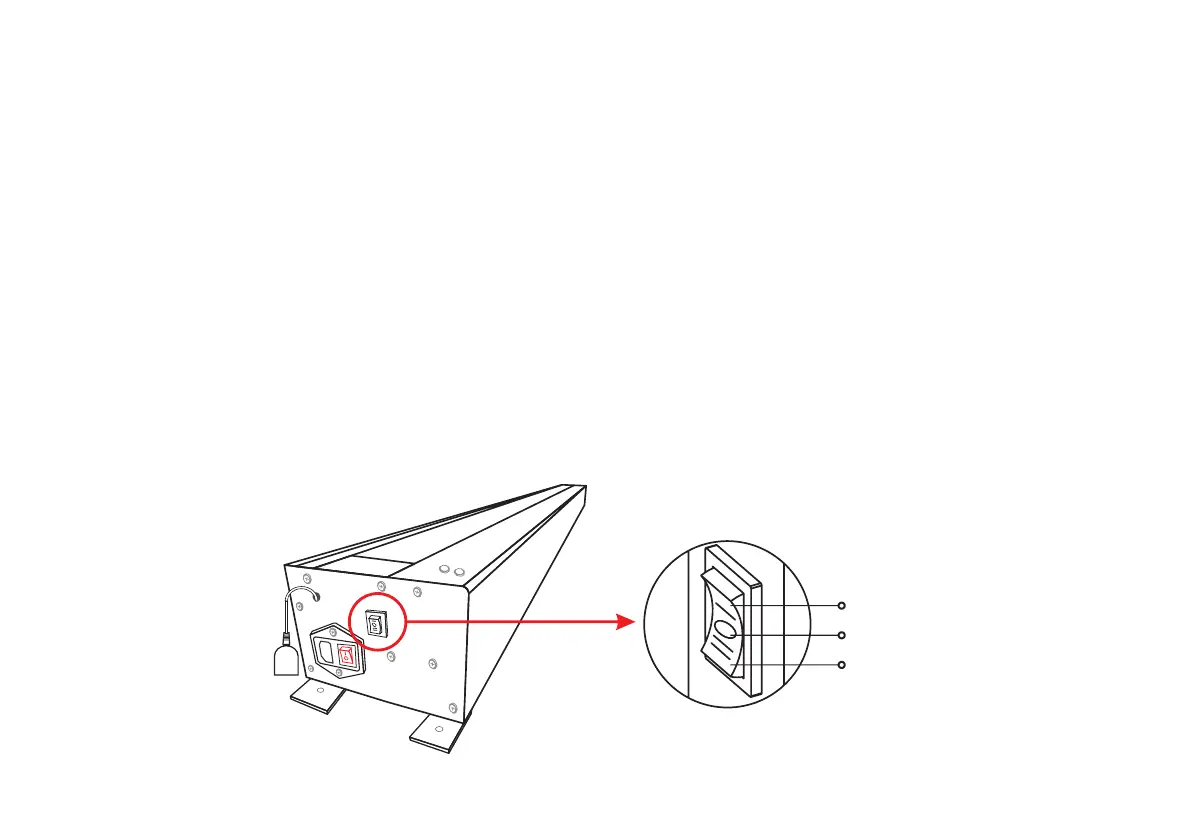
1.Manual Switch
Voltage information: make sure your screen is working at the depending on the area.correct voltage,
(1) Plug the screen power cord into the correct power outlet.
(2) When the product power is turned on, a "beep" sound will be emitted for 1.5 seconds, indicating that the product has
been powered on.
(3) When the screen is fully raised, you can choose to turn off the power switch and unplug the power cord due to long-term
viewing. At this time, the screen will remain open and will not be closed due to power off. To turn off the screen, connect the
power cord and turn on the switch to resume operation.
(4) When the left power switch is powered on, you can use any of the methods described below to run the screen.
Note: when the screen is raised, make sure there is no obstacle and enough space on the top of the screen, and do not put your
head on the top of the screen to avoid personal injury and product failure.
The left side of the screen shell is equipped with a manual switch which can control the screen "up / stop / down".
Up
Stop
Down



 To Next Page