14
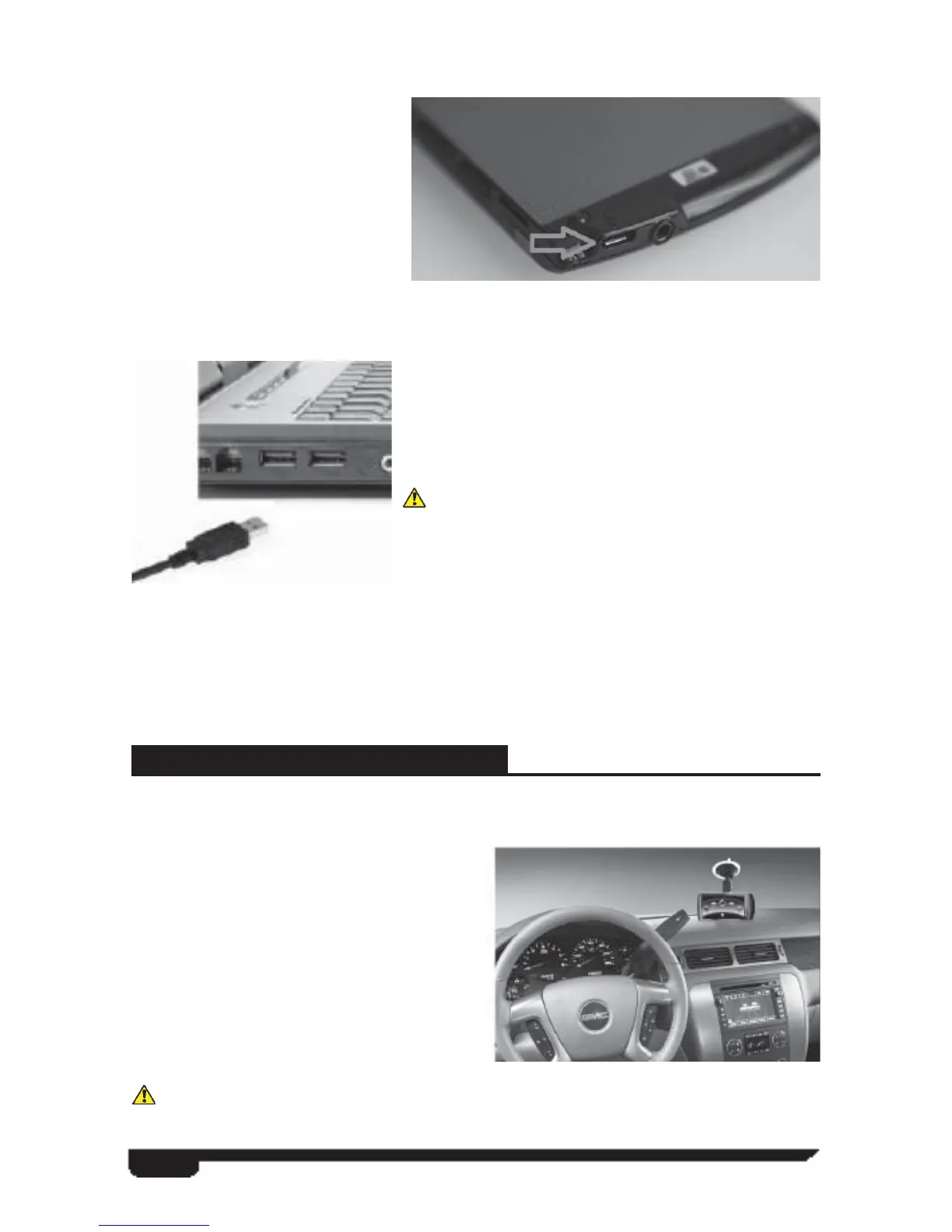
Use the supplied Micro USB cable supplied in the VIVID box to connect your
ARCHOS unit to your PC. The
Micro USB port can be located at
the bottom edge of the ARCHOS
unit.
Attach one end of the micro USB
cable to the ARCHOS unit and
the other end to a USB port on
your PC.
The enclosed ARCHOS
handbook offers instructions for updating the device or you can visit the Superchips web
site for a link to the ARCHOS update directory. Before disconnecting your ARCHOS
from your PC, please make sure the battery in the
device is charged to 100%. If not, please charge the
unit by either leaving it connected to your PC or by
using the wall outlet charger included in the product
box.
Charging the ARCHOS battery to 100% will
ensure safe operation of the product when using the
VIVID software to tune your vehicle.
If additional assistance is needed, a helpful customer
service representative can be contacted by calling
the Superchips tech support line at 1-888-227-2447 or by emailing tech@superchips.
com.
MOUNTING ON WINDSHIELD
The windshield mount supplied with your VIVID PAQ is designed to give you
fl exibility in mounting your device anywhere you’d like on your windshield.
The windshield mount allows the user a
hands free option for ease of tuning or
while using one of the additional software
features included in the product. The mount
is equipped with a locking suction cup, a
vertically adjustable arm, and a 360˚ pivot
head with spring loaded clips providing a
secure grip on the ARCHOS while allowing
the ability to fi ne tune the viewing angle to
your preference.
Before using the suction cup mount on your windshield, check the state and local
laws and ordinances where you drive. Some state laws prohibit drivers from using



 To Next Page