27
DODGE/JEEP ONLY DAQ ADDITIONS
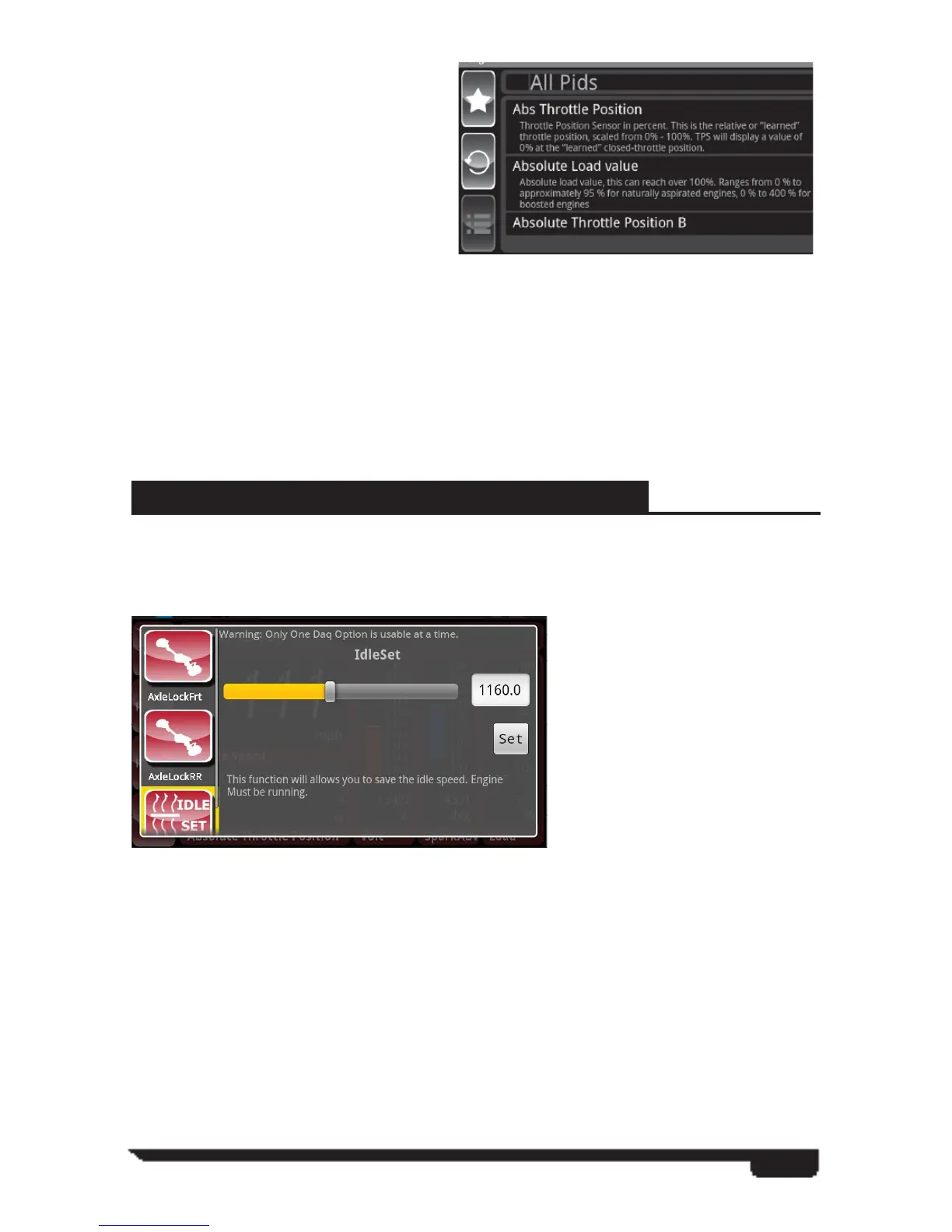
Engine Idle Up/Down Feature
Engine idle speed adjustment options are available for most Dodge and Jeep vehicle
equipped with electronic throttle control.
Front or Rear Axle Lock Feature
Axle lock options may be available for those Dodge trucks and Jeep vehicles
equipped with electronically controlled differentials. Each differential can be locked
independently which can be useful in off-road situations like rock climbing where
the need for continuous locking and unlocking of the axles is warranted. (Only one
differential can be locked at a time with this feature.)
Once you have completed your
driving run select menu followed by
stop recording.
The recording has been saved to the
VIVID, the fi le can then be saved
to the PC by selecting and dragging
down the status icon bar from the
top of the ARCHOS screen – USB
connected – Mount.
You will now be prompted with a drive popup on your PC screen. If you do not see a
popup dialog in a timely manner you will need to user Windows Explorer to browse to
the new drive on your computer.
Open the folder in the popup to explore the saved fi les. Select the Superchips folder
followed by the DAQ folder. Find the fi le you want to save and drag it to the desktop.
Once saved to a PC the user can view the fi le by opening the fi le using a spread sheet
format.



 To Next Page