Setup
Vivint Element CT200 Installation Guide
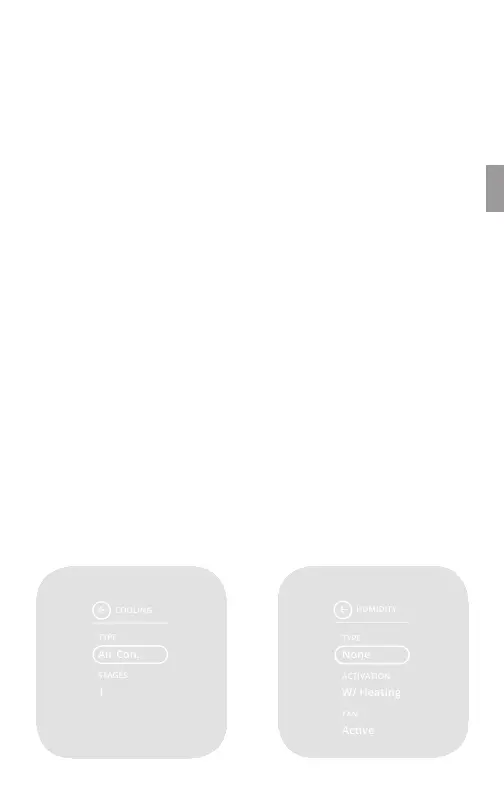
Selecting Cooling Type
1. From the Thermostat’s Home
screen, press and hold the
SIDE button for 3 seconds. The
Settings menu opens.
2. Highlight Installer, then press
the SIDE button. The Install
Settings menu opens.
3. Highlight Equipment, then
press the SIDE button. The
Equipment menu opens.
4. Highlight Cooling, the press
the SIDE button. The Cooling
menu opens.
5. Under Type, press the SIDE
button until your Cooling type
is displayed: Air Conditioning,
Heat Pump, or Evaporate.
6. Under Stages, press the SIDE
button until the number of
stages your system uses is
displayed: 1(single) or 2 (dual).
Selecting Humidity Settings
1. From the Thermostat’s Home
screen, press and hold the
SIDE button for 3 seconds. The
Settings menu opens.
2. Highlight Installer, then press
the SIDE button. The Install
Settings menu opens.
3. Highlight Equipment, then press
the SIDE button. The Equipment
menu opens.
4. Highlight Humidity, the press
the SIDE button. The Humidity
menu opens.
5. Under Type, press the SIDE
button until the type of humidity
system you have is displayed:
None, Humidier, Dehumidier,
or Air Conditioner.
6. Under Activation, press the
SIDE button until the method
your humidity system uses is
displayed: W(ith) Heating, W(ith)
Cooling, or Independent.
7. Under Fan, press the SIDE
button until the fan option
your humidity system uses is
displayed: Active or Inactive.
COOLING
TYPE
Air Con.
1
STAGES
Cooling
HUMIDITY
TYPE
ACTIVATION
None
W/ Heating
Active
FAN
Here are the Humidity values:
Humidity Type
o None
o Humidier
o Dehumid.
o Air Con.
Activation
o W/ Heating
o W/ Cooling
o Independent
Fan
o Active
o Inactive
Humidity
19



 To Next Page