Setup
3
Vivint Element CT200 Installation Guide
Selecting HVAC & Heat Types
1. From the Thermostat’s Home
screen, press and hold the
SIDE button for 3 seconds.
The Settings menu opens.
2. Highlight Installer, then press
the SIDE button. The Install
Settings menu opens.
3. Highlight Equipment, then
press the SIDE button. The
Equipment menu opens.
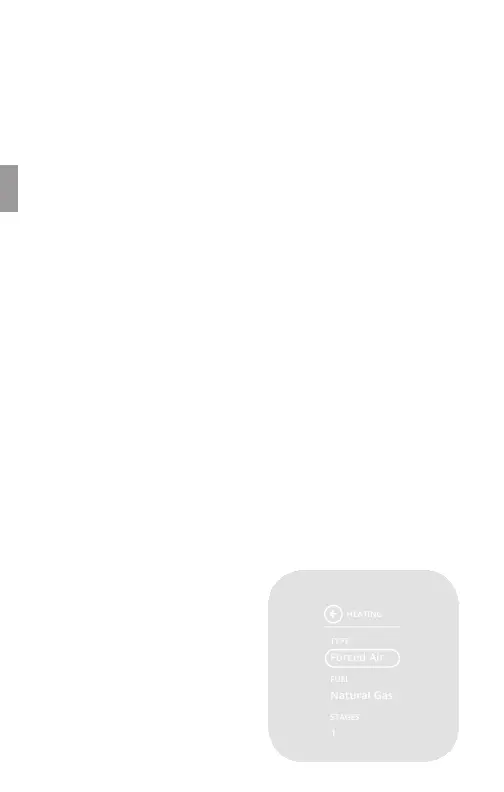
4. Highlight Heating, then press
the SIDE button. The Heating
menu opens.
5. Under Heating Type, press
the SIDE button until your
heating type is displayed:
Forced Air, Heat Pump,
Hydronic, or Radiator.
6. Under Fuel, press the SIDE
button until your heating
fuel is displayed: Natural
Gas, Propane, Fuel Oil, or
Geothermal and Electric. For
Heat Pump systems, this eld
is labeled Aux. Fuel.
7. Under Stages, press the
SIDE button until your
system’s heating stage type is
displayed: 1 (single), 2 (dual),
1 + Auxiliary, or 2 + Auxiliary.
For Heat Pump systems, this
eld is labeled Aux. Stages.
Note: Auxiliary stages are only
available if you select Heat Pump
as the heating type.
Selecting Heat Pump Settings
1. From the Thermostat's Home
screen, press and hold the
SIDE button for 3 seconds.
The Setting menu opens.
2. Highlight Installer, then press
the SIDE button. The Install
Settings menu opens.
3. Highlight Equipment, then
press the SIDE button. The
Equipment menu opens.
4. Highlight Heat Pump, then
press the SIDE button. The
Heat Pump menu opens.
5. Highlight Wire, then select the
letter corresponding to the
terminal the Heat Pump is
connected to: O or B.
6. Under Stages, press the
SIDE button until your
system's heating stage type
is displayed: 1 (single), or 2
(dual).
HEATING
TYPE
FUEL
Forced Air
Natural Gas
1
STAGES
Heat Types
18



 To Next Page