EasyManua.ls Logo

Vivitar 35ES - Exposure Warnings; Parallax Correction; Flash Photography

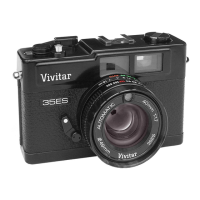
Vivitar 35ES
54 pages
Print Icon
To Next Page IconTo Next Page
To Previous Page IconTo Previous Page
Loading...
I
$'*l
lrl
l"
ffi
hi,
.{il
l,.
r:..,
i
i ,::1
1'iii,:'
,''
i'
'
In
combination
with
certain
subjects
(e
g
sand
or
snow)
and
very high
speed
films
(e
g
DIN 27,ASA
400),
the
meter
needle may move into the overexposure
warntng
zone
lf
this
should
occur,
we recommend the use
of
a)
a neutral density
filter on the
lens
to
reduce
the
amount of
incoming
ltght, or
b)
a slower
DIN
/ASA
rated f ilm
i.";;]{:1*jr'*;ii$:}{}ldtrt;'t;
:'
.1^}fi*r*
iri;*F.tl
i&',:if
i.i.iliu::i
,il"r.;r'l,r,r:
lf
the
meter
needle moves into the
red,
underexposure
zone,
the camera
must
be set at either
a
slower
shutter
speed or
must
be used
with a flash unit
mounted
in
the
Hot
Shoe
irr)
lSee
"Flash
Photography" section)
.
';-
,;..:'
..
:..,,''',i
r',
When
you're
photographing
at
distances
of
2 m
(6
ft
)
or
less,
be sure
to compose
your
subject
withtn the
Parallax
Correction
Mark
to
prevent
accidentally
"cutting
off
"
part
of vour subiect
1:f
'Yt"}
&^fi
-
g',*
$:i,tl* u*
ilj
1i
t
Once
you've
checked
to be sure
the
meter needle
is within
the
yellow
exposure
range,
just
recheck the camera
focus,
make sure
the
film is
advanced
and
press
the Shutter
Release
Button to capture
the
world around
you
on
f ilml
ifr
il
m S
$t
:}9
lt..l
{}
f;,#,{,J;t
*i
i::r i;.,r
i,il
rr
Your
Vivitar 35ES
has
"X"
flash synchronization
built
into the
camera
Hot Shoe.
The camera's
Flashmatic
System
automatically
sets
the correct
exposure
as
you
focus.
For
properly
exposed
flash
photos:
i
-tlMount
the
flash unit
9n
the
Hot
Shoe
q1

Related product manuals