DLP Projector – User’s Manual
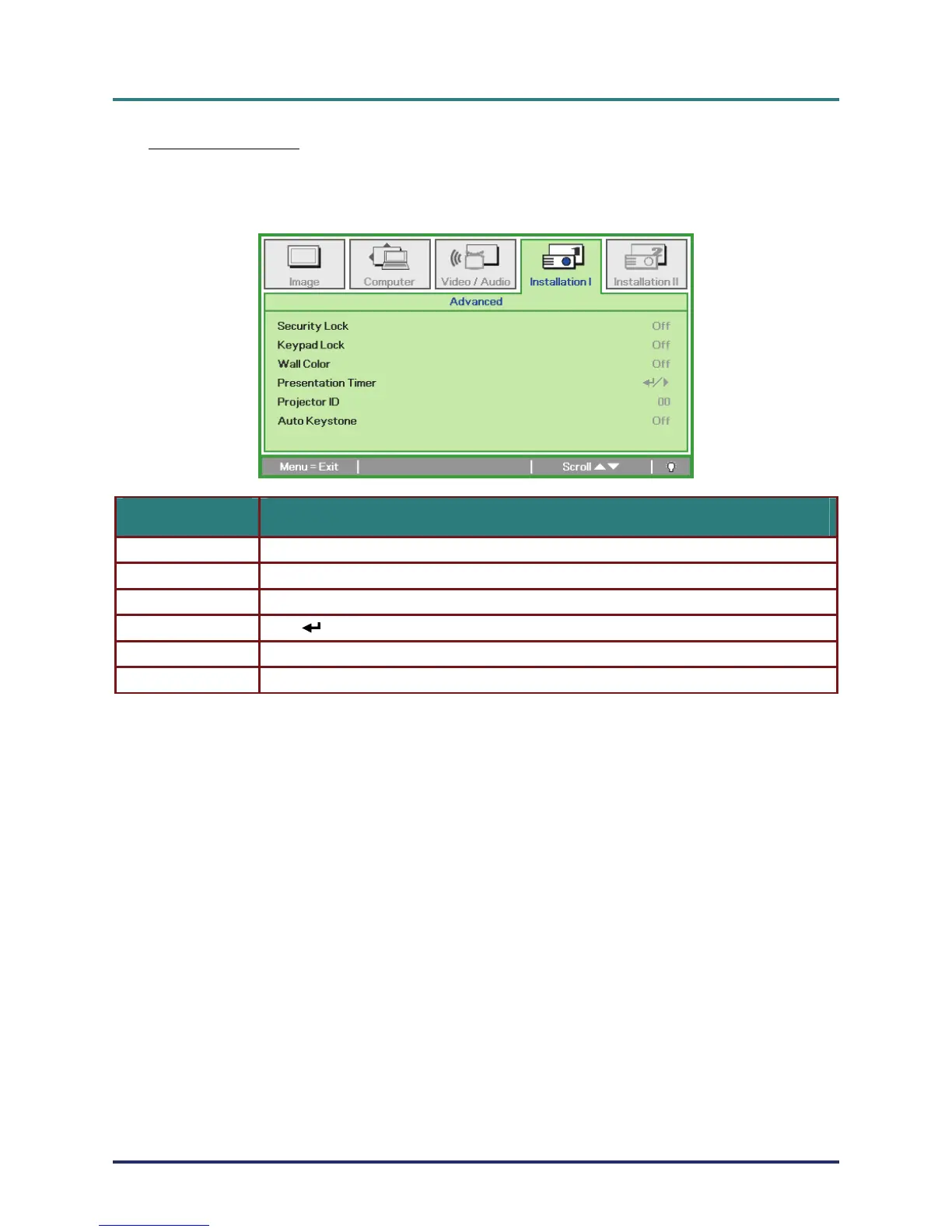
Advanced Feature
Press the Menu button to open the OSD menu. Press ユモ to move to the Installation I menu. Press
ルヴ to move to the Advanced menu and then press Enter or モ. Press ルヴ to move up and down in
the Advanced menu. Press ユモ to change values for setting.
ITEM DESCRIPTION
Security Lock Press the cursor ユモ button to enable or disable security lock function.
Keypad Lock Press the cursor ユモ button to enable or disable keypad lock function.
Wall Color Press the cursor ユモ button to select different wall color setting.
(Enter) / モ to enter the Presentation menu. See Presentation Timer on page Presentation Timer Press 30.
Projector ID Press the cursor ユモ button to adjust a two digit projector ID from 0 through 99.
Auto Keystone Press the cursor ユモ button to enable or disable auto keystone function.
– 29 –



 To Next Page