13
Operation II:
Ensure that the mobile phone and the projector are under a same WiFi environment;
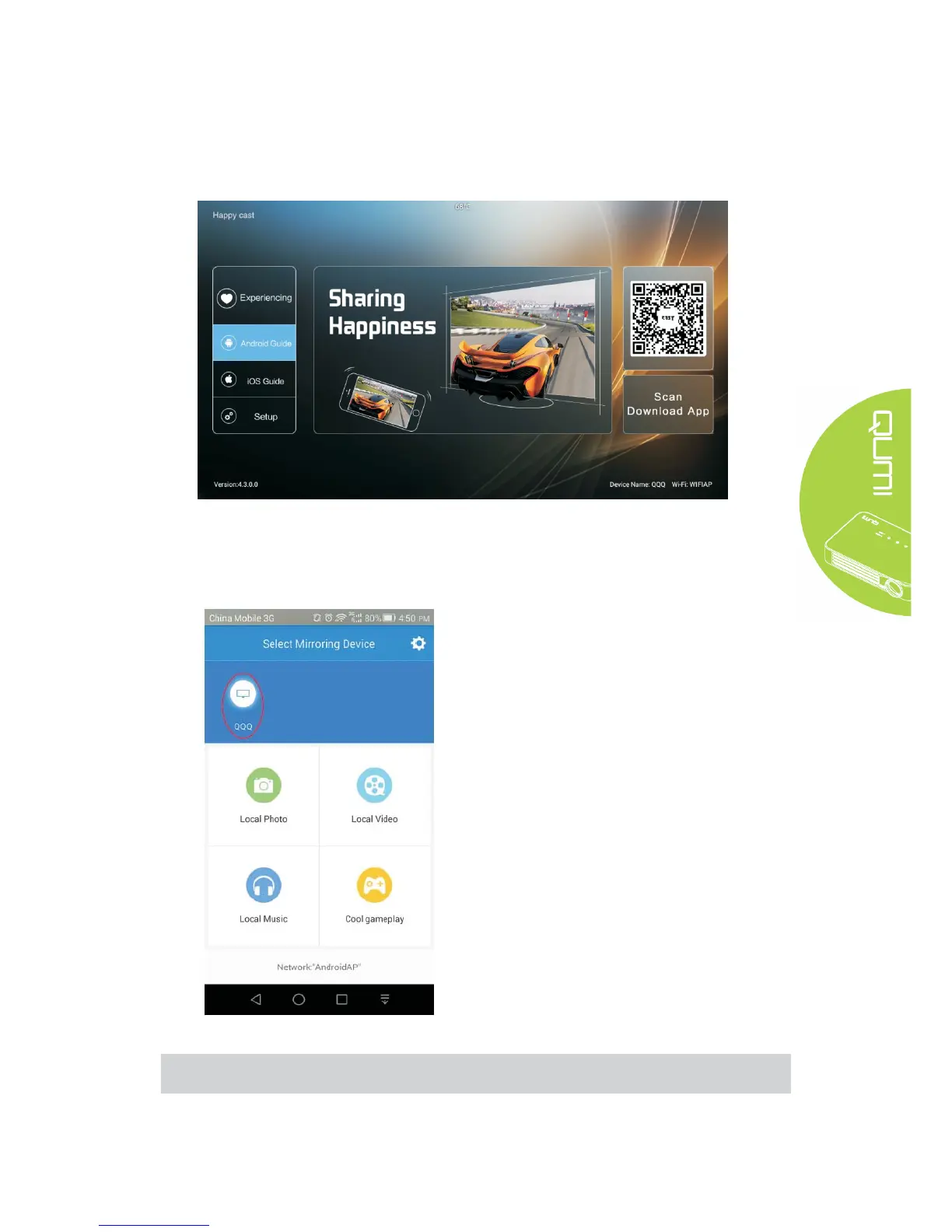
Turn on Happycast and scan the two-dimensional code with an Android phone to download and
install the Mobile Version Happycast;
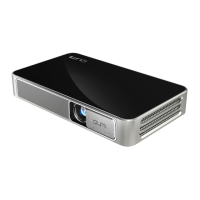
Turn on the mobile Happycast screen, and click device matched to the projector name (as
shown below) for screen mirror operation.
Note:
Ensure that the mobile phone and the projector are under a same WiFi environment



 To Next Page