12
Happy cast- Android operation
Screen mirror -Android
Operation I:
Turn on Happycast and scan the two-dimensional code with an Android phone to download and
install the Mobile Version Happycast;
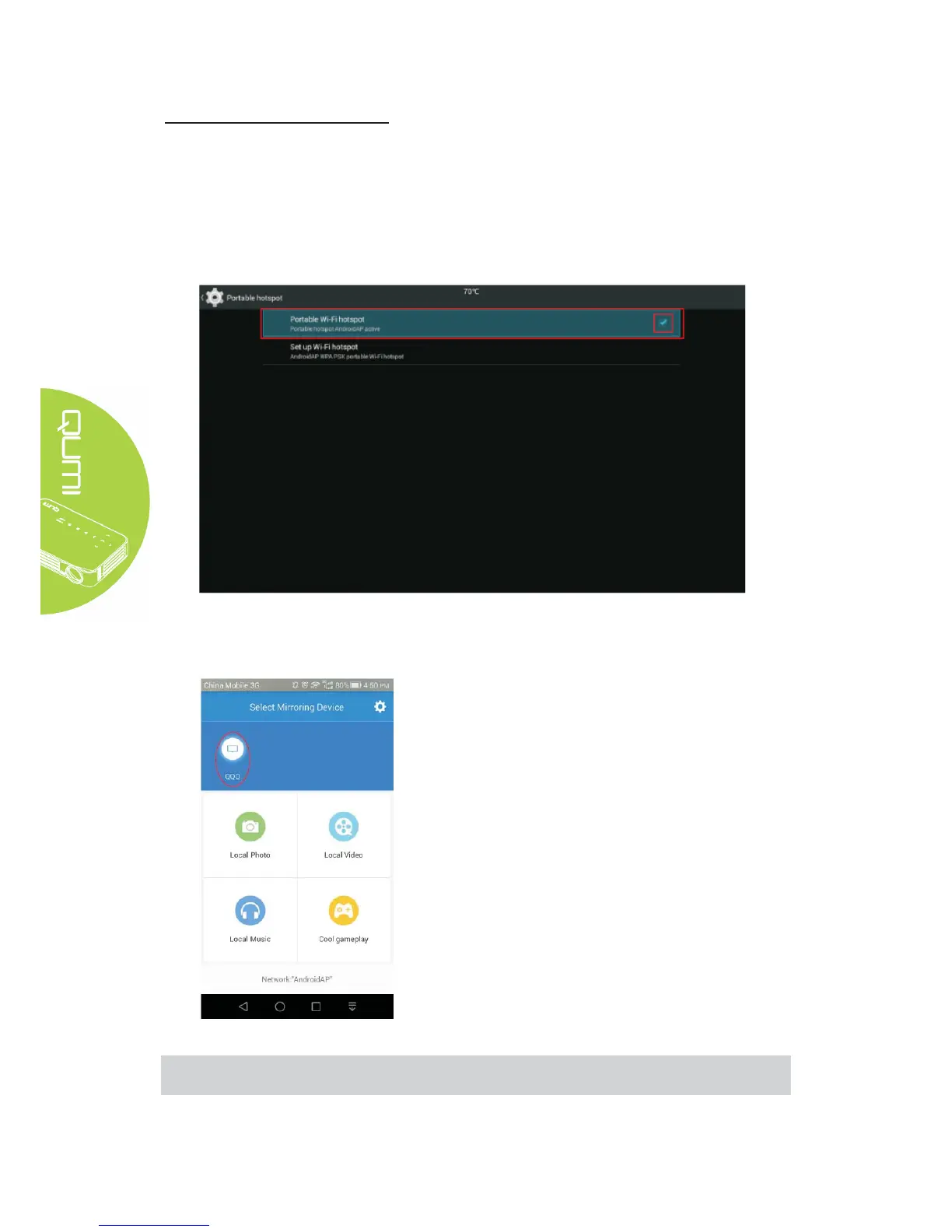
Turn on the Projector Setting - General - More - Portable Hotspot - Portable WLAN Hotspot;
Conform the portable WLAN hotspot with a tick √.
After the mobile phone is connected to the projector WiFi, turn on the mobile Happycast screen,
and click device matched to the projector name (as shown below)
for screen mirror operation.
Note:
The mobile phone and the projector are not connected to any third-party WiFi.



 To Next Page