25
Setting
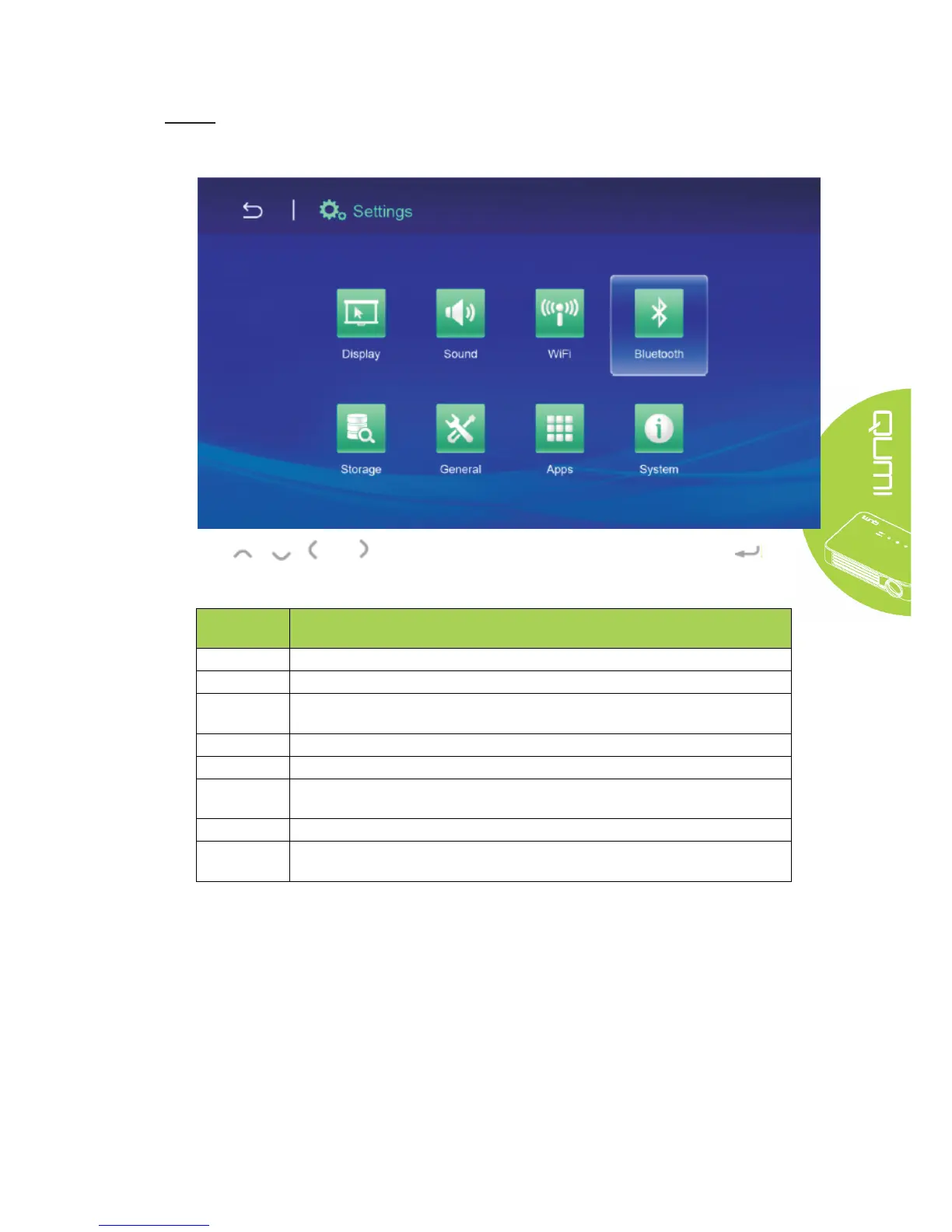
Access to Display, Audio file, Wireless linkage, Bluetooth, Memory, General, Application and
System.
Press , , and buttons on the remote controller to select files and press for
display. The control panel display will change based on the file. The table below lists available
functions.
Menu
bar/Icon
Description
Display Change font size, Project screen
Audio file Volume, System (Default audio prompt, Touch prompt)
Wireless
network
Connect wireless network
Bluetooth Turn on/off Bluetooth
Storage Internal storage display, SD card installation and formatting
General Wireless and network setting, Equipment setting, Personal setting, Account
setting, System setting
Application Downloaded applications, Running applications, All applications
System Status information, Legal information, Model, Android version, Core version,
Version number



 To Next Page