15
Operation II:
Ensure that the mobile phone and the projector are under a same WiFi environment;
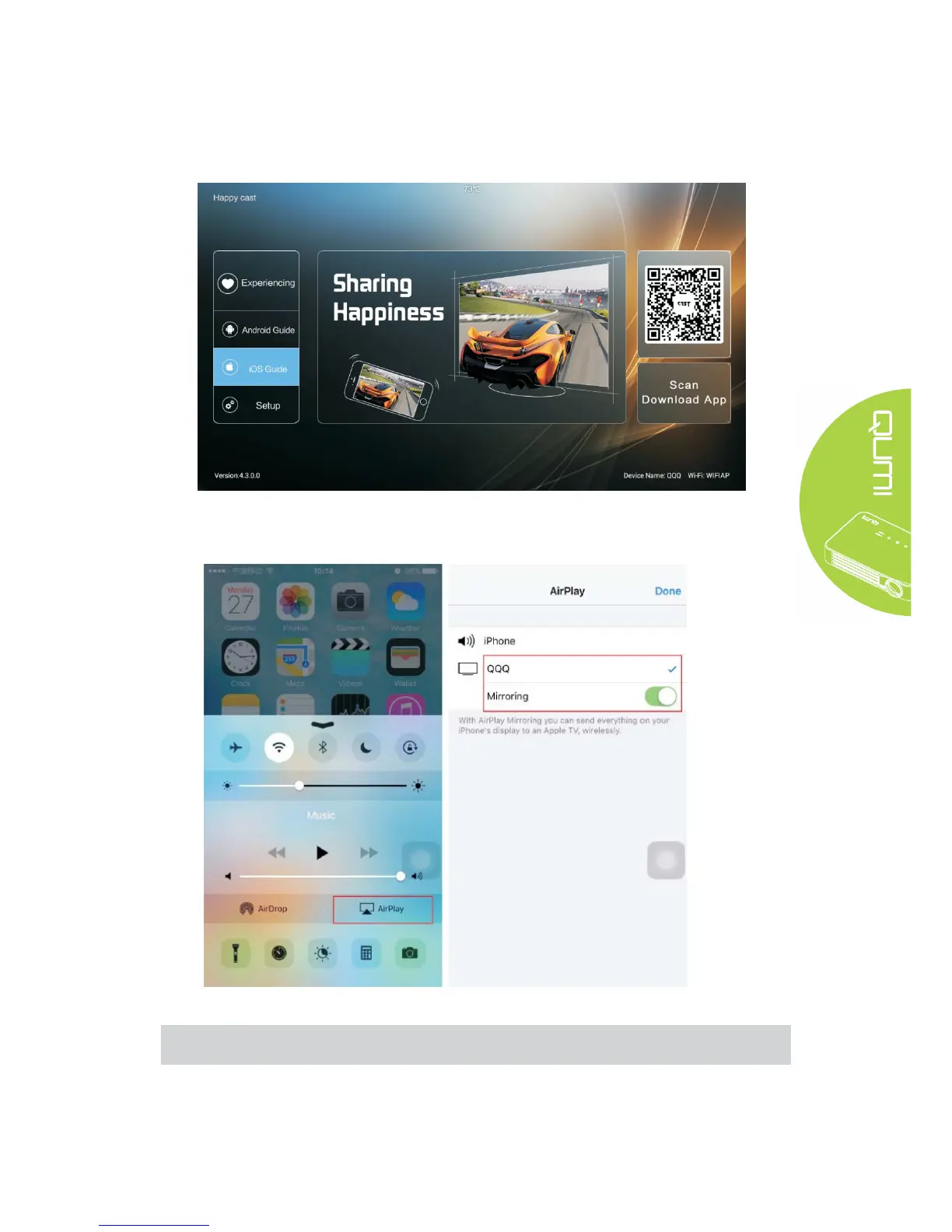
Turn on the projector Happycast;
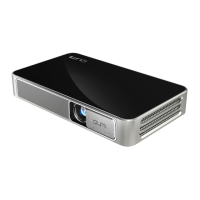
slide up from the bottom of mobile phone screen to appear the console interface. Click Airplay
button to select the device to be projected. Turn on the mirror image switch (as shown below)
for screen mirror operation.
Note:
Ensure that the mobile phone and the projector are under a same WiFi environment



 To Next Page