29
Setting display mode
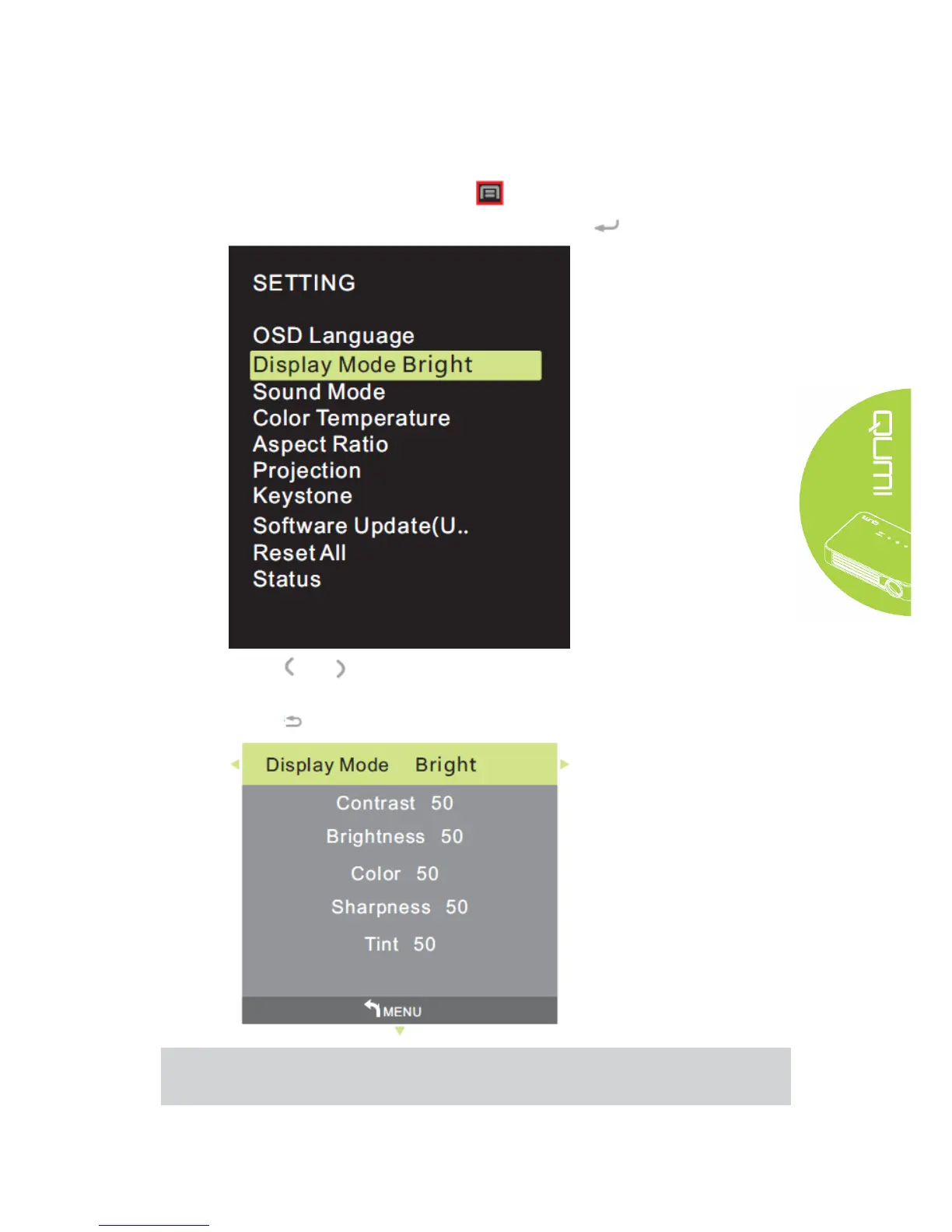
Display mode of OSD may be changed. Perform the following steps to change the display
mode:
1. Press the Screen Display Control Key on remote controller and enter OSD menu.
2. Move the cursor to highlight the display mode, and press .
3. Press and buttons until the target display mode (Bright, Demo, Film and User) is
highlighted by cursor and setting of display mode is completed.
4. Press button to close OSD.
Note:
Contrast, brightness, color and sharpness of user display mode may be adjusted as
required by application.



 To Next Page