33
Setting projection method
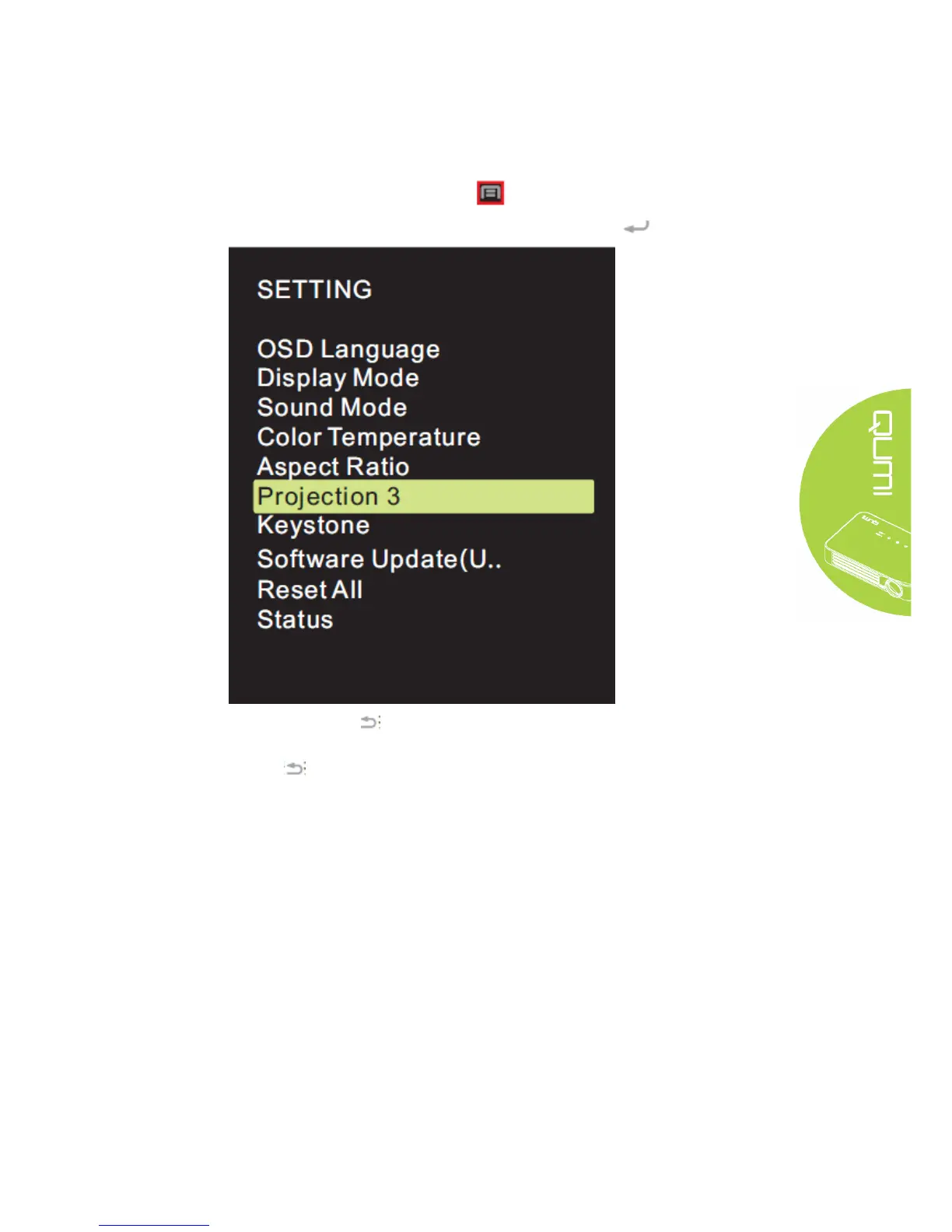
Projection method of OSD may be changed. Perform the following steps to change the
projection method:
1. Press the Screen Display Control Key on remote controller and enter OSD menu.
2. Move the cursor to highlight the projection method, and press .
3. Repeatedly press button to select target projection method (3, 0, 1 and 2), and
setting of projection method is completed.
4. Press button to close OSD.



 To Next Page