36
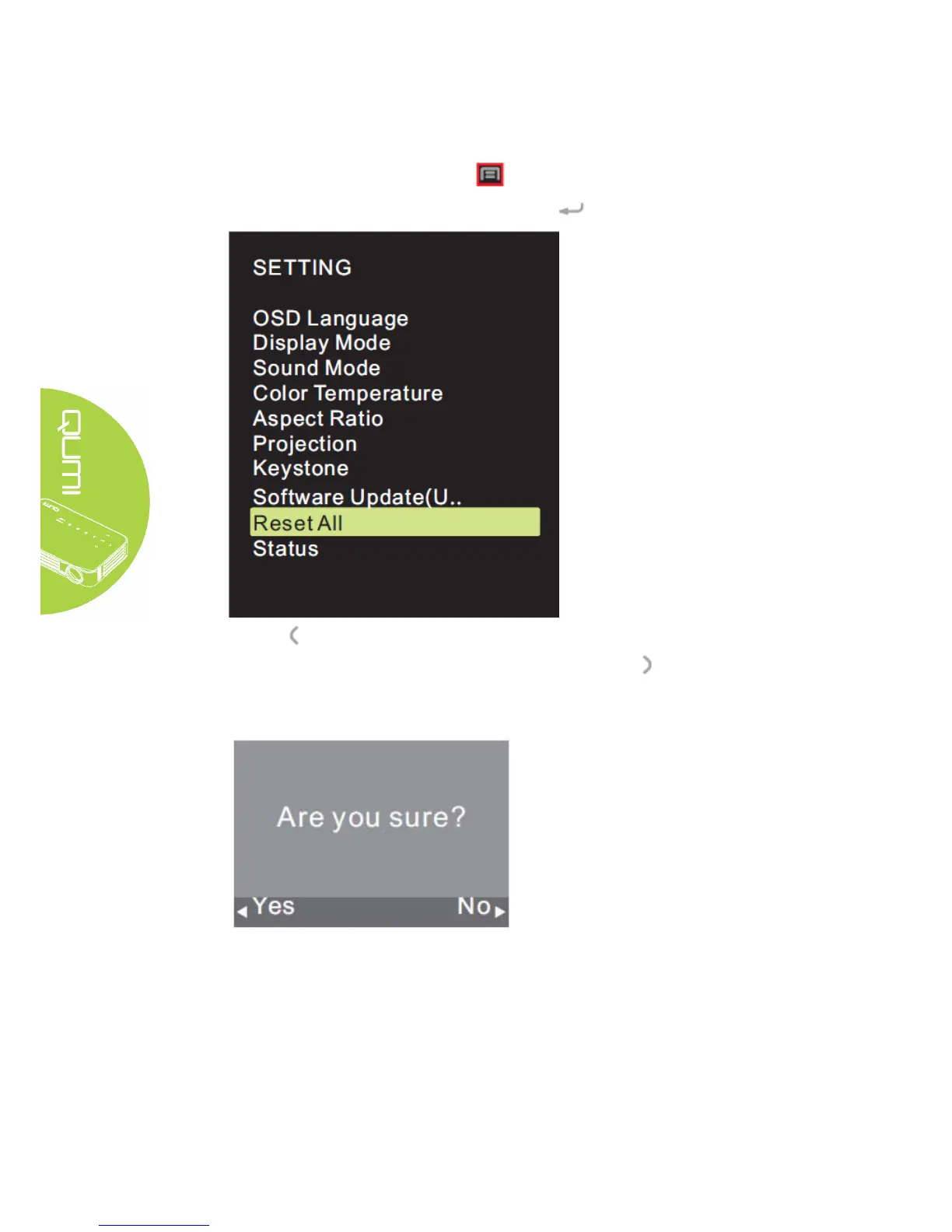
Setting of reset all
OSD may all be reset. Perform the following steps to reset all:
1. Press the Screen Display Control Key on remote controller and enter OSD menu.
2. Move the cursor to highlight the reset all, and press .
4. Press button to select Yes, all settings will be reset automatically, after then the
QUMI user interface will be automatically switched back. Press button to select No,
the OSD screen control menu will be automatically switched back.



 To Next Page