4
STEP 4
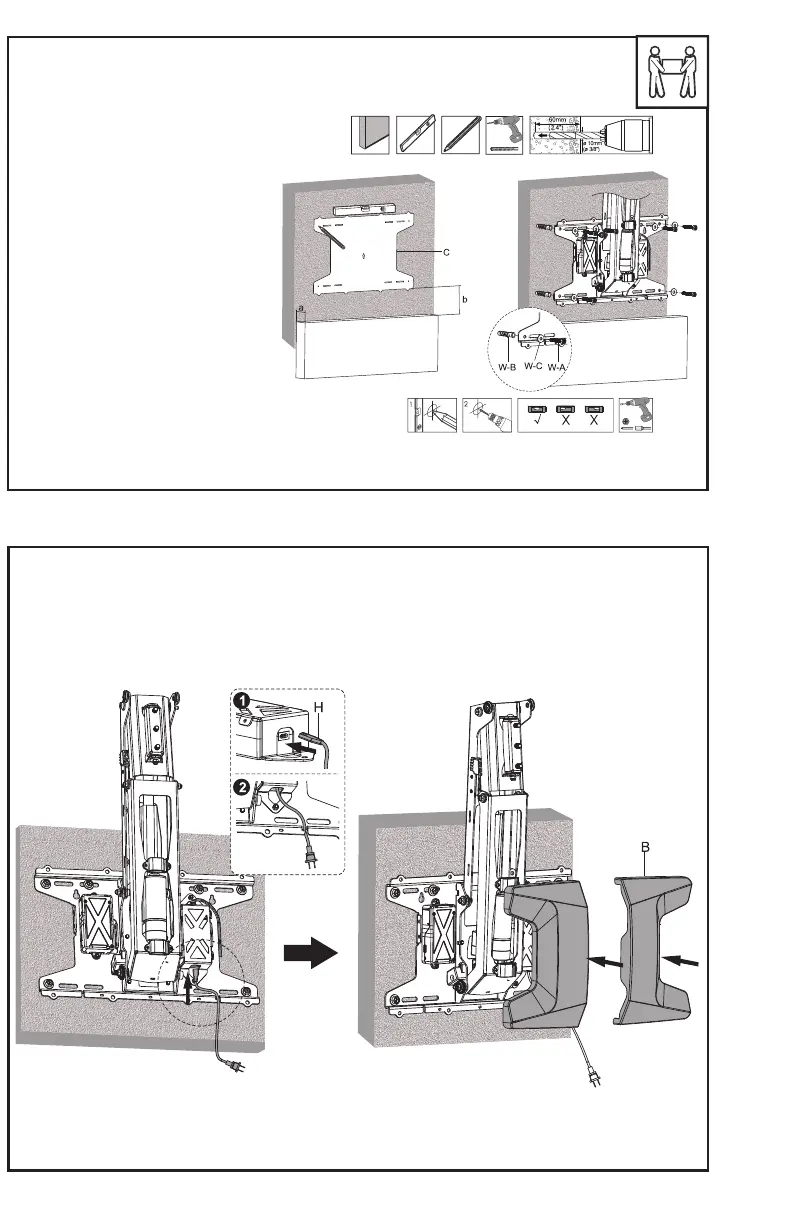
Plug the power cord (H) into mount (A). Place the cord into the slot as shown and snap the wall plate
covers (B) in place.
STEP 3 (Continued)
OPTION B: Concrete/Brick Installation
Align the bottom edge of the stencil (C)
with the measured height from step 1
and mark drilling locations using a pencil.
Use of a level is recommended. Remove
stencil, drill 2.4” (60mm) deep holes using
a 3/8” (10mm) drill bit, and insert anchors
(W-B) into the holes. Attach the mount
(A) to the wall using screws (W-A) and
washers (W-C).


 To Next Page