EasyManua.ls Logo

Vivo MOUNT-VP01W - User Manual

Vivo MOUNT-VP01W
8 pages
Print Icon
To Next Page IconTo Next Page
Loading...
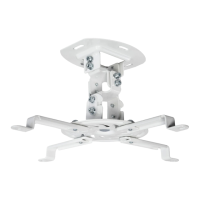
White Projector Ceiling Mount
Scan the QR code with your mobile device or follow the link
for helpful videos and specifications related to this product.
Instruction Manual
https://vivo-us.com/products/mount-vp01w
SKU: MOUNT-VP01W
help@vivo-us.com www.vivo-us.com 309-278-5303
Chat live with an agent!
GET IN TOUCH | Monday-Friday from 7:00am-7:00pm CST
Question and Answer IconNeed help?

Do you have a question about the Vivo MOUNT-VP01W and is the answer not in the manual?

Summary

Product Information and Resources

Manual Title and Identification

Provides the title of the instruction manual and product identification details.

Product SKU and Online Resources

Lists the product SKU and provides a QR code and URL for additional product information.

Contact and Support Channels

Details contact methods like email, website chat, and phone number for customer support.

Safety Warnings and Package Contents

Critical Safety and Hazard Warnings

Covers general warnings, choking hazard alerts, and essential safety precautions.

Package Contents Listing

Details all included parts and hardware necessary for the projector mount assembly.

Installation Cautions

Provides specific advice on ceiling construction and secure mounting practices.

Assembly Guide

Tools Required for Assembly

Lists the necessary tools, such as a drill and screwdriver, for the installation process.

Step 1: Cable Routing Options

Instructions on how to route cables through the ceiling mount based on installation type.

Step 2: Ceiling Plate Installation

Guidance for mounting the ceiling plate to either a wood or concrete ceiling structure.

Step 3: Attaching Bracket to Projector

Procedure for securing the mounting bracket to the projector using appropriate hardware.

Step 4: Hanging Projector Assembly

Instructions for connecting the projector assembly to the pre-installed ceiling mount.

Step 5: Securing Projector Plate

Steps to fasten the projector mounting plate to the main mount using specific screws and washers.

Step 6: Adjusting Projector Angle and Rotation

Guidance on fine-tuning the projector's angle and rotational positioning.

Support and Documentation Details

Customer Support and Response Times

Information on support availability, contact methods, and average response/resolution times.

Manual Last Updated Date

Indicates the date the instruction manual was last revised.

Overview

This document is an instruction manual for the VIVO White Projector Ceiling Mount, SKU: MOUNT-VP01W. It provides detailed assembly steps, safety warnings, and contact information for customer support.

Function Description

The VIVO White Projector Ceiling Mount is designed to securely attach a projector to a ceiling, allowing for optimal positioning and adjustment. It supports both wood and concrete ceiling installations and offers options for cable management, either hidden above the ceiling or routed below. The mount features adjustable arms to accommodate projectors with varying mounting hole patterns, including those with three mounting holes (by removing one arm). Once installed, the projector's angle and rotation can be adjusted to achieve the desired projection.

Important Technical Specifications

  • SKU: MOUNT-VP01W
  • Weight Capacity: Do not exceed 30 lbs (13.61 kg). Exceeding this limit can result in serious injury.
  • Ceiling Compatibility:
    • Wood Ceilings: Requires 4.5mm or 3/16" drill bit for 55mm (2.2") deep holes. Mounts with (W-A) screws and (W-C) washers.
    • Concrete Ceilings: Requires 10mm or 3/8" drill bit for 60mm (2.4") deep holes. Mounts with (W-B) concrete anchors, (W-A) screws, and (W-C) washers.
  • Mounting Hardware (Projector Attachment):
    • Screws: M-A (M3x8), M-B (M4x10), M-C (M5x10), M-D (M6x10)
    • Washers: M-E (D3), M-F (D4), M-G (D5), M-H (D6)
  • Mounting Hardware (Mounting Plate to Ceiling Mount):
    • Screws: M-I (M5x12)
    • Washers: M-J (Metal), M-K (Plastic)
    • Tool: M-L (Allen Wrench)
  • Adjustability:
    • Rotation: 360 degrees
    • Tilt: +/- 15 degrees

Usage Features

  • Cable Management Options:
    • Hidden Cables: Cables can be routed through a large opening in the ceiling plate for a clean, concealed look, ideal when cables are to be hidden above the ceiling.
    • Visible Cables: Cables can be routed through the side of the ceiling mount if they are located below the ceiling or if concealment is not required.
  • Adjustable Projector Arms: The mounting plate (part B) features adjustable arms that can be aligned with the projector's mounting holes. For projectors with only three mounting holes, one arm can be easily removed.
  • Easy Projector Attachment: Projectors are mounted to the bracket using a selection of screws (M-A, M-B, M-C, M-D) and washers (M-E, M-F, M-G, M-H) to ensure compatibility with various projector models.
  • Quick Installation: The mounting plate with the projector is designed to hang over pre-installed screws on the ceiling mount, simplifying the final attachment step. Plastic oval washers are used between the plate and mount to ensure a secure fit.
  • Angle and Rotation Adjustment: After installation, the projector's angle and rotation can be easily adjusted. The mount allows for a 360-degree rotation and a tilt of +/- 15 degrees, providing flexibility for precise image alignment.
  • Comprehensive Hardware: The package includes a variety of screws, washers, anchors, and an Allen wrench to facilitate installation on different ceiling types and compatibility with various projectors. Note that not all included hardware will be used for every installation.

Maintenance Features

  • Durable Construction: While specific materials are not detailed, the mount is designed for secure and long-term use, provided it is installed correctly and within its weight capacity.
  • Clear Instructions: The manual provides step-by-step assembly instructions with clear diagrams, making installation and any necessary adjustments straightforward.
  • Customer Support: VIVO offers dedicated customer support Monday-Friday from 7:00 am to 7:00 pm CST. They provide assistance for installation queries, missing or defective parts, and general product support via email (help@vivo-us.com), phone (309-278-5303), and live chat on their website (www.vivo-us.com).
  • Online Resources: A QR code and URL (https://vivo-us.com/products/mount-vp01w) are provided for accessing helpful videos and detailed specifications, which can assist with troubleshooting or understanding product features.
  • Safety Warnings: The manual includes explicit warnings regarding proper installation, weight capacity, and choking hazards (for small parts), emphasizing the importance of following instructions to prevent damage or injury. It also cautions against installing into drywall alone, stressing the need to verify ceiling construction and use wood studs, or appropriate anchors for brick and concrete.

Vivo MOUNT-VP01W Specifications

General IconGeneral
BrandVivo
ModelMOUNT-VP01W
CategoryRacks & Stands
LanguageEnglish

Related product manuals